Ridesharing has become an indispensable part of modern urban life. Whether you are commuting to work or heading to the airport, Uber and Lyft offer undeniable convenience. However, as we move into 2026, the algorithms and pricing models behind these apps have become increasingly complex.
Have you ever looked at your receipt and felt your heart skip a beat because the price was double what you expected? Have you ever watched your driver on the map take a “shortcut” that added 20 minutes to your trip?
If you have been overcharged, subjected to a mystery “cleaning fee,” or victimized by a driver taking an unjustified detour, this guide is for you. In this comprehensive 2026 update, we will walk you through the exact steps to file a complaint, how to bypass automated bots, and most importantly, provide you with copy-paste English scripts to get your money back.
Part 1: Common Uber & Lyft Complaints in 2026
Ride-hailing apps like Uber and Lyft remain extremely convenient, but complaints from riders continue to focus on billing issues, driver behavior, and customer support problems. Below are the most common complaints reported by riders in 2026, based on consumer reports, legal filings, and rideshare dispute data.
1.1 Overcharging or Incorrect Fare
One of the most frequent complaints is being charged more than the estimated price shown in the app.
Typical examples include:
-
Final fare higher than the original estimate
-
Unexpected surge pricing during the trip
-
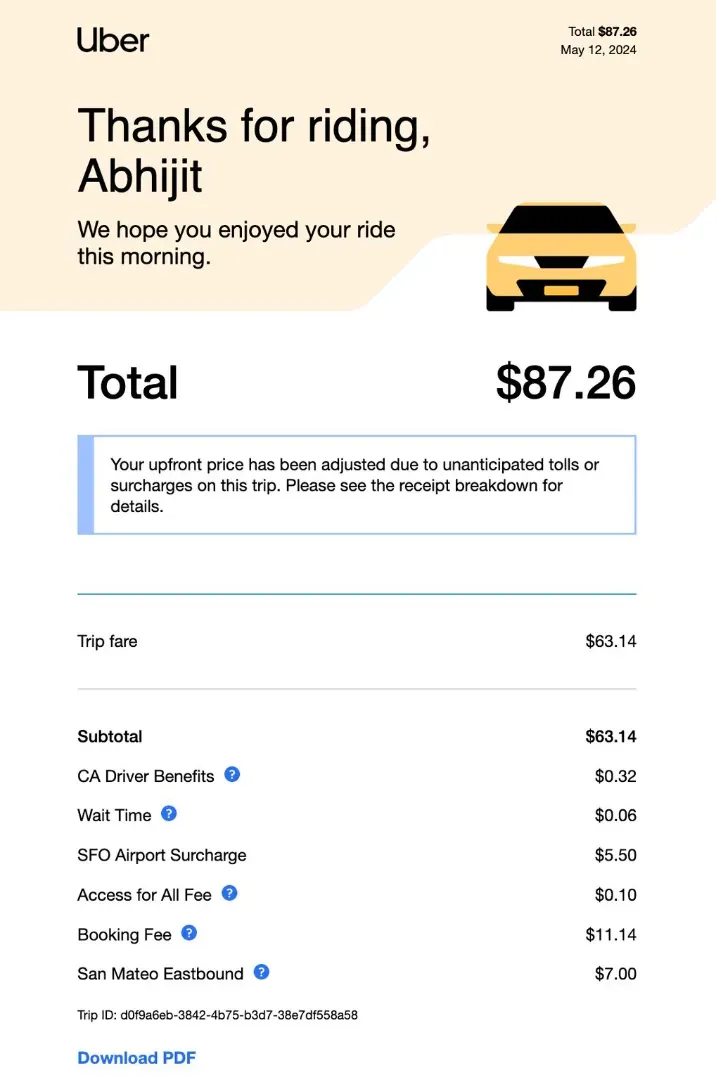
Extra tolls or service fees added after the ride
-
Double charges for the same trip
In some cases, system errors can lead to large-scale overcharging. For example, a city report revealed Uber mistakenly applied congestion fees to rides that shouldn’t have been charged, affecting more than 1 million trips before refunds were issued.
1.2 Drivers Taking Longer Routes (Detours)
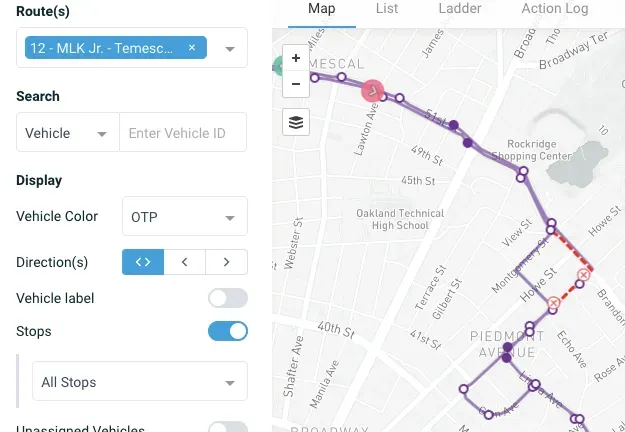
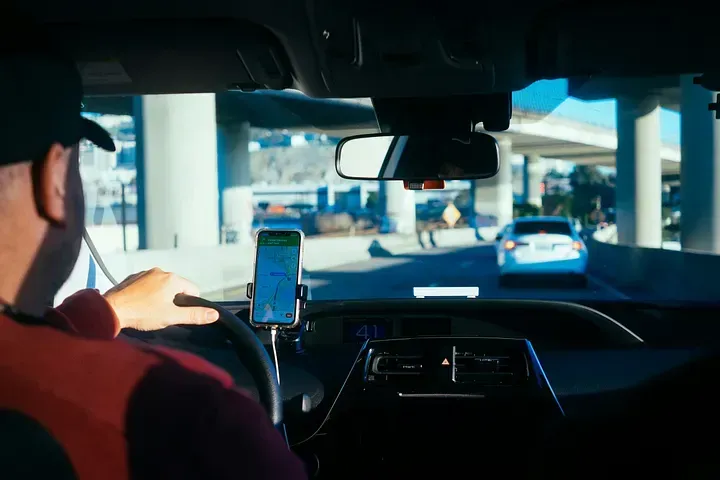
Another common complaint is when drivers intentionally or unintentionally take a longer route, increasing the final fare.
This may happen because:
-
The driver ignores the GPS route
-
The driver intentionally drives around traffic to increase distance
-
Navigation errors in the app
Because Uber and Lyft fares are partly based on distance and time, longer routes can significantly increase the final cost.
1.3 Unfair Cancellation Fees
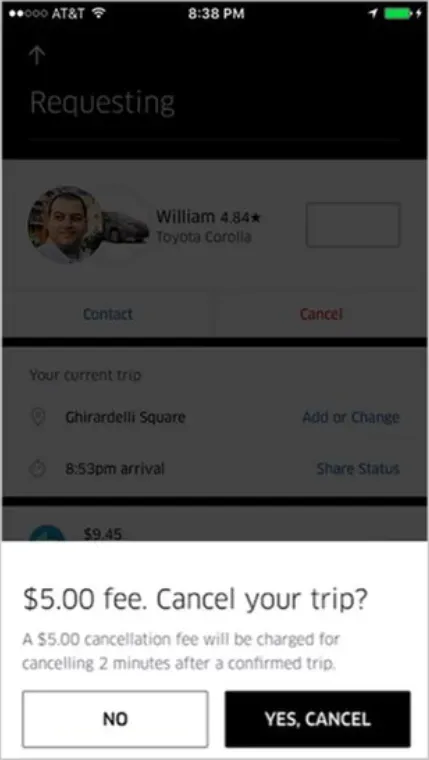
Passengers often report being charged cancellation fees even when they did not cancel the ride.
Common scenarios:
-
Driver accepts a ride but doesn’t move, forcing the rider to cancel
-
Driver claims the passenger was a “no-show”
-
The rider cancels because the driver is extremely late
-
App glitches trigger automatic cancellations
These fees usually range from $5 to $25 depending on the city and ride type.
1.4 False Cleaning or Damage Fees
Another growing complaint is unexpected cleaning fees, sometimes ranging from $80 to $250.
Typical disputes include:
-
Being charged for messes you didn’t make
-
Drivers submitting photos from another ride
-
Minor dirt or normal wear being labeled as “damage”
Many riders now take photos of the vehicle interior when entering and leaving to avoid false claims.
1.5 Lost Items and Return Fees
Leaving an item in a rideshare car is common, but getting it back can be frustrating.
Common complaints include:
-
Drivers claiming they didn’t find the item
-
Drivers not responding to messages
-
Being charged a lost-item return fee (usually $15–$20)
While this fee compensates the driver for their time, riders sometimes feel it’s unfair when the item is extremely valuable.
1.6 Poor Customer Support
Another major frustration is the difficulty reaching human support.
Many users report:
-
Automated responses instead of real help
-
Long delays in refund reviews
-
Limited ways to contact support outside the app
This issue has become so prominent that many riders search online for ways to contact Uber or Lyft support directly.
1.7 Subscription or Hidden Charges
Some complaints also involve subscription services such as Uber One, where users claim they were charged after free trials or enrolled without realizing it.
Regulators have even accused the company of making it too difficult to cancel recurring subscriptions, requiring multiple steps in the app.
1.8 Driver Behavior Issues
Occasionally, complaints involve driver conduct rather than billing.
Examples include:
-
Drivers refusing to follow pickup instructions
-
Unsafe driving or aggressive behavior
-
Drivers cancelling rides after accepting them
-
Poor hygiene or rude interactions
These cases are usually resolved through the in-app rating and complaint system.
✅ Tip for riders: Always check your trip receipt immediately after the ride and report issues in the app as soon as possible. Most refund requests are easier to resolve within 24–48 hours of the trip.
Part 2: Step-by-Step: How to File an Uber Complaint
If you experienced overcharging, an unnecessary detour, a cancellation fee dispute, or a driver issue, the easiest way to request a refund is directly through the Uber app.
Uber’s support system is mostly automated, but most billing issues can still be resolved within 24–72 hours if you submit the complaint correctly.
Below is the step-by-step process to file an Uber complaint and request a refund.
Step 1: Open the Uber App and Go to “Activity”
-
Open the Uber app on your phone.
-
Tap “Activity” (this is where your trip history appears).
-
Find and select the specific ride that had a problem.
This page will show your trip receipt, including:
-
Total fare
-
Route map
-
Pickup and drop-off points
-
Driver details
Always review this information carefully before filing a complaint.
Step 2: Tap “Get Trip Help”
Once you open the trip details:
-
Scroll down to the bottom of the page.
-
Tap “Get Trip Help” or “Report an Issue.”
Uber will then display a list of common problems you can select.
Typical options include:
-
“I was charged the wrong fare”
-
“My driver took a bad route”
-
“I was charged a cancellation fee”
-
“I left an item in the car”
-
“My driver was unprofessional”
Choose the option that best matches your situation.
Step 3: Select the Specific Complaint Category
After selecting the issue type, Uber will ask for additional details.
For example:
If you select “Incorrect Fare”, the app may ask:
-
Was the route longer than expected?
-
Were you charged extra fees?
-
Was the surge price incorrect?
If you select “Driver Took a Detour,” the app may ask:
-
What route should have been taken?
-
Did the driver explain the change?
Choose the most accurate option so the system can evaluate your claim faster.
Step 4: Write a Clear Explanation
In the message box, briefly explain what happened.
A clear and polite explanation improves the chance of getting a refund.
Example:
Hello, I believe I was overcharged for this ride. The driver took a longer route that added about 15 minutes to the trip, even though the GPS showed a faster route. Could you please review the fare and adjust the charge if necessary? Thank you.
Key tips:
-
Keep the explanation short and factual
-
Avoid emotional language
-
Focus on verifiable issues (time, distance, fees)
Step 5: Submit the Complaint
Once your message is written:
-
Tap Submit
-
Uber’s system will review the trip data
Possible outcomes include:
-
Automatic partial refund
-
Full refund
-
Follow-up request for more details
-
Explanation that the fare was correct
Most responses arrive within a few hours, though complex cases may take longer.
Step 6: Check Your Email or App Notifications
Uber usually sends a reply through:
-
The app notification system
-
Your registered email
If your complaint is approved, you may receive:
-
Trip credit
-
Original payment refund
-
Partial fare adjustment
Refunds to credit cards usually appear within 3–5 business days.
What to do if the App says "No"
If the automated system denies your refund, you still have options:
-
Request a Human Review: Reply to the support message with: "I am not satisfied with this automated response. Please escalate this to a human supervisor for a manual fare review."
-
Social Media (X/Twitter): Publicly tagging
@Uber_Supportis still one of the fastest ways to get a human's attention in 2026. They often move the conversation to DMs to protect their public image. -
The "Priority Support" Trick: If you are an Uber One member, emphasize this. You are paying for a "premium" experience, and support agents are trained to prioritize these accounts.
Pro Tip for 2026: If you are in California, a new 2026 law (AB 578) requires platforms to provide a clear path to a human agent for refund disputes. If you're stuck in a bot loop, mention "California AB 578 compliance" to trigger a manual hand-off.
Part 3: Step-by-Step: How to File a Lyft Complaint
If you experience problems such as incorrect fares, driver detours, cancellation fees, or safety concerns, you can report the issue directly in the Lyft app.
Most complaints are handled through Lyft’s in-app support system, and many fare adjustments or refunds are issued automatically once the trip data is reviewed.
Below is the complete step-by-step process to file a Lyft complaint and request a refund.
Step 1: Open the Lyft App and Go to Ride History
-
Open the Lyft app on your phone.
-
Tap the menu icon (☰) in the top corner.
-
Select “Ride History.”
-
Find the specific trip where the problem occurred.
This page displays important trip details such as:
-
Pickup and drop-off locations
-
Total fare and breakdown
-
Route map used during the trip
-
Driver information
Review these details first to confirm what went wrong.
Step 2: Tap “Get Help”
Once you open the ride details:
-
Scroll down to the bottom of the screen.
-
Tap “Get Help” or “Get Help with This Ride.”
Lyft will then present a list of common ride issues you can report.
Typical complaint options include:
-
Incorrect fare or overcharge
-
Driver took an inefficient route
-
Cancellation fee dispute
-
Lost item in the vehicle
-
Driver behavior issue
-
Safety concern during the ride
Choose the option that best matches your situation.
Step 3: Select the Specific Issue Type
After selecting a complaint category, Lyft may ask follow-up questions.
For example:
If you select “Fare Issue”, Lyft may ask:
-
Was the ride longer than expected?
-
Were tolls incorrectly added?
-
Was surge pricing applied incorrectly?
If you select “Driver Took a Wrong Route,” you may need to confirm:
-
The expected route
-
Whether the driver explained the change
Providing accurate answers helps Lyft review the ride more quickly and fairly.
Step 4: Write a Clear Description of the Problem
You will usually see a message box where you can describe the issue.
Keep your explanation short, clear, and factual.
Example complaint message:
Hello, I believe this ride was overcharged. The driver took a longer route that added about 10–15 minutes compared to the standard GPS route. Could you please review the trip and adjust the fare if necessary? Thank you.
Tips for writing an effective complaint:
-
Mention specific details (extra time, extra distance, incorrect fee)
-
Avoid emotional or aggressive language
-
Focus on facts that Lyft can verify
Step 5: Submit the Request
After entering your explanation:
-
Tap Submit
-
Lyft’s system will analyze the ride data
Possible outcomes include:
-
Automatic fare adjustment
-
Partial refund
-
Full refund
-
Additional questions from support
Many simple billing issues are resolved within a few hours, though some cases may take 24–48 hours.
Step 6: Check Your App Notifications or Email
Lyft will usually respond through:
-
In-app notifications
-
Your registered email account
If your claim is approved, you may receive:
-
A refund to your original payment method
-
Lyft ride credits for future trips
-
A partial fare adjustment
Credit card refunds typically appear within 3–5 business days.
What If Lyft Rejects Your Complaint?
If your request is denied, you still have a few options:
-
Submit another ticket with additional details or screenshots
-
Contact Lyft support through the help center
-
Dispute the charge with your credit card provider (as a last resort)
However, most issues are resolved directly within the Lyft support system.
Part 4: In-App Refund Request Templates & English Phrases
When submitting a complaint through the Uber or Lyft app, the way you describe the problem can significantly affect the outcome.
Customer support agents review thousands of tickets daily, so a clear, polite, and specific message increases the chance of receiving a refund quickly.
Below are ready-to-copy refund request templates and useful English phrases you can use directly in the app.
4.1 Template for Overcharging or Incorrect Fare
This template works when the final price is higher than expected.
Copy-and-paste message:
Hello, I believe I was charged more than expected for this trip. The final fare appears significantly higher than the original estimate shown in the app. Could you please review the trip details and adjust the fare if necessary? Thank you for your help.
Useful phrases you can use:
-
“The final fare was higher than the estimate.”
-
“I believe the charge may be incorrect.”
-
“Could you please review the fare?”
These phrases are polite and neutral, which helps support teams process the request smoothly.
4.2 Template for Driver Taking a Longer Route (Detour)
Use this message if the driver took an unnecessarily long route.
Hello, during this ride the driver took a longer route than expected, which increased the total fare. The trip took significantly longer than the normal route shown in the map. Could you please review the route and adjust the fare if appropriate? Thank you.
Helpful phrases:
-
“The driver took a longer route.”
-
“The trip duration was longer than expected.”
-
“Please review the route taken.”
Mentioning time or distance differences can help support verify your claim faster.
4.3 Template for Incorrect Cancellation Fee
Sometimes riders are charged a cancellation fee even though the driver was late or didn’t arrive.
Hello, I was charged a cancellation fee for this trip, but the driver did not arrive at the pickup location or was significantly delayed. I canceled the ride because the driver was not moving toward the pickup point. Could you please review this charge and remove the cancellation fee? Thank you.
Key phrases:
-
“The driver did not arrive.”
-
“The driver was not moving toward the pickup location.”
-
“Please review the cancellation fee.”
4.4 Template for False Cleaning or Damage Fees
Cleaning fees can sometimes be applied incorrectly or unfairly.
Hello, I noticed that a cleaning fee was charged after this ride. However, I did not cause any damage or mess inside the vehicle. Could you please review this charge and remove the cleaning fee if it was applied by mistake? Thank you for your assistance.
Helpful phrases:
-
“I did not cause any damage to the vehicle.”
-
“The charge may have been applied by mistake.”
-
“Please review the cleaning fee.”
4.5 Template for Lost Item Follow-Up
If you left something in the car and need help contacting the driver.
Hello, I believe I left an item in the vehicle during this trip. The item is very important to me. Could you please help contact the driver or assist with the item recovery process? Thank you very much.
Useful phrases:
-
“I may have left an item in the vehicle.”
-
“Could you help contact the driver?”
-
“I would appreciate your assistance.”
Part 6: Advanced Tips to Increase Complaint Success Rate
Part 5: Advanced Tips to Increase Complaint Success Rate
Filing a complaint through Uber or Lyft is usually straightforward, but many riders don’t realize that strategic approaches can dramatically improve your chances of getting a refund.
Here are advanced, actionable tips used by frequent riders in 2026 to increase complaint success rates.
5.1 File Complaints as Soon as Possible
Timing matters.
-
Submit your complaint within 24 hours of the trip.
-
Delaying submission reduces the chance of an automatic refund because trip data is updated quickly.
-
If the issue is about overcharging or detours, screenshots taken immediately after the ride are far more credible.
5.2 Provide Clear Evidence
Support teams respond better to concrete evidence rather than vague descriptions.
Examples of helpful evidence:
-
Screenshots of the fare estimate vs. the final fare.
-
Route maps showing detours or extra mileage.
-
Photos of the vehicle condition (for cleaning fee disputes).
-
Messages or timestamps that prove a driver delay or no-show.
5.3 Use Specific, Polite Language
How you write your complaint matters.
-
Avoid emotional language or accusations.
-
Focus on facts and measurable discrepancies, like:
“The trip took 12 minutes longer than the GPS suggested. The route also added 3 extra miles, which increased the fare.”
-
Always end politely: “Thank you for reviewing my request” or “I appreciate your assistance.”
5.4 Combine App and Email Channels
If the app response is slow or denied:
-
Send a follow-up via the company’s support email.
-
Include your trip ID, screenshots, and the original complaint.
-
Keep the tone professional and factual.
This demonstrates persistence and organization, which can sway human reviewers.
5.5 Mention the Issue Concisely
Uber and Lyft handle thousands of complaints daily, so:
-
Keep your complaint short and structured.
-
Use bullet points for multiple issues:
Route was 3 miles longer than expected.
Final fare $12 higher than estimate.
Trip took 15 minutes longer than usual.
-
Avoid unnecessary context; agents appreciate clarity and brevity.
5.6 Appeal Strategically if Denied
If your initial complaint is denied:
-
Wait 12–24 hours before appealing.
-
Provide additional evidence you didn’t submit initially.
-
Reference policy sections in the app that cover overcharges or cancellations.
-
Avoid submitting multiple identical complaints in rapid succession (this can slow the process).
5.7 Take Advantage of Refund Policies
-
Uber: Automatic fare adjustments may occur if the route or time clearly exceeds the norm.
-
Lyft: Lyft often issues ride credits quickly for minor fare discrepancies.
Knowing these policies allows you to frame your complaint more effectively, e.g., highlighting specific deviations from standard fare calculations.
5.8 Document Everything
Keep a folder on your phone or computer with:
-
Screenshots of trip receipts.
-
Notes about detours or delays.
-
Photos for cleaning fee disputes.
-
Copy of all support communications.
Having organized documentation allows quick follow-up and strengthens your appeal.
5.9 Know Common App Loopholes
Understanding app limitations can help:
-
Surge pricing disputes: Mention if pricing didn’t match your pickup time.
-
GPS errors: Include screenshots showing the shortest route versus actual route.
-
Automatic cancellation fees: Explain why the driver or app caused the cancellation.
Being precise and factual can turn a borderline case into a refund.
By following these advanced strategies, riders can significantly improve their success rates for refunds, fare adjustments, and dispute resolutions on both Uber and Lyft in 2026.
Part 6: Frequently Asked Questions (FAQ)
Q1: Can I get a refund if my driver took a much longer route
A: Yes. Both platforms have "Route Efficiency" algorithms. If the driver deviated significantly from the GPS (without a destination change from you), you are entitled to a fare adjustment.
Q2: How do I dispute a cancellation fee when the driver never moved?
A: This is known as a "stationary driver" or "phantom pickup." The 2026 Rule: If the app shows the driver made no progress toward you for 5 minutes, the fee should be auto-waived. If it wasn't, select "Review my cancellation fee" and use the phrase: "The driver was stationary and failed to make progress."
Q3: Can you dispute a charge after 24 hours?
A: Yes, but earlier submissions have higher success rates.
Q4: What if Uber/Lyft refuses a refund?
A: Escalate via email or social media. Attach evidence. Persistent follow-up often works.
Q5: Can I cancel my ride for free if I feel unsafe?
A: Yes. If you cancel because the driver's behavior or vehicle feels unsafe (e.g., no seatbelts, driver appears impaired), you should not be charged. Select "Safety Issue" as the reason for cancellation to ensure the fee is waived and the driver is flagged.
In 2026, rideshare apps are convenient but not perfect. By understanding common issues, following step-by-step complaint processes, and using polite yet firm in-app English phrases, you can ensure fair treatment and refunds. Proper preparation, evidence, and knowledge of the system give you control, making your Uber and Lyft experience smoother and stress-free.