Navigating the bustling streets of New York, the sprawling lines of Los Angeles, or the historic routes of Boston can be a nightmare without the right tools. In 2026, relying solely on Google Maps or Apple Maps is no longer enough to avoid the dreaded "ghost bus" or a missed connection.
If you are a student, a professional, or a traveler in the US, the choice usually boils down to two heavyweights: Transit and Citymapper. But which one will save you that crucial 30 minutes in your morning commute? Let’s dive into this ultimate 2026 comparison.
Why You Need a Reliable Transit App in the US
Navigating public transportation in the United States can be surprisingly tricky, especially for newcomers, tourists, or anyone traveling between unfamiliar cities. Unlike some countries with highly integrated and predictable transit systems, the U.S. has a patchwork of buses, subways, commuter trains, light rail, and ferries—each city often operating independently. Here’s why a reliable transit app is essential:
1. Real-Time "Ghost" Bus Hunting
The biggest frustration in U.S. transit is the "ghost bus"—a vehicle that appears on a paper schedule but never shows up on the street.
-
Actual vs. Scheduled: Reliable apps (like Transit or Citymapper) use GPS data to show you exactly where your bus or train is on a live map.
-
Reduced Wait Times: Studies show that real-time info reduces both actual and perceived wait times by about 30%. Knowing you have 8 minutes allows you to grab a coffee rather than standing anxiously on a cold corner.
2. Navigating the "Multimodal" Maze
U.S. cities are moving away from single-mode travel. Your commute might now involve a mix of a city bus, a regional rail line, and a docked e-bike or a "robotaxi" (which are seeing commercial expansion in 2026).
-
Unified Planning: A good app calculates the "last mile" for you, suggesting a Lime scooter or a Lyft when the bus stop is too far from your office.
-
Service Alerts: In a system with a $140 billion maintenance backlog, unexpected track work and detours are common. Apps provide push notifications for service changes before you reach the station.
3. Contactless Payments & Fare Capping
The era of fumbling for exact change or a specific plastic card is ending.
-
Mobile Wallets: Systems like New York’s OMNY or Washington D.C.’s "Tap. Ride. Go." allow you to pay via your phone's NFC.
-
Fare Capping: Many 2026 transit apps automatically track your rides and "cap" your spending. Once you’ve paid the equivalent of a daily or weekly pass, the rest of your rides are free—ensuring you always get the best deal without pre-purchasing a pass.
4. Safty and Crowding Insights
Post-pandemic, personal space and safety remain top of mind for many riders.
-
Crowd Levels: Many apps now crowdsource data (and use infrared sensors on newer buses) to tell you how "full" a vehicle is before it arrives.
-
Two-Way Feedback: Modern apps allow you to report issues—like a broken heater or a safety concern—directly to the agency in real-time.
Key Apps to Consider in 2026
| App | Best For... |
| Transit | Real-time GPS tracking and "GO" step-by-step navigation. |
| Citymapper | Complex urban commutes with "Best Carriage" boarding tips. |
| Google Maps | Reliability and integration with local business info. |
| Moovit | Navigating unfamiliar cities or international travel. |
App Overview: Transit and Citymapper
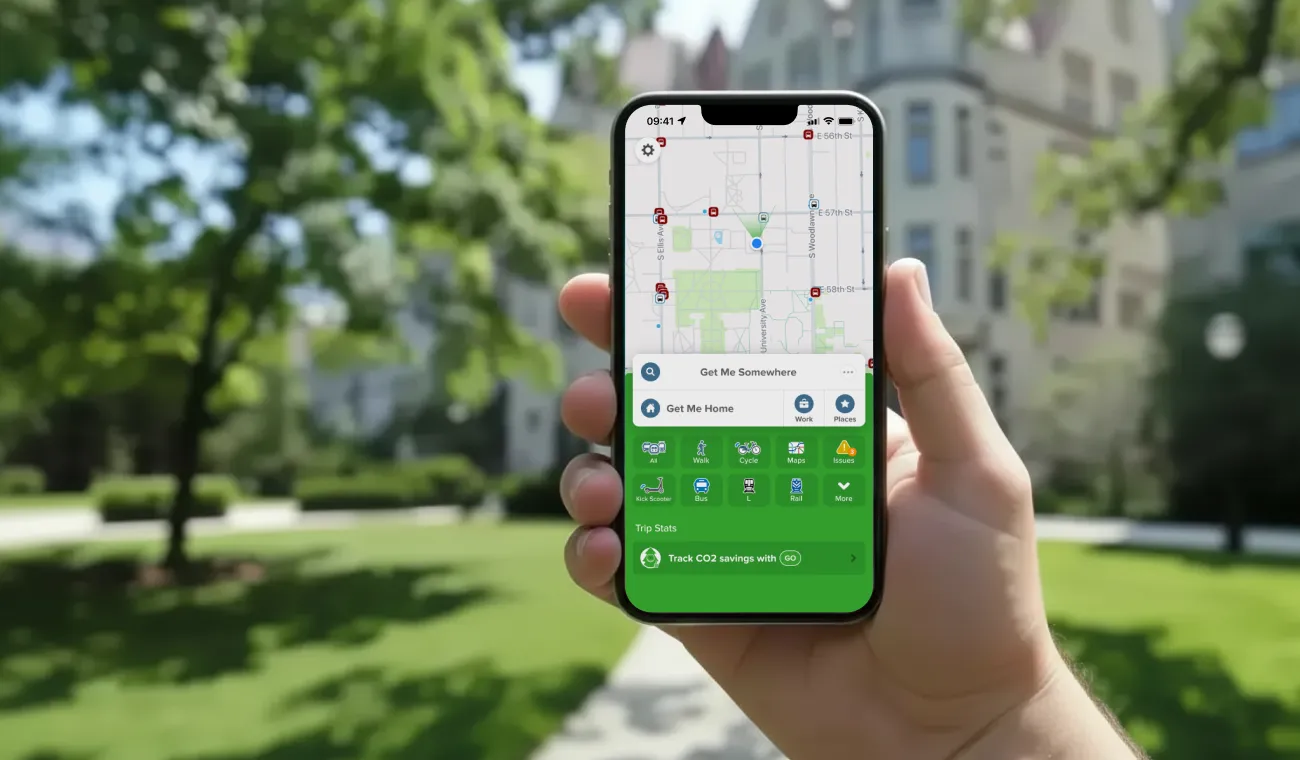
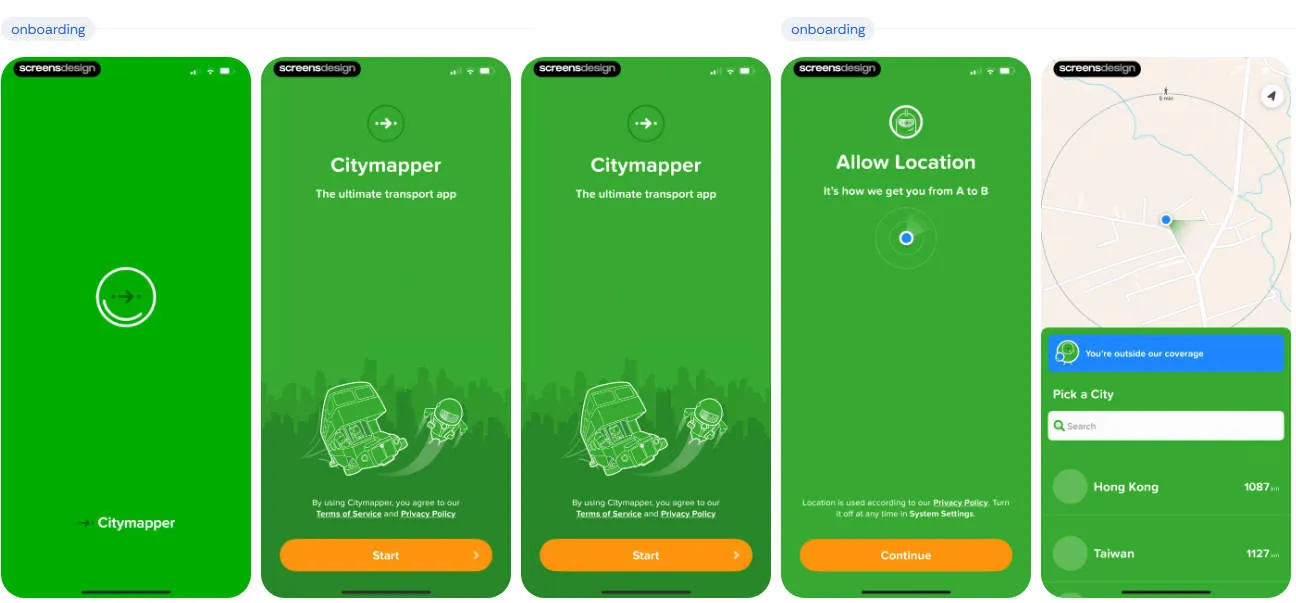
If you are deciding between the two heavyweights of U.S. transit, the choice usually comes down to whether you prioritize simplicity and coverage (Transit) or granular detail and AI-driven planning (Citymapper).
As of early 2026, here is how the two compare:
1. Transit: The "Everywhere" Reliable Choice
Transit is designed with a minimalist "get me there now" philosophy. It is often the official app partner for major agencies like LA Metro and Montreal's STM.
-
Best Feature: "GO" Navigation. This is a crowdsourced real-time tracker. When you use "GO," the app uses your GPS to give other riders a pinpoint-accurate location of the bus or train. In return, you climb a "leaderboard" and get more accurate ETAs.
-
The "Royale" Subscription: Transit moved to a freemium model.
-
Coverage: Massive. It works in over 1,000 cities worldwide, making it the better choice if you travel between mid-sized U.S. cities.
2. Citymapper: The "Power User" Companion
Citymapper (now owned by Via) feels like a premium concierge. It excels in complex, "sprawling" cities like NYC, Chicago, and London.
-
Best Feature: Where to Board. It tells you exactly which train car (front, middle, or back) to get into so you are right next to your exit or transfer point when you get off.
-
2026 AI Innovation: Citymapper recently launched AI-Powered Journey Planning. It now offers personalized summaries of your routes (e.g., "This route is $2 cheaper but involves a 10-minute walk uphill") based on your historical preferences.
-
The "Club" Subscription:
-
Paid: Unlocks the new AI travel assistant, voice-guided walking directions, and "quiet" or "fast" bike route filters.
-
-
Coverage: More selective. While it covers major hubs perfectly, it may not have data for smaller suburban bus systems.
Comparison at a Glance
| Feature | Transit | Citymapper |
| Interface | Minimalist, color-coded. | Detailed, data-rich (can feel cluttered). |
| Real-Time Data | Superior crowdsourcing (GO). | Excellent agency-direct data. |
| Subway Help | Basic station entrances. | Best car/exit guidance. |
| Multimodal | Seamless bike/scooter/Uber. | Deeply integrated AI summaries. |
| Cost | Free (Basic) / Royale ($). | Free (Basic) / Club ($). |
Which one should you choose?
-
Choose Transit if: You live in a mid-sized city, prioritize battery life, or want the most accurate bus locations via crowdsourcing.
-
Choose Citymapper if: You live in a major metro with complex subway systems and want a "personal assistant" to tell you exactly where to stand on the platform.
User Experience and Interface Comparison
When choosing between Transit and Citymapper, much of the decision comes down to how the apps feel and function in daily use. Both offer powerful tools, but their design philosophies and user experiences differ significantly.
1. Transit: The "Glance-and-Go" Experience
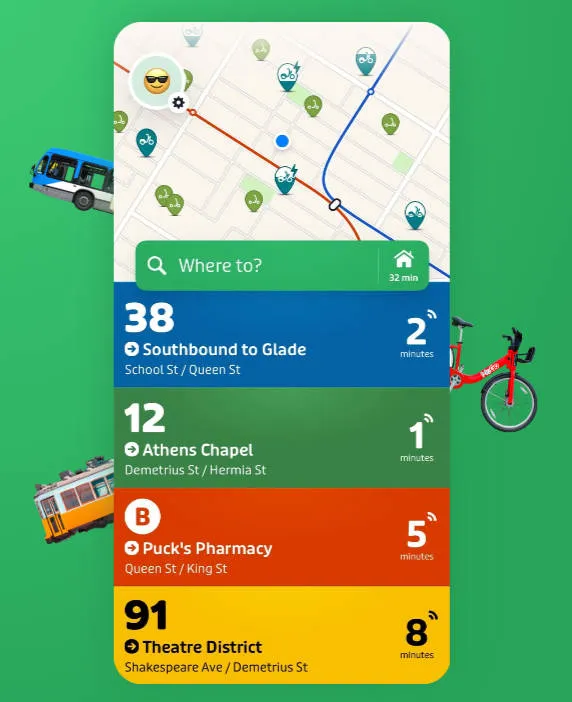
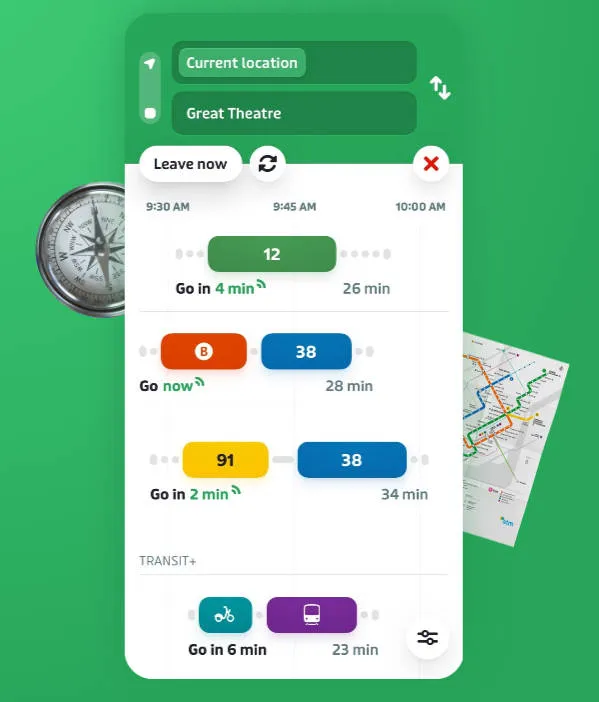
Transit is built for speed. Its UI is designed to answer the most common question: "When is the next bus coming?" without you having to tap a single button.
-
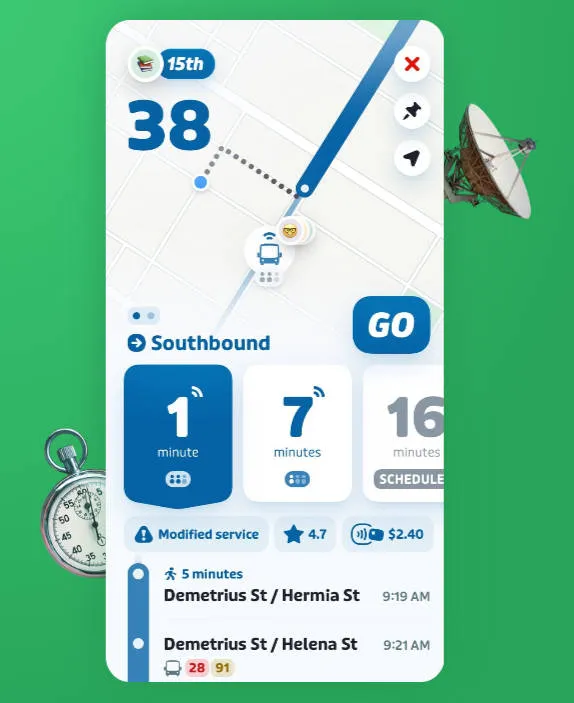
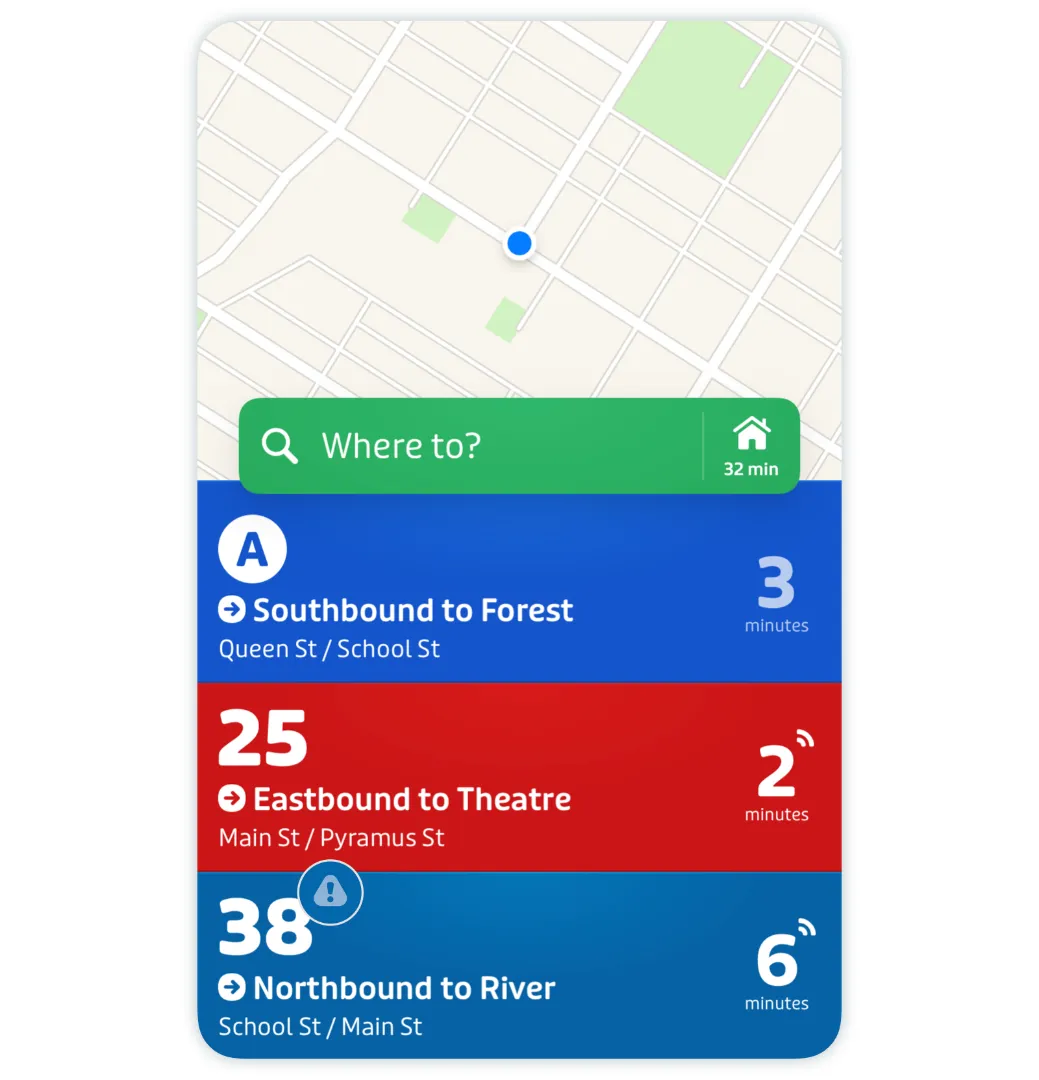
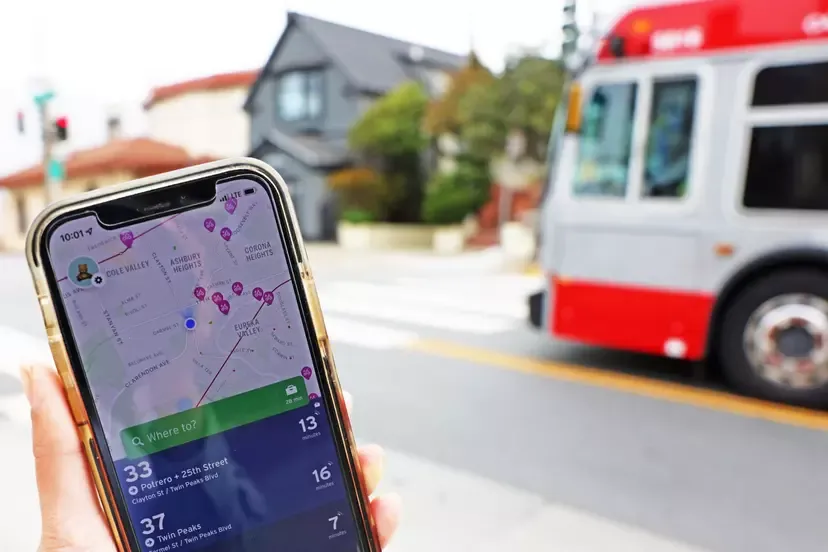
Proximity-Based UI: When you open the app, it immediately shows a vertical list of every nearby transit line and a countdown to the next arrival. It’s color-coded to match the local agency's branding.
-
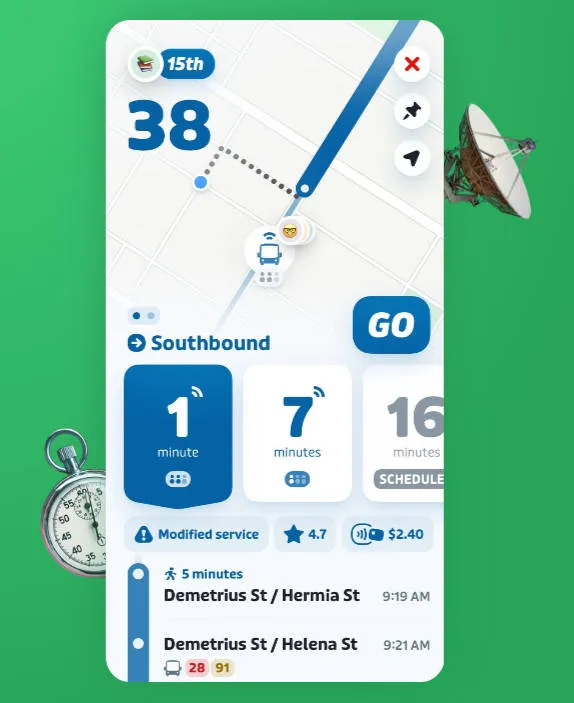
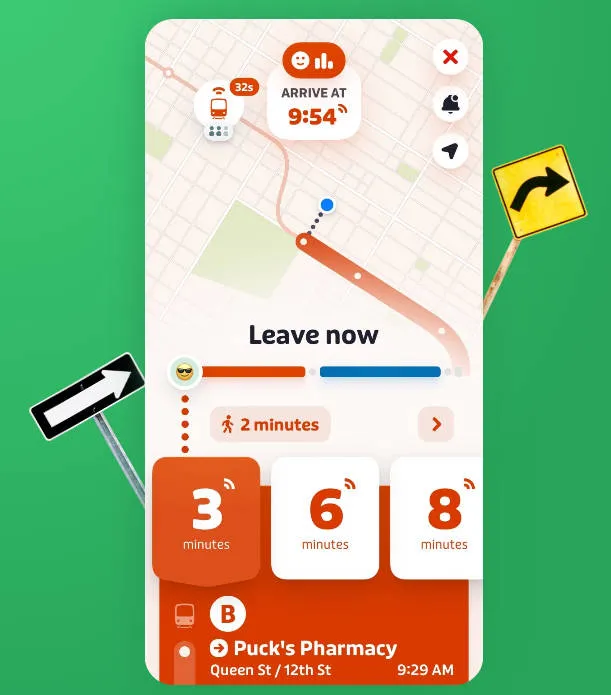
The "GO" Companion: Once you start a trip, the interface transforms into a simplified, high-contrast navigation mode. In 2026, it makes heavy use of Live Activities (on iOS) and Dynamic Island, showing your ETA and "Get Off" alerts on your lock screen so you don't have to keep the app open.
-
Crowdsourced Feedback: You’ll often see a "How full is the bus?" prompt. The UI uses emojis and simple bars to show real-time crowding data contributed by other riders currently on that vehicle.
-
Vibe: Clean, bold, and map-centric. It feels like a native part of your phone's OS.
2. Citymapper: The "Control Center" Experience
Citymapper assumes you want to compare every possible variable before you step out the door. Its interface is denser but significantly more powerful for complex routing.
-
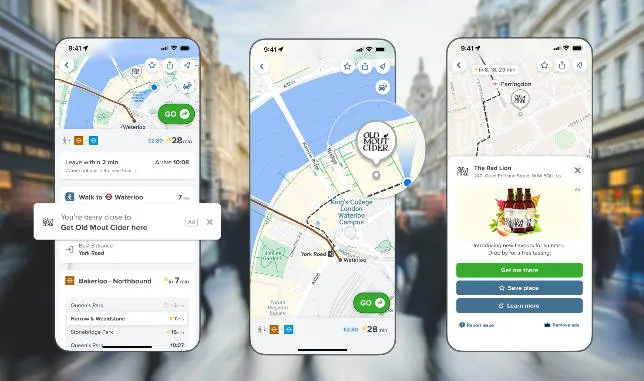
Multi-Tabbed Planning: Instead of just showing nearby lines, the home screen provides "Big Buttons" for different modes (Bus, Rail, Ferry, etc.) and a deep-dive "City View" that shows current system-wide alerts.
-
The "AI Summarizer" (New for 2026): Citymapper now uses AI to generate a text summary of your route options. Instead of just looking at times, you’ll see a note like: "Take the L train; it’s 4 mins faster and the platform is less crowded than the bus right now."
-
Sectional Directions: While navigating, Citymapper divides your trip into clear "legs." It famously tells you which end of the train to board (Front/Middle/Back) via a small icon, a feature Transit only offers in select major cities.
-
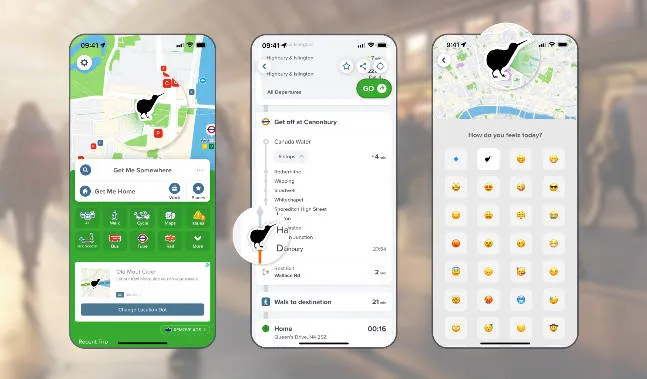
Gamification & Stats: The UX includes a "Personal Stats" tab where it tracks your "Fitness" (calories burned), "Eco" (CO2 saved), and "Wealth" (money saved vs. driving).
-
Vibe: Informative, slightly quirky (look for the "Jetpack" or "Teleport" easter egg routes), and data-heavy.
Comparison Table: UI & UX
| Feature | Transit (Minimalist) | Citymapper (Maximalist) |
| First Screen | Immediate list of nearby arrivals. | Search bar + mode-specific buttons. |
| Navigation Style | Large, simple text; optimized for lock screen. | Detailed step-by-step with exit guidance. |
| Information Density | Low (easy to read while running). | High (great for pre-trip planning). |
| Personalization | Royale: Custom themes and "Celebrity" avatars. | Club: AI-personalized route recommendations. |
| Map Engine | Fast, high-frame-rate Apple/Google maps. | Custom layers with detailed station layouts. |
Which fits your style?
-
The "Frequent Flier": If you already know your route and just need to know if the bus is 2 minutes away or 10, Transit’s interface is unbeatable for speed.
-
The "Explorer": If you are in a new city (or a massive one like NYC/Chicago) and want to be told exactly which subway exit to use to avoid walking three extra blocks, Citymapper’s density is a lifesaver.
Features Breakdown
When comparing Transit and Citymapper, the most important differences lie in their core features. Both apps aim to simplify public transportation, but they prioritize different aspects of the travel experience. Below is a detailed breakdown of five key features that matter most for riders in the United States.
1. Route Planning & Directions
-
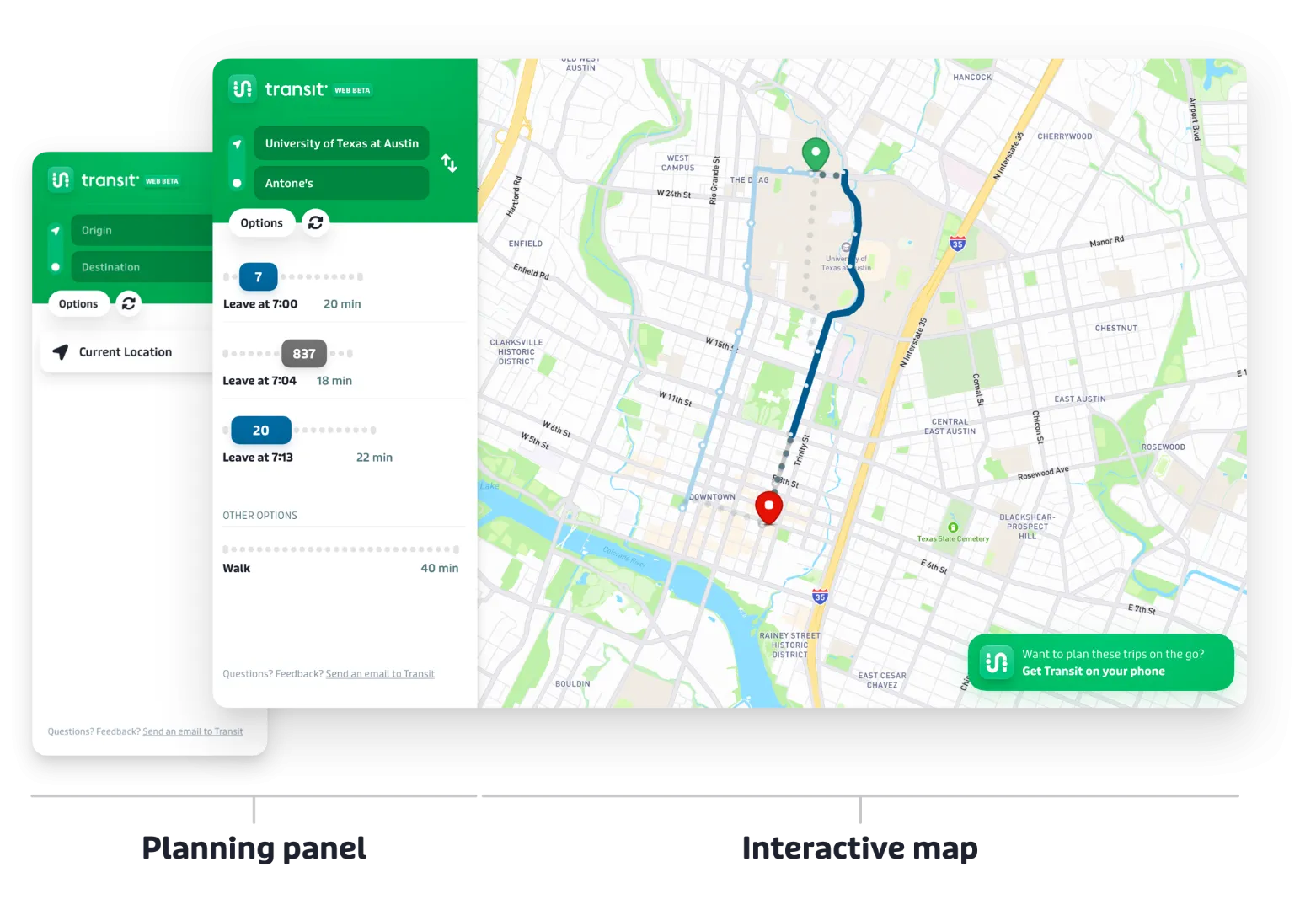
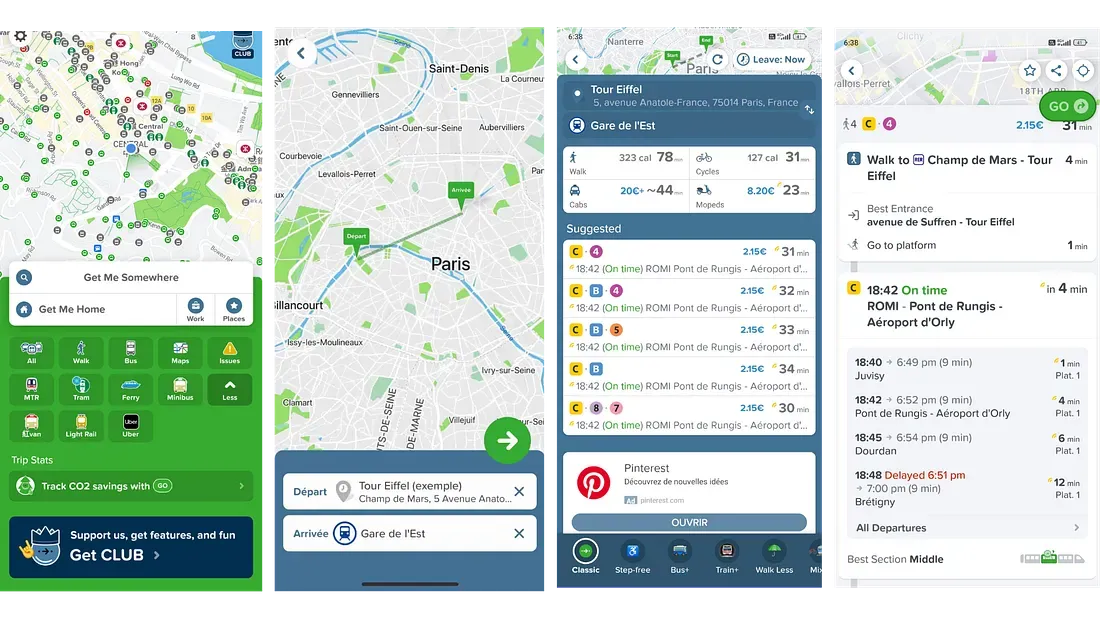
Transit (Speed & Efficiency): Transit uses a "Nearby" approach. It assumes you are on the move and prioritizes the fastest options currently passing your location. Its GO navigation provides a clear, high-contrast interface designed to be read while walking or running for a train.
-
Citymapper (Granular Precision): Recently updated in March 2026 with AI-Powered Journey Planning, Citymapper now offers a "Trade-off Summary." It doesn't just show the fastest route; it explains why you might want it (e.g., "Saves 10 mins but involves 3 transfers"). It remains the leader in "Which platform/exit?" guidance.
2. Real-Time Transit Updates
-
Transit (Crowdsourced "Truth"): Transit is famous for its real-time bus locations. If a city’s official GPS feed goes down, Transit uses data from users already on the bus (via the "GO" feature) to show you exactly where the vehicle is.
-
Citymapper (Agency Intelligence): It relies heavily on official agency APIs but adds a layer of Predictive Disruption Alerts. It can forecast how a 10-minute subway delay will ripple through your entire 3-step commute, suggesting an "Escape Route" before you get stuck underground.
3. Multi-Modal Options
Both apps have moved beyond buses and trains to include "micromobility" and shared rides.
-
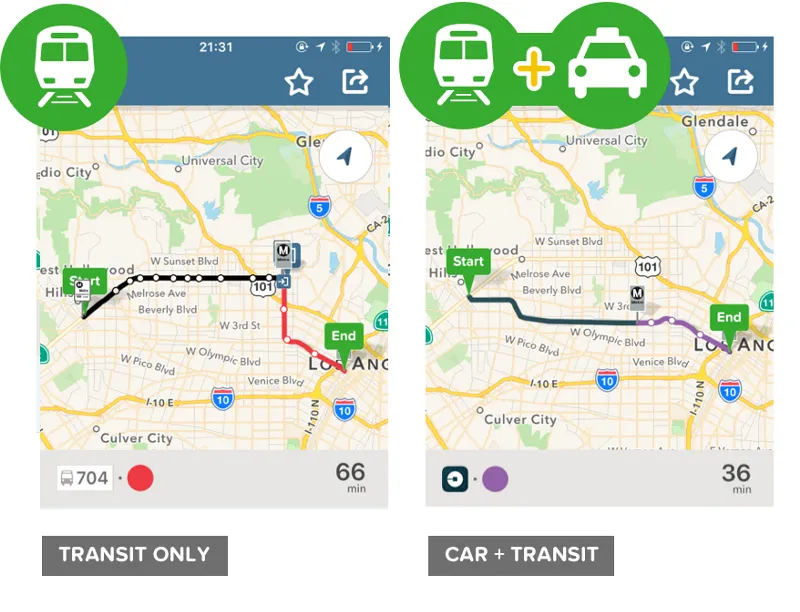
Transit+: This feature specifically looks for "First Mile/Last Mile" connections. It might suggest taking a Lime scooter to a train station and then an Uber from your final stop if the bus is running late.
-
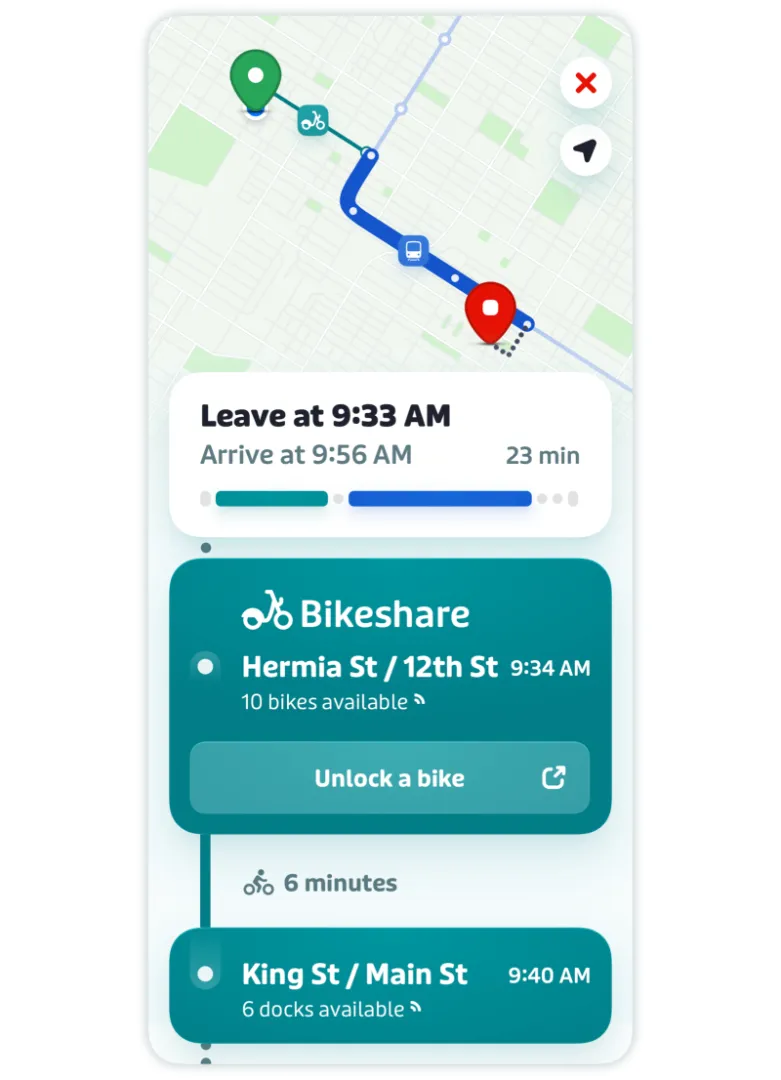
Citymapper (Seamless Mix): Citymapper excels at "Combined Routes." It will show you a single itinerary that includes a bike-share leg, a subway leg, and a walking leg, calculating the total cost and calories burned for the entire trip.
4. Offline Maps & Reliability
-
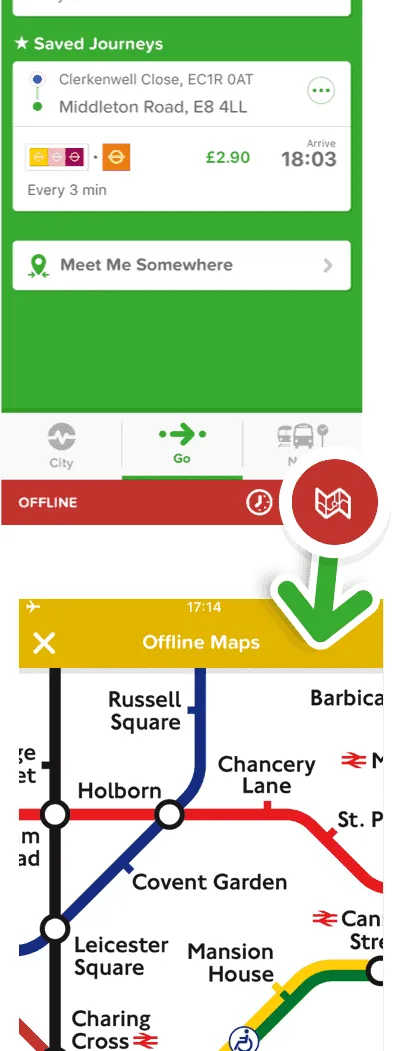
Transit: Offers an impressive Offline Trip Planner. You can download schedules, stop locations, and transit maps for your entire city. Even if you lose cell service in a subway tunnel, the "GO" feature can often still estimate your location using your phone’s motion sensors.
-
Citymapper: Provides downloadable Official PDF Maps (like the iconic NYC Subway or London Tube maps). While its primary route planning is better with data, it allows you to save "Recent Trips" so you can still access your directions and stop lists without an active connection.
5. Integration with Ride-Hailing
-
Transit: Displays real-time ETAs and pricing for Uber, Lyft, and Via directly alongside bus times. In many cities, you can initiate the ride request within the Transit app itself.
-
Citymapper: Takes it a step further by suggesting "Transit + Cab" hybrids. It will identify the exact "best pickup spot" for your Uber at a busy transit hub to ensure your driver can actually find you in the crowd.
Comparison Summary: Feature vs. Winner
| Feature | Transit | Citymapper |
| Route Variety | Good (Fastest/Simplest) | Best (AI-Generated Options) |
| Real-Time Accuracy | Best (Crowdsourced GPS) | Great (Agency-based) |
| Subway Guidance | Basic | Best (Car/Exit specific) |
| Offline Planning | Best (Integrated) | Good (Map downloads) |
| Ride-Hail Sync | Seamless | Innovative (Hybrid Routes) |
Pricing and Subscription Options (2026 Update)
When it comes to pricing, both Transit and Citymapper follow a freemium model: the core features are free for all users, while optional subscriptions unlock additional functionality or remove ads. However, their monetization strategies differ significantly.
1. Transit Royale: The "Community" Model
Transit’s subscription is called Royale. It focuses on expanding your view of the city and rewarding you for helping other riders.
-
Pricing:
-
Monthly: ~$4.99/month.
-
Annual: ~$24.99/year (breaks down to roughly $2/month).
-
-
Free vs. Royale:
-
The "Agency Gift" (Check This First!):
-
As of March 2026, hundreds of agencies (including LA Metro, MBTA, Calgary Transit, and RTC Nevada) provide Royale for free. If you are in their service area, the app will automatically upgrade you.
-
2. Citymapper CLUB: The "Personal Assistant" Model
Following its acquisition by Via, Citymapper has leaned heavily into AI. In early 2026, they slashed prices to make the premium tier more accessible.
-
Pricing:
-
Monthly: $1.49/month (A significant 2026 price cut from previous years).
-
Annual: Options range up to $9.99/year for basic Club or $99.99/year for "Club+" (which may include integrated ride credits in some markets).
-
-
Free vs. CLUB:
-
Free Version: Fully functional trip planning with ads. Includes the famous "best carriage" and "best exit" tips.
-
CLUB Benefits: * AI-Powered Journey Planning: Launched March 2026. This provides personalized route summaries (e.g., "This route is 5 mins slower but has 50% more seating").
-
No Ads: Removes the small banners at the bottom.
-
Voice Nav: Hands-free turn-by-turn walking directions.
-
Lock Screen Navigation: Live tracking of your bus/train on your Lock Screen (Live Activities).
-
-
Quick Comparison: 2026 Subscription Tiers
| Feature | Transit Royale | Citymapper CLUB |
| Core Cost | $4.99 / mo | $1.49 / mo |
| Best Value | Free if your city sponsors it. | The cheapest "Pro" experience. |
| Key AI Perk | Predicted "Ghost Bus" locations. | AI-Generated Trip Summaries. |
| Status Symbol | Custom avatars & emojis on maps. | "Best Carriage" & Voice instructions. |
| Ad Policy | No ads (Free or Paid). | Ads in Free; No ads in CLUB. |
Which should you pay for?
-
Don't pay for Transit Royale until you check if your local bus company already pays for it. If they don't, it's only worth it if you frequently need to check bus lines that are more than a few blocks away from you.
-
Citymapper CLUB is currently the best deal in the industry at $1.49/month, especially if you live in a massive city like NYC or Chicago where the "Best Carriage" and AI-tradeoff info can save you 10–15 minutes daily.
City-Specific Performance
One of the biggest factors when choosing between Transit and Citymapper is where you plan to use the app. Although both apps support public transportation in the United States, their coverage and performance vary depending on the city.
1. New York City (NYC)
-
The Winner: Citymapper
-
Why: NYC’s subway system is a labyrinth. Citymapper’s "Where to Board" feature (telling you to get in the front car for a faster transfer at Union Square) is essential here.
-
2026 Update: It now integrates seamlessly with OMNY fare capping, showing you exactly how many more rides you need before your week becomes free.
-
Note: The official MTA app has improved significantly, but Citymapper still wins on "multimodal" trips (e.g., taking a Revel moped to the L train).
2. Los Angeles (LA)
-
The Winner: Transit
-
Why: LA Metro is an official partner of the Transit app. Because of this, Transit receives the highest-priority "deep data" from LA's bus and rail sensors.
-
The Big Perk: LA Metro sponsors Transit Royale for all riders. If you open the app in LA, you get the premium version for free.
-
Micromobility: Transit is better at showing the massive fleet of Metro Bikes and Bird scooters scattered across the basin.
3. Chicago
-
The Winner: Tie (Transit for Buses, Citymapper for the 'L')
-
Transit's Edge: Chicago's "Ghost Bus" problem is real. Transit’s GO crowdsourcing is the most reliable way to see if that J14 bus is actually coming or just a figment of the schedule.
-
Citymapper's Edge: It handles the complex transfers between the elevated 'L' lines and Metra (commuter rail) with much better clarity.
-
Note: You will still need the Ventra App to manage your physical or virtual Ventra card balance.
4. San Francisco & Bay Area
-
The Winner: Citymapper
-
Why: The Bay Area has over 27 different transit agencies (BART, Muni, Caltrain, AC Transit, etc.). Citymapper is the "master aggregator" here, calculating the complex fare differences and transfer times between these systems better than anyone else.
-
2026 Feature: It now includes real-time tracking for the expanded Waymo robotaxi service areas in SF.
5. Mid-Sized Cities (Austin, Denver, Seattle)
-
The Winner: Transit
-
Why: Transit has a much wider footprint in the "second-tier" transit cities.
-
Sponsorships: Cities like Austin (CapMetro) and Denver (RTD) also offer Free Royale subscriptions to their riders, making it the most cost-effective choice.
Summary Table: Which app to open?
| City | Primary App | Why? |
| New York | Citymapper | Best subway exit/transfer guidance. |
| Los Angeles | Transit | Free Royale; best real-time bus data. |
| Chicago | Transit | Beats the "Ghost Bus" with crowdsourcing. |
| SF / Bay Area | Citymapper | Best at juggling 20+ different agencies. |
| DC / Boston | Citymapper | Superior rail-to-rail transfer logic. |
Pro Tip for 2026: Before you pay for a subscription, check the "Agency Gift" list. In many cities, simply being physically located in the service area will automatically unlock the premium features of the Transit app for you at no cost.
Pros and Cons: Transit vs. Citymapper
In 2026, both apps have refined their strengths. Transit has doubled down on being the most reliable "real-time" tracker, while Citymapper has transformed into a high-end "AI travel assistant."
Here is the 2026 breakdown of the pros and cons for both.
1. Transit Pros & Cons
The "Real-Time Specialist"
Pros
-
The Ghost-Bus Slayer: Its "GO" crowdsourcing is the gold standard in 2026. Because it uses the live GPS of riders currently on the bus, it can show you a vehicle's location even if the city's official tracking system has failed.
-
Simple "Glance" UI: Designed for speed. You open the app and immediately see the countdowns for the three closest lines without touching a single button.
-
Agency Partnerships: Since it is the official partner for major agencies (LA Metro, MBTA, UTA), you often get the premium Royale features for free just by being in those cities.
-
Offline King: Excellent at showing schedules and routes even when you're deep in a subway tunnel with no bars.
Cons
-
The "Paywall" Gap: If you aren't in a sponsored city, the free version is quite limited, only showing you the lines closest to you.
-
Less "City Logic": It won't always tell you which subway car to get in or which specific street exit is best for your destination.
-
Minimalist to a Fault: For power users, the interface might feel too simple when trying to compare complex, long-distance routes.
2. Citymapper Pros & Cons
The "AI Power User"
Pros
-
AI-Powered Summaries: New for 2026, it gives you a text summary of your options (e.g., "This bus is 5 mins slower but is currently 40% less crowded than the train").
-
Subway Precision: Still the leader in "micro-navigation." It tells you exactly where to stand on the platform (Front/Middle/Back) to be perfectly aligned with your exit or transfer.
-
Price Transparency: It is incredibly good at calculating the total cost of a trip across multiple modes (e.g., a bus + a shared scooter).
-
Quirky Personalization: You can track your stats, like "CO2 saved" or "Calories burned," and even change your map icon to a custom emoji.
Cons
-
The "Wall of Text" UI: The home screen can feel cluttered and overwhelming, especially for new users or those in a rush.
-
Limited Geography: While it covers the "megacities" (NYC, SF, London) perfectly, it often lacks data for smaller, mid-sized American towns where Transit excels.
-
Battery Heavy: Because of its high-detail maps and AI processing, it can drain your battery faster than the more lightweight Transit app.
Quick Verdict: Which one for you?
| If you are... | Use this app: |
| In a mid-sized city or a "Ghost Bus" hub | Transit |
| A daily NYC/Chicago/SF subway commuter | Citymapper |
| Budget-conscious (and your city isn't a sponsor) | Citymapper (CLUB is only $1.49/mo) |
| Stuck in a subway tunnel with no service | Transit |
Alternatives and Complementary Apps
Although Transit and Citymapper are two of the most popular public transport apps in the United States, they aren’t the only options available. Depending on your needs — whether it’s detailed route guidance, navigation outside major cities, or multimodal travel — there are several alternative or complementary transit apps worth considering.
1. The "Big Two" (Built-in) Alternatives
Most users already have these, but in 2026, their transit capabilities have been significantly upgraded.
Google Maps: The "Do-it-All" Tool
-
2026 Update: Now features Gemini AI Integration. You can ask conversational questions like, "Which bus route home has the most shade while I'm walking to the stop?"
-
New "Transit Mode": On Pixel and high-end Android phones, a new system-level "Transit Mode" automatically silences non-urgent notifications and surfaces your digital boarding pass on the lock screen the moment you enter a station.
-
Best For: Travelers who want a familiar interface and deep integration with restaurant reviews and "Immersive View" (3D previews of station entrances).
Apple Maps: The Privacy-First Choice
-
2026 Update: Introduced Preferred Routes & Predicted Destinations. The app learns your daily patterns and sends a proactive push notification if your usual train is delayed before you leave the house.
-
Live Activities: Best-in-class integration with the iPhone's Dynamic Island, showing a live "countdown to stop" without needing to unlock your phone.
-
Best For: iPhone users who want a clean, ad-free experience and the most accurate "AR Walking" directions (overlaying arrows on the real world via your camera).
2. Specialized & Complementary Apps
Moovit: The "Global Traveler"
-
Why it's different: Known as the "Wikipedia of Transit," it has data for over 3,500 cities. If you are in a smaller U.S. town or traveling abroad, Moovit often has data that Transit and Citymapper lack.
-
Key Feature: AR Assist (Way Finder). It uses augmented reality to point your camera at the street and show you exactly where your invisible bus stop is hiding.
Momego: The Personal Planner
-
Why it's different: Focuses heavily on Get Off Alerts and highly customizable widgets.
-
Best For: Commuters who tend to fall asleep or get distracted on the train; its alerts are notoriously persistent to ensure you never miss your stop.
Organic Maps: The Data-Saver
-
Why it's different: A privacy-focused, 100% offline app based on OpenStreetMap data.
-
Best For: When you have a limited data plan or are traveling in areas with "dead zones" (like mountainous regions or deep subway systems).
3. Essential "Wallet" Companions
In 2026, you often need these alongside your navigation app to actually board.
| App | Purpose |
| Ventra / OMNY / Tap | Specific to Chicago, NYC, and LA; essential for managing your fare balance and "Express Transit" cards. |
| Uber / Lyft | Integrated into Transit/Citymapper, but the standalone apps are still better for managing ride-share rewards or "Wait & Save" pricing. |
| Lime / Bird / Spin | While you can see these in transit apps, you often need the native app to actually unlock the scooter or report a mechanical issue. |
Comparison Summary
| App | Strength | 2026 "Killer Feature" |
| Google Maps | All-in-one convenience. | Conversational AI (Gemini). |
| Apple Maps | Clean UI & Privacy. | Proactive delay alerts. |
| Moovit | Small-city coverage. | AR Way Finder. |
| Organic Maps | 100% Offline. | Zero data/battery drain. |
Frequently Asked Questions (FAQ)
Q1: Which app is better for the NYC MTA?
A: Both are excellent. Citymapper has a slight edge for tourists with its easy-to-understand routing and exit guides. Transit has an edge for locals who use the "Nearby" feature daily to see real-time subway and bus arrivals at their home stop.
Q2:Do I need an internet connection to use these apps?
A: Transit offers full offline trip planning if you download the region map. Citymapper allows you to view offline system maps but requires a connection for live routing.
Q3: Are these apps free?
A: Both apps are free to download and use for basic trip planning and real-time arrivals. Citymapper offers a CLUB subscription for discounts and premium features, while Transit offers a Transit Royale subscription for an ad-free experience and advanced filters.
Q4: Can I buy my bus or train ticket inside the app?
A: Yes, in many cities. Transit is leading this charge with deep integrations like Transit Connect in Sacramento and partnerships in St. Louis. Citymapper allows ticket purchase in select regions as well.
Q5: Which app has better battery life?
A: Both are fairly optimized. However, because both use GPS for location, continuous use will drain the battery. Using "Offline Mode" in Transit when underground can help preserve battery life.
Final Verdict for 2026: For the majority of US commuters looking for a reliable, all-encompassing tool that handles payment and works everywhere, Transit is the winner. Its depth of integration with US transit agencies, superior offline mode, and broader city coverage make it the indispensable utility.
However, Citymapper remains the innovator. Its new AI features provide a glimpse into the future of travel, making it the more exciting app and the better choice for complex trip planning in major metros. The competition between these two is driving the entire industry forward, and ultimately, the commuter wins.
Don't wait until you're standing in the rain—download both, but set Transit as your primary for reliability and Citymapper for complex planning.