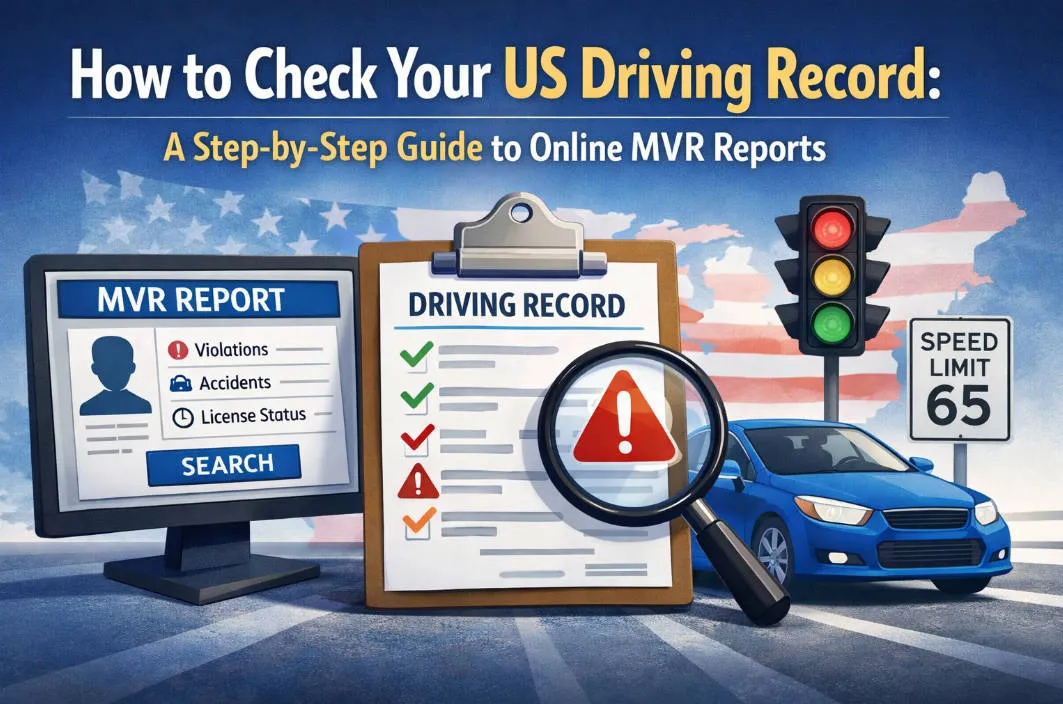
Whether you’re applying for a dream job that requires time behind the wheel, shopping for better car insurance rates, or simply curious about what the DMV has on file, knowing how to access your Motor Vehicle Record (MVR) is a crucial skill for any driver in the United States.
Your driving record is more than just a list of past tickets; it is a financial and professional "background check" that can impact your wallet and your career. Fortunately, the days of waiting in long lines at a government office are largely over. Most states now offer streamlined digital portals that allow you to pull your report in minutes.
In this guide, we’ll walk you through the step-by-step process of checking your US driving record online, explain the different types of reports available, and show you how to ensure your record remains "clean" and accurate.
1. What is an MVR and Why Does it Matter?
Before diving into the "how," it is essential to understand the "what." In the United States, an MVR (Motor Vehicle Record) is a legal document issued by a state’s licensing agency—such as the DMV, BMV, or DOT—that provides a comprehensive history of your driving behavior.
Think of it as your "Driver’s Resume." Just as a credit report tracks your financial health, your MVR tracks your safety and legal compliance on the road.
It contains a comprehensive history of your driving activities, including:
-
Traffic Violations: Speeding tickets, running red lights, etc.
-
Accidents: Whether you were at fault or not.
-
Driver's License Status: Current standing (Valid, Suspended, Revoked).
-
Point Totals: Accumulated "demerit points" that can lead to license suspension.
-
DUIs/DWIs: Serious criminal driving offenses.
Why Your MVR is a Big Deal
Your driving record isn't just a private file sitting in a government database; it is a document with real-world financial and professional consequences. Here is why it matters:
-
Insurance Premiums: Auto insurance companies use your MVR to determine your "risk profile." A record with speeding tickets, accidents, or a DUI suggests a higher risk, which typically results in significantly higher monthly premiums.
-
Employment Eligibility: For many professions—trucking, delivery services, sales roles with company cars, or ride-sharing (like Uber or Lyft)—a "clean" MVR is a non-negotiable requirement. A single major violation can disqualify you from a job or lead to termination.
-
License Validity: Your MVR tracks "points" against your license. If you accumulate too many points within a specific timeframe (e.g., 12 points in 12 months), your MVR will trigger an automatic license suspension or revocation.
-
Identity & Accuracy: Clerical errors happen. An incorrectly reported accident or a ticket that was supposed to be dismissed can stay on your record for years, costing you money. Checking your MVR is the only way to ensure the data is 100% accurate.
Key Takeaway: Your MVR is a financial and professional gatekeeper. Maintaining a clean record is one of the most effective ways to save money and stay employable in the U.S.
2. Who Can Check a Driving Record?
You might wonder: Is my driving history public for anyone to see? The answer is no. Thanks to the federal Driver’s Privacy Protection Act (DPPA), your personal information is protected. However, the law defines 14 "permissible uses" that allow certain entities to access your Motor Vehicle Record (MVR) without your daily consent.
Here is a breakdown of who can legally view your record:
A. You (The Driver)
You have the absolute right to request your own MVR at any time. In fact, experts recommend checking your own record at least once a year to ensure there are no errors that could be driving up your insurance costs.
B. Insurance Companies
This is the most common "third-party" check. When you apply for a new policy or renew an existing one, insurance providers pull your MVR to determine your "risk score." Under the DPPA, they are allowed to do this for underwriting and rating purposes.
C. Employers and Recruiters
If your job involves driving a company vehicle (trucking, delivery, sales), an employer has a "legitimate business need" to check your record.
-
Consent Required: Under the Fair Credit Reporting Act (FCRA), most private employers must get your written consent before they can pull your MVR for a background check.
-
Commercial Drivers: For CDL holders, employers are legally required by the Department of Transportation (DOT) to check your MVR annually.
D. Government and Law Enforcement
Police officers, courts, and government agencies have full access to MVRs to carry out their official duties, such as:
-
Investigating traffic accidents or crimes.
-
Verifying license status during a traffic stop.
-
Processing court cases related to driving violations.
E. Other Permitted Entities
The DPPA also allows access for:
-
Tow Truck Companies: To notify owners of impounded vehicles.
-
Private Investigators: But only for purposes that align with the 14 legal exceptions.
-
Research and Statistics: For organizations conducting safety studies (though personal details are usually redacted).
Important Note: In the U.S., it is illegal for a neighbor, a curious friend, or an unauthorized private citizen to pull your driving record just to "snoop." Violations of the DPPA carry heavy civil and criminal penalties.
3. Preparation: What You’ll Need
Before you sit down to request your MVR online, make sure you have the following information and tools ready. While requirements vary slightly by state (e.g., California vs. Texas), the following "checkpack" will cover almost every DMV portal in the country:
A. Your Driver’s License Information
This is the most critical piece of data. You will need:
-
Driver’s License Number: The unique ID number printed on your card.
-
Full Legal Name: As it appears on your license (including middle names or suffixes like "Jr.").
-
Date of Birth: To verify your identity.
B. Personal Identifiers
To prevent identity theft, most states require a secondary form of identification, such as:
-
Social Security Number (SSN): Usually just the last four digits, though some states may require the full number for "official" records.
-
Current Address: The mailing address currently on file with the DMV.
C. Technical Requirements
-
A Reliable Printer or PDF Saver: Most online systems only allow you to view the record once. If you close the window without printing or saving it as a PDF, you may have to pay the fee again to see it a second time.
-
Email Address: For receiving your receipt or a digital link to the report.
D. Payment Method
DMV records are rarely free. Online fees typically range from $2 to $15 depending on the state and whether you need a certified or non-certified copy. Be ready with:
-
A Credit or Debit Card (Visa, Mastercard, etc.).
-
Note: Some states also accept e-checks.
E. Know Which "Type" of Record You Need
Before you pay, check if the agency or employer requesting the record requires:
-
Non-Certified (Unofficial): Fine for personal use or general interest.
-
Certified (Official): Usually required for court cases, government jobs, or formal legal matters. Certified copies are often stamped and can sometimes only be requested by mail or in person.
4. Step-by-Step: How to Check Your Record Online
While each state’s Department of Motor Vehicles (DMV) has a unique website, the digital process for requesting an MVR follows a standard pattern. Follow these five steps to get your report in minutes:
Step 1: Find Your Official State DMV Website
Be careful here—many third-party "background check" websites appear in search results and charge high fees for unofficial data.
-
Look for
.gov: Always ensure the URL ends in.govor.state.[state abbreviation].us(e.g.,dmv.ca.govfor California). -
Search Tip: Search for "[State Name] DMV Driver Record Request."
Step 2: Create or Log In to Your Online Account
Most states, like California (MyDMV) or Washington (License eXpress), now require you to create a secure account to protect your privacy.
-
You may need to verify your identity via email or a text message (Two-Factor Authentication).
-
Have your Driver’s License Number and the Last 4 digits of your SSN ready for this stage.
Step 3: Select the "Request Driver Record" Service
Once logged in, look for a section labeled "Online Services," "Driver Services," or "Records."
-
Choose the specific record type you need (e.g., a "3-Year," "7-Year," or "Full History" report).
-
Note: If you need this for a legal matter, select the Certified version if it is offered online; otherwise, the Uncertified version is usually sufficient for personal review or insurance.
Step 4: Pay the Processing Fee
Fees are generally low, typically between $2 and $15.
-
Most portals accept major credit/debit cards or e-checks.
-
Be aware that some states may add a small "technology fee" or "convenience fee" for online transactions.
Step 5: View, Download, and Save Immediately
This is the most important step. Many DMV systems only allow you to view the document once for a limited time (e.g., 24 hours).
-
Don't just look at it: Immediately click "Print" and select "Save as PDF." * If you close the browser window before saving, you may have to pay the fee again to re-access the file.
| State | Portal Name | Typical Online Fee |
| California | CA DMV Online Services | $2.00 |
| Texas | TxDPS Driver Record | $6.50 – $22.00 |
| New York | MyDMV | $7.00 |
| Florida | MyDMV Portal | $8.00 – $10.00 |
5. Alternative Ways to Get Your MVR
If the online portal isn't working for you, or if you need a specific type of "Official" record, you have three other reliable paths.
A. In-Person at the DMV
If you need your record immediately and want a physical copy with an official stamp, visiting a local DMV office is your best bet.
-
The Process: You will need to fill out a request form (like California’s INF 1125 or New York’s MV-15) and show a valid government ID.
-
The Benefit: You walk out with the paper in your hand. This is often the only way to get a Certified Copy on the same day.
-
Note: Many states now require an appointment for record services, so check the website before you drive over.
B. By Mail
If you are currently out of state or don't mind waiting 1–3 weeks, you can request your MVR by mail.
-
The Process: Download the request form from your state's DMV website, include a check or money order for the fee, and mail it to the headquarters address listed on the form.
-
When to Use This: This is the standard method for obtaining Certified Records if you no longer live in the state where the license was issued.
C. Through Third-Party Providers
There are private companies (like Checkr, HireRight, or SambaSafety) that specialize in "Background Checks."
-
For Employers: Most businesses use these services to pull MVRs for multiple states at once.
-
For Individuals: While some sites offer "instant driving records" for individuals, be cautious. These are often unofficial and may cost significantly more than the $5–$10 charged by the state. Always prioritize the official DMV website first.
D. Via Your Insurance Agent
If you have a good relationship with your auto insurance agent, you can sometimes ask them to see what’s on your record.
-
The Catch: While they can see your history, they are often legally prohibited from giving you a physical copy of the MVR they pulled. However, they can usually tell you "off the record" if you have any active points or accidents affecting your rate.
| Method | Speed | Best For... |
| Online | Instant | Personal review & Insurance shopping |
| In-Person | Same Day | Court cases & Immediate needs |
| Mail-In | 1–3 Weeks | Out-of-state residents |
| Third-Party | Fast | Employer background checks |
6. How to Read and Interpret Your MVR Report
Once you have your report in hand (or on your screen), you’ll notice it isn't always written in plain English. Most states use a series of codes, abbreviations, and shorthand to pack a lot of history into a small space. Here is how to decode the most important sections:
A. The "Status" Section
Look for the word "Status" near the top of the document. This is the single most important word on the page.
-
Valid: You are legally cleared to drive.
-
Suspended: Your driving privileges are temporarily withdrawn (often due to points, unpaid fines, or lack of insurance).
-
Revoked: Your license has been terminated (usually due to serious offenses like a DUI or multiple reckless driving charges).
-
Expired: Your license is no longer current and must be renewed.
B. Understanding "Points"
In states like New York, California, and Florida, violations carry a numerical value.
-
The Math: Each ticket adds points to your record.
-
The Threshold: Your MVR will show your "Active Points." If this number hits a state-defined limit (e.g., 12 points in 12 months), the DMV will automatically move your status to "Suspended."
C. Common Abbreviations & Codes
While every state is different, you will likely encounter these common terms:
-
ACCD: Involved in a traffic accident.
-
FTA: Failure to Appear (missing a court date).
-
FTP: Failure to Pay (unpaid traffic fines).
-
DUI/DWI: Driving under the influence of alcohol or drugs.
-
SR-22: A note indicating you are required to carry "High-Risk" insurance.
D. Conviction vs. Citation Dates
It’s important to distinguish between these two dates:
-
Violation/Citation Date: The actual day you were pulled over.
-
Conviction Date: The day the court finalized the ticket or you paid the fine.
-
Note: Most insurance companies and DMVs count the "look-back period" (3–7 years) starting from the Conviction Date, not the day you got the ticket.
E. Endorsements and Restrictions
Check the codes under "Class" or "Restrictions."
-
Endorsements: Letters like M (Motorcycle) or X (Hazardous Materials for CDL).
-
Restrictions: Common codes include B (Corrective Lenses required) or L (No Air Brakes for commercial drivers).
Pro Tip: Check for Errors! > As you read, look for "Ghost Violations"—tickets that were dismissed in court but still appear as "Convicted" on your MVR. If you find one, you will need to contact the court that handled the case to get an official "Abstract of Judgment" to send to the DMV for correction.
7. Pro-Tip: How to "Clean Up" Your Record
If your MVR looks a bit "cluttered" with tickets and points, don’t panic. While you cannot simply delete your driving history, there are several proven ways to minimize the damage to your insurance rates and employment prospects.
A. Enroll in a Defensive Driving Course (Traffic School)
In many states, completing a DMV-approved Defensive Driving or Point Reduction Course is the fastest way to clean up your record.
-
Point Reduction: States like New York allow you to subtract up to 4 points from your active total.
-
Insurance Discounts: Many insurers offer a mandatory 10% discount for three years upon completion of these courses.
-
Note: You can usually only take this course for point reduction once every 12 to 24 months.
B. Request a "Decline to Prosecute" or "Deferral"
If you recently received a ticket but it hasn't appeared on your MVR yet, you may have an out.
-
The Strategy: Many jurisdictions offer a Deferral Program. If you pay a fine and go 6 to 12 months without another violation, the court will dismiss the ticket, and it will never appear on your MVR.
-
The Benefit: This keeps your record "Clean" from the start, which is much easier than fixing it later.
C. Contest Incorrect Information
Clerical errors are more common than you think. If you see a violation that wasn't yours or an accident that should have been marked "Not at Fault":
-
Get the Proof: Contact the court where the case was heard and request a Certified Abstract of Judgment.
-
File a Dispute: Submit this document to your state’s DMV via their "Record Correction" department.
-
Notify Your Insurer: Once the DMV clears it, send the updated MVR to your insurance agent to lower your premium.
D. The "Wait and See" Strategy (Expungement)
In the U.S., most minor violations have an expiration date.
-
3 to 5 Years: The standard "look-back" period for insurance companies.
-
7 to 10 Years: How long major violations (like DUIs) typically stay on a record.
-
Pro Tip: Once a violation passes your state's "statute of limitations" for driving records, check your MVR to ensure the DMV has actually removed it. If it’s still there, a simple phone call to the DMV can often get it purged.
E. Pay Off Outstanding Fines (The "FTP" Fix)
If your license is suspended due to Failure to Pay (FTP) or Failure to Appear (FTA), the quickest way to "clean" the status is to pay the underlying fine. Once paid, the court sends a "clearance" to the DMV, and your status can return to Valid.
Final Note: A "Clean Record" isn't just about zero tickets; it's about staying proactive. By checking your MVR annually and using these tools, you can save thousands of dollars in long-term insurance costs.
8. Quick Reference: Official MVR Portals by Major State
To save you time, we have compiled the official digital portals for the most populous states. Remember to only use these .gov links to ensure you are receiving an authentic legal document and not an unofficial third-party report.
| State | Official DMV Portal Name | Link to Request Record |
| California | CA DMV Online Services | dmv.ca.gov/portal/driver-records |
| Texas | TxDPS Driver Record | texas.gov/driver-services/texas-driver-records |
| Florida | FLHSMV MyDMV Portal | services.flhsmv.gov/virtualoffice |
| New York | NY DMV MyDMV | dmv.ny.gov/driver-records |
| Pennsylvania | PennDOT Driver Services | dmv.pa.gov/Online-Services |
| Illinois | IL Secretary of State | ilsos.gov/drivers/drivingrecord |
| Georgia | GA DDS Online Services | dds.georgia.gov/online-services |
| North Carolina | MyNCDMV | payments.ncdot.gov |
| Ohio | OH BMV Online | bmv.ohio.gov/bmv-online |
| Washington | WA DOL License eXpress | dol.wa.gov/driver-log-in |
Important Tips for Using These Links:
-
Verification: Most of these portals will require you to create a "State ID" or "MyDMV" account first.
-
Device Compatibility: Some older state portals work best on a desktop browser (Chrome or Safari) rather than a smartphone.
-
Pop-up Blockers: Ensure your pop-up blocker is turned OFF, as the final MVR report often generates in a new browser window.
9. Frequently Asked Questions (FAQs)
Q1: Can I get my driving record for free?
A: Generally, no. Most states consider the MVR a legal document that requires a processing fee (typically $2 to $15). However, some states allow you to view a "summary" of your points for free through their online portal, even if the official downloadable report costs money.
Q2: What is the difference between a "Certified" and "Non-Certified" record?
A: Non-Certified: An unofficial printout. This is perfect for personal use, checking your points, or showing a potential insurance agent. Certified: A document that includes an official state seal or signature. This is usually required for court proceedings, government job applications, or immigration purposes. You often have to request these by mail or in person.
Q3: Will an out-of-state ticket show up on my home state's MVR?
A: Yes. Most U.S. states participate in the Driver License Compact (DLC), which means they share information about traffic violations. If you get a ticket in Florida but have a New York license, Florida will report the conviction to New York, and it will appear on your NY MVR.
Q4: I found an error on my MVR. How do I fix it?
A: You must contact the Mandatory Actions Unit or the Records Department of your state’s DMV. You will typically need to provide a "Court Abstract" (an official document from the court that handled the ticket) proving that the charge was dismissed or incorrectly recorded.
Q5: Does an MVR show my criminal history?
A: No. An MVR only shows driving-related convictions. While serious driving offenses (like a DUI) are also criminal offenses, your MVR will not show non-driving crimes like theft or trespassing. For those, an employer would run a separate "Criminal Background Check."
Q6: How often should I check my driving record?
A: At least once a year, or before applying for insurance or a driving job.
Q7: How long do violations stay on my record?
A: Minor violations: 1–3 years; Major violations (DUIs): 5–10 years or more depending on the state.
Conclusion: Monitoring your US driving record is a vital part of "administrative hygiene" for anyone living in the States. By checking it once a year, you ensure that you aren't overpaying for insurance and that your path to employment remains clear.
Ready to start? Head to your state's DMV .gov website today and secure your peace of mind!