Game day traffic in the U.S. is notoriously unpredictable. Whether you are heading to a sold-out NFL stadium or preparing for the high-octane chaos of the Formula 1 United States Grand Prix, the logistical hurdle of simply "getting there" can often overshadow the event itself.
Parking sells out weeks in advance, rideshare prices surge to eye-watering levels, and shuttle information is often buried in confusing PDF maps. With even bigger events on the horizon, like the 2026 FIFA World Cup, relying on luck is no longer an option.
The best strategy isn’t just finding one "magic" app — it’s knowing how to combine them. In this guide, we’ll break down the essential game day traffic tips and transportation hacks to ensure you spend more time in your seat and less time in gridlock.
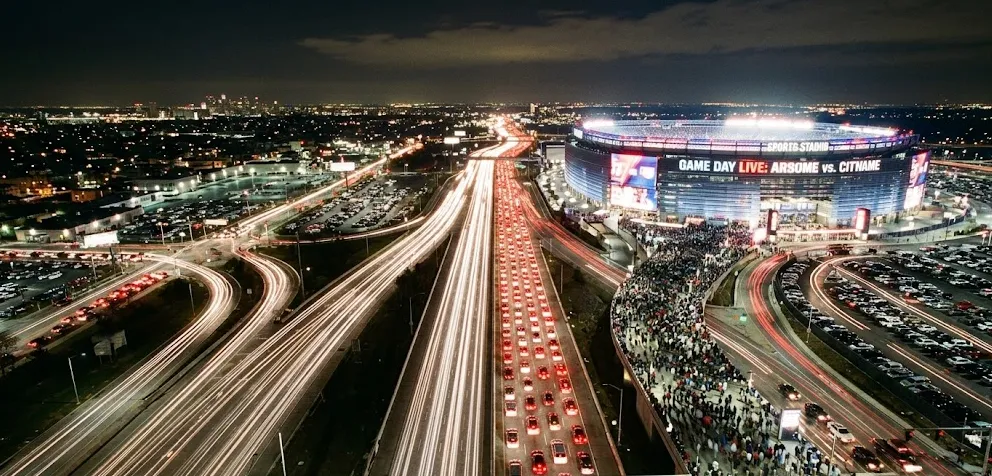
⚡1. Quick Answer: The Best Way to Handle Game Day Traffic
If you're looking for the "too long; didn't read" version of game day logistics, here is the golden rule: Information is power, but timing is everything.
-
How to beat the rush: The only guaranteed way to avoid traffic is to arrive at least 2 hours early or wait 60 minutes post-game before leaving.
-
Should you drive? It depends on the venue. For suburban NFL or MLB stadiums, driving is often king. For mega-events like Formula 1, shuttles are your best friend.
-
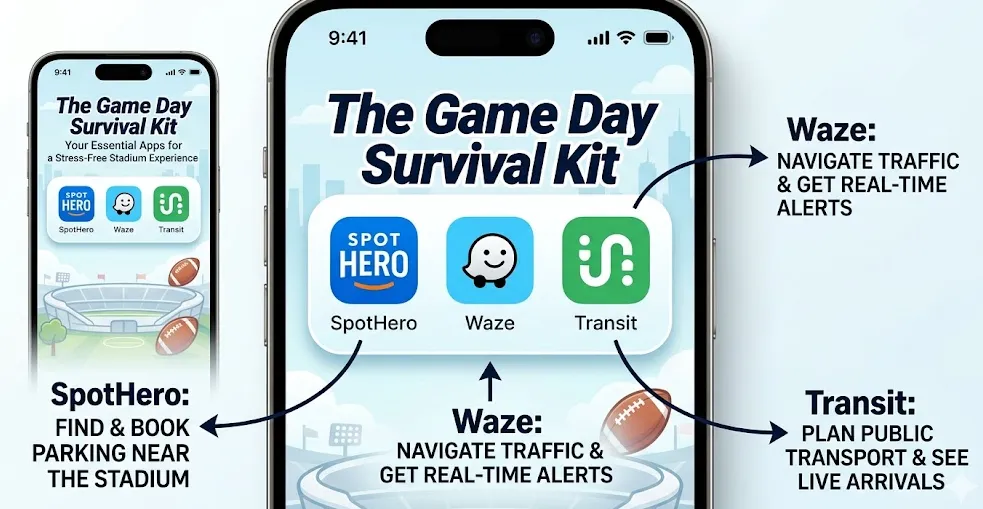
The Ultimate Tech Stack: For a stress-free experience, you need this specific app combination: Parking App + Real-Time Navigation + Live Transit Tracker.
👉 Our Recommended Setup: SpotHero (to lock in a spot) + Waze (to dodge local road closures) + Transit (to track shuttles and buses in real-time).
🚗2. Choose Your Strategy: Drive, Shuttle, or Rideshare?
Not all events are created equal. The strategy that works for a Sunday afternoon MLB game will likely fail you at a high-intensity music festival or the Super Bowl. Here’s how to choose your "battle" method.
Option A: Driving & Pre-booked Parking
-
Pros: Total flexibility; you control your climate, music, and departure time.
-
Cons: Post-game gridlock in stadium lots can last 60-90 minutes; high parking fees.
-
Best For: NFL and MLB games, or stadiums located in suburban areas with massive surface lots (e.g., AT&T Stadium in Arlington).
Option B: Shuttle / Park & Ride
-
Pros: Stress-free navigation; often utilizes dedicated lanes to bypass main traffic.
-
Cons: You are at the mercy of shuttle schedules; wait times after the event can be long.
-
Best For: Formula 1, major music festivals, and events at urban stadiums with limited parking.
Option C: Rideshare (Uber/Lyft) — The "Reality Check"
-
The Trap: Many fans assume Uber is the "easy" way out.
-
The Reality: Between surge pricing (often 3x–5x standard rates) and the chaotic "rideshare zones" where finding your driver is like finding a needle in a haystack, this is often the most frustrating choice.
-
Pro Tip: If you must use rideshare, walk 15–20 minutes away from the stadium to a local hotel or restaurant before calling your car.
👉 Key Conclusion: Rideshare is the least reliable and most expensive option after major events.
🅿️3. Best Parking Apps for Game Day (Ranked)
If you decide to drive, do not — we repeat, do not — just "show up" and look for a sign. You will pay double and park twice as far away. Use these apps to secure your spot in advance.
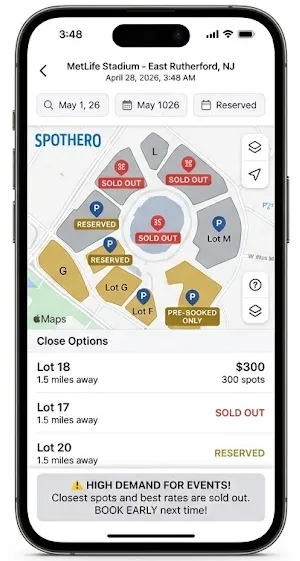
1. SpotHero (The Gold Standard)
-
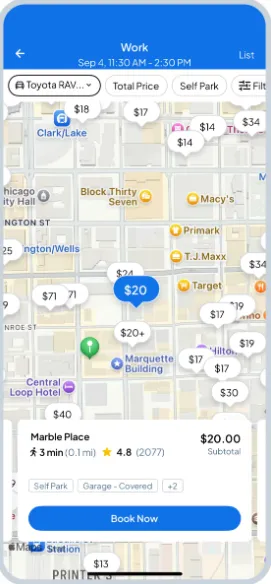
Why we love it: It has the largest inventory of off-site garages and private lots. Their "Event" filter is excellent for finding spots specifically timed for your game.
-
Best for: Finding the best balance between price and walking distance.
2. ParkWhiz (The Reliability King)
-
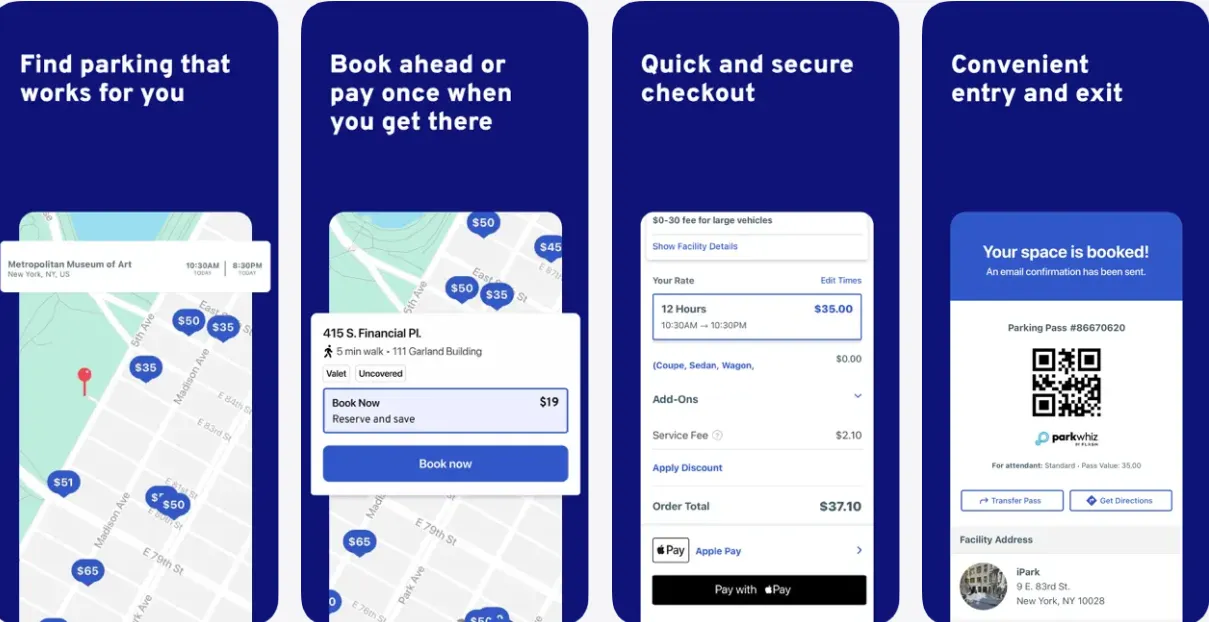
Why we love it: Very similar to SpotHero, but often has exclusive partnerships with official stadium lots. It’s worth checking both to compare prices.
-
Best for: Official stadium parking and "flash" sales.
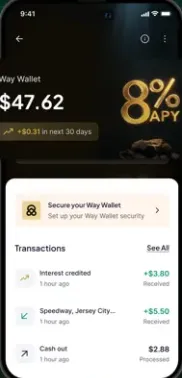
3. Way.com (The Budget Option)
-
Why we love it: Often features the cheapest rates by listing hotel parking lots and smaller independent operators.
-
Best for: Savvy fans on a budget who don't mind a slightly longer walk.
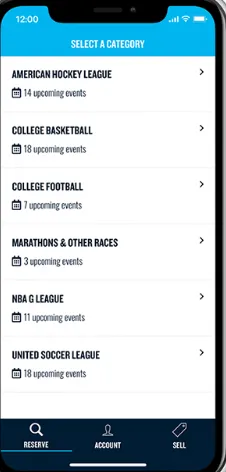
4. Clutch! (The "Game Day" Specialist)
-
Why we love it: It specializes in "gameday only" inventory, like church parking lots or private driveways near stadiums that aren't on the big apps.
-
Best for: Deeply embedded local parking in places like Tuscaloosa or Ann Arbor for College Football.
The Ultimate 2026 US City Parking Guide: How to Save 50% with SpotHero and ParkWhiz
✍3.5. Don’t Forget the "Official" Source
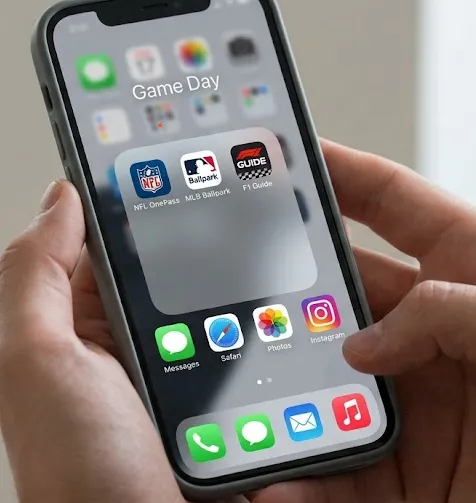
While third-party apps like SpotHero and Waze are essential for the journey, the Official Event Apps are your lifeline once you reach the stadium perimeter. Most modern U.S. venues have moved to 100% digital ticketing and mobile-only concourses.
Here is the checklist of official apps you should download and log into before you leave the house:
🏈 For NFL & College Football: The League/Team App
-
Examples: NFL OnePass, NFL Ticketmaster, or specific team apps (e.g., Dallas Cowboys App).
-
Why you need it: This is often the only way to access your mobile tickets. Many team apps also feature "Wayfinding"—an indoor GPS to help you find the shortest bathroom line or a specific concession stand.
🏎️ For Formula 1: COTA / F1 Official App
-
Apps: F1 Guide, F1 Las Vegas Grand Prix, COTA App.
-
Why you need it: At COTA or Las Vegas Grand Prix, the official app provides the schedule for track sessions, live commentary, and—most importantly—real-time shuttle gate & transportation updates. If a shuttle pickup point changes due to traffic, this is where you’ll hear it first.
⚽ For World Cup 2026: FIFA+ & Host City Apps
-
Apps: FIFA+ (Global) + Local City Transit Apps.
-
Why you need it: During the 2026 World Cup, each host city (like New York/New Jersey or Los Angeles) will likely have a dedicated "Fan Transport" section within their local transit or FIFA app to manage the massive influx of international visitors.
⚾ For MLB: Ballpark App
-
App: MLB Ballpark.
-
Why you need it: It’s the universal gold standard for baseball fans. It handles ticketing, stadium maps, and even allows you to order food from your seat in some sections.
💡 Editor’s Pro Tip: The "Screenshot" Hack
Do not rely on live data for your tickets. Because cell service often crashes when 70,000 people are in one place, add your tickets to your Apple Wallet or Google Pay, or take a high-quality screenshot of the QR code before you get to the gate.
"A dead app at the turnstile is the fastest way to ruin your game day."
🗺️4. Navigation & Live Transit Apps (Real-Time Matters)
On game day, real-time data matters more than pre-planned routes. Static maps cannot account for a sudden police roadblock or a shuttle bus that’s running 20 minutes behind. Here is how to use the "Big Three" apps effectively:
Waze
-
👉 Best for: Last-minute rerouting and avoiding congestion.
-
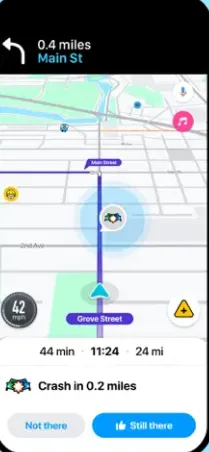
Why it wins: While other maps might suggest a route that looks clear, Waze users report active "No Left Turn" signs, police-directed closures, and temporary road blocks that only exist during the event. It is the best tool for weaving through the side-streets to avoid stadium gridlock.
Google Maps
-
👉 Best for: Reliable baseline navigation.
-
Why it wins: Use Google Maps to get the "big picture" of the city’s traffic before you get within a 2-mile radius of the venue. It is excellent for finding nearby gas stations, restaurants, or EV chargers before the game.
Transit
-
👉 Best for: Tracking shuttles in real time.
-
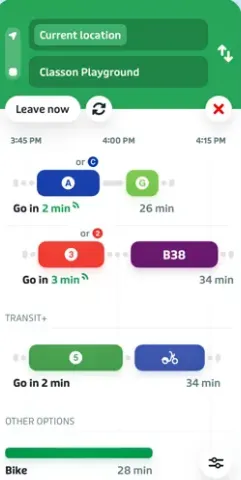
Why it wins: For massive events like F1 or the 2026 World Cup, you need the Transit app. It provides live countdowns for stadium shuttles and city buses.
-
The Pro Hack: Use it to decide whether to wait or walk. If the app shows the next shuttle is 45 minutes away but stuck in traffic, you’ll know it’s time to start walking to a different pickup zone.
👉 Editor's Note: Always download offline maps for your area. When 70,000 fans try to use their phones at once, cell towers often jam, leaving you stranded without a map.
⚠️5. What Actually Happens Near the Venue (The Reality Check)
You’ve booked your parking on SpotHero and set your destination in Waze. You feel prepared. But as you get within two miles of the stadium, the digital world and the physical world often collide.
On game day, the "normal" rules of the road are suspended. Here is what actually happens:
The "Invisible" Barriers
-
Police Directing Traffic: At major venues, local police often override traffic lights. This means Waze might tell you to turn left, but an officer will force you to go straight. Always follow the human, not the app.
-
Road Closures: Many streets around the stadium become "Pedestrian Only" or "Official Shuttle Only" hours before kickoff. These temporary changes aren't always updated in real-time on every map.
-
Confusing Signage: Standard street signs are often obscured by temporary event banners or mobile LED boards directing you to specific "colored" lots (e.g., "Follow Blue Arrows for Lot 4").
Unexpected Walking Distances
Even if you secure "nearby" parking, be prepared for the Last Mile Challenge. Between security checkpoints, perimeter fences, and designated entry gates, a "0.5-mile walk" on a map can easily turn into a 25-minute trek through crowds and gravel lots.
👉 Pro Tip: Check the stadium’s official website for a "Pedestrian Flow Map." It will show you exactly which bridges or tunnels are open, which can save you miles of unnecessary walking.
🚪6. The Exit Strategy: Mastering Post-Game Traffic
The biggest mistake fans make is only planning how to get to the game. In the logistics world, the "Inbound" is a trickle, but the "Outbound" is a flood. The true test of your sanity isn't the morning drive—it’s the leaving stadium traffic.
The "Biggest Mistake" in Event Logistics
The fundamental issue with post-game traffic tips often boils down to one reality: Everyone leaves at the same time. When the final whistle blows, 80,000 people attempt to funnel through infrastructure designed for 8,000.
The Exit Comparison: Choose Your Struggle
There is no "magic" exit, only different types of trade-offs:
-
Parking Exit → The Gridlock: Even if you parked "right next to the stadium," you are at the mercy of the lot attendant and police flow. You might spend 60 minutes sitting in your car without moving a single inch.
-
Shuttle Lines → The Endurance Test: Shuttles often have dedicated lanes to bypass highway traffic, but the bottleneck is at the curb. After events like F1, shuttle lines can be 1,000+ people deep, meaning a 90-minute wait just to board.
-
Rideshare → The Surge & Search: High prices aside, finding your Uber in a sea of white Teslas while cell service is failing is a recipe for a meltdown.
"Key Conclusion: There’s no perfect option—only trade-offs. You either pay in time (waiting) or pay in effort (walking/planning)."
🚪 Strategy: The "90-Minute Rule"
To maintain your sanity, choose one of two extremes:
-
The Tactical Retreat: Leave with 5–10 minutes remaining in the game. You miss the trophy presentation, but you beat the garage gridlock.
-
The "Slow Social": Stay in your seat, watch the post-game show, or grab a snack at a nearby fan zone. By waiting 60-90 minutes, the first two waves of traffic will have cleared, and your drive home will be cut in half.
🏁7. Formula 1 (COTA) Special Transportation Strategy
Attending a Formula One race is not like going to a local basketball game. With over 400,000 fans descending on a single track over three days, the Formula 1 United States Grand Prix at Circuit of the Americas (COTA) creates a logistical pressure cooker that breaks most standard GPS algorithms.
Why F1 Is Different (The Triple Challenge)
-
Remote Locations: Unlike urban stadiums, F1 tracks like COTA are located in rural areas with narrow, two-lane access roads.
-
Massive Crowds: The sheer density of people moving at the exact same time is double that of a typical NFL game.
-
Multi-Day Event: Your strategy for Friday (practice) should not be your strategy for Sunday (race day).
The Best Strategy: Shuttle + Park & Ride > Driving
If you are wondering how to get to an F1 race without losing your mind, there is one clear winner: The Official Shuttle.
-
👉 The Move: Do not drive to the track unless you have a premium parking pass (and even then, expect delays). Instead, use the official Frontside or Backside Shuttles from downtown Austin or designated Park & Ride locations.
-
The "Secret" Lane: Official shuttles often have access to dedicated dirt roads and emergency lanes that are strictly closed to private vehicles.
Pro Tips for the United States Grand Prix
-
Friday is Easy, Sunday is Chaos: On Friday, you might breeze through the gates. On Sunday, the volume of traffic is so high that shuttle wait times can exceed 60 to 90 minutes post-race.
-
Plan Your Exit Before Arrival: Know exactly which color-coded shuttle line you need to be in. Once the sun goes down and the dust kicks up, finding your bus becomes significantly harder.
-
The "Slow Walk": Don't sprint to the exit the moment the checkered flag drops. Thousands of people will have the same idea.
"Golden Rule: Leaving early or staying late is often the smartest move you'll make all weekend."
F1 Las Vegas Grand Prix 2026 Guide: Tickets, Best Seats, Transport & Road Closures Explained
🌍8. World Cup 2026: The "Transit-First" Approach
The 2026 FIFA World Cup will be the largest sporting event in U.S. history, spanning 11 host cities in the States alone. Unlike the remote nature of F1 tracks, World Cup matches will take place in established urban stadiums.
Why the World Cup is a Different Beast
-
Urban Saturation: Host cities like New York/New Jersey (MetLife) and Los Angeles (SoFi) will be at maximum capacity.
-
Government-Managed Flow: Unlike standard NFL games, the World Cup involves federal and international coordination. Expect massive "Fan Zones" and permanent road closures for miles around the venues.
The Winning Strategy: Use Public Transit
In almost every 2026 host city, driving to the stadium will be your worst option.
-
👉 The Move: Research the city's rail and rapid-bus systems. For example, in Seattle or Atlanta, the light rail drops you directly at the gate.
-
Avoid the "Parking Scams": During global events, unofficial "pop-up" parking lots often appear. Stick to official transit or pre-booked garages via ParkWhiz/SpotHero to avoid getting towed or overcharged.
For World Cup fans traveling between host cities, consider Amtrak or regional rail over domestic flights or driving; these hubs are often better integrated with stadium transit loops.
2026 FIFA World Cup Transportation Guide: How to Travel Across USA, Canada & Mexico Host Cities
✅9. Recommended Setups: Your Game Day "Cheat Sheet"
Not every event requires the same strategy. To save you from decision fatigue, here are the optimized "tech stacks" and transport combos based on your specific situation:
🏎️ If You Are a First-Time F1 Fan (COTA)
-
The Setup: Official Shuttle + Park & Ride
-
The Logic: COTA’s rural roads are not built for 100,000 cars.
-
Action: Avoid driving directly to the track. Book your shuttle pass weeks in advance and use the "Slow Walk" strategy after the race.
⚽ If You Are Attending World Cup 2026
-
The Setup: Public Transit + Walking
-
The Logic: Global events in urban hubs (NY, LA, Miami) will have massive "Security Perimeters."
-
Action: Use transit whenever possible. Most host stadiums will have restricted or zero general parking for World Cup matches.
🚗 If You Must Drive (NFL / MLB / Concerts)
-
The Setup: SpotHero + Waze
-
The Logic: SpotHero guarantees you won't be circling the block, and Waze handles the "Last Mile" police diversions.
-
Action: Filter for "Self-Park" to avoid valet delays during the post-game rush.
🧘 If You Want the Absolute Lowest Stress
-
The Setup: The "Wait-and-See" Combo
-
The Logic: Arrive 3 hours early and leave 90 minutes late.
-
Action: Use Transit App to track real-time bus/train locations while you enjoy a post-game meal near the venue.
❌10. Common Mistakes to Avoid (The "Don't Be That Fan" List)
Even with the right apps, one simple error can lead to a 3-hour delay. Avoid these high-traffic traps:
-
❌ Arriving "On Time": In the world of mega-events, arriving at kickoff time means you’re already 2 hours late. Arrive at least 3 hours early.
-
❌ Not Checking Real-Time Updates: Road closures can happen instantly due to VIP arrivals or security issues. Check the stadium's official X (Twitter) account or app before you start the engine.
-
❌ Relying on Uber After the Game: This is the #1 mistake. Between 4x surge pricing and the impossibility of finding your driver in a crowd of 50,000, rideshare is the least reliable post-game option.
-
❌ Ignoring Exit Planning: Most fans only think about getting to their seat. If you don't know exactly which gate leads to your lot or shuttle, you’ll end up walking miles in the wrong direction.
- ❌ Forgetting a portable power bank: Between using Waze, SpotHero, and the official stadium app, your battery will drain twice as fast. A dead phone means no digital ticket and no way to find your car.
🔚 Conclusion: The Strategy is the Win
U.S. game day traffic is a chaotic beast, but it is a predictable one. Whether you are navigating the rural roads of the Formula 1 United States Grand Prix or the urban sprawl of the 2026 World Cup, the secret isn't a single "magic" app—it's the combination of pre-booked parking, real-time navigation, and a smart exit strategy.
Plan your "Last Mile" before you leave, follow the human traffic directors over the digital ones, and remember: The smartest fan isn't the one who parks closest; it's the one who gets home first.