What is the single most infuriating thing about waiting for a flight at an airport? It isn’t a minor delay. It’s when the "free" airport WiFi is so excruciatingly slow that you can't even send a simple Slack message, or when you are forced to watch a mind-numbing 30-second ad every 30 minutes just to stay connected! 😭
In 2026, fast, reliable internet is no longer a luxury—it’s a basic human right for digital nomads, business travelers, and casual vacationers alike. Whether you need to hop on an emergency Zoom call before boarding, squeeze in a quick gaming session, or simply scroll TikTok to kill time, your airport’s network quality dictates your entire pre-flight mood.
To save you from the digital dark ages, we have aggregated the latest 2026 real-world speed test data from Ookla (Speedtest), HighSpeedInternet, and crowdsourced reviews from thousands of frustrated flyers on Reddit, X (Twitter), and Xiaohongshu.
Below is your ultimate 2026 US Airport Free WiFi Hall of Fame & Hall of Shame, along with pro-tips to turn you into an airport connection wizard. 👇
⏱️ 1-Minute TL;DR: US Airport WiFi Cheat Sheet
Short on time? Here is exactly what you need to know about US airport internet in 2026:
-
🏆 The Fastest Airports: San Francisco (SFO), Austin (AUS), and Minneapolis (MSP) lead the nation with blazing-fast speeds over 150+ Mbps.
-
🐌 The Worst Airports: Houston (IAH/HOU), Newark (EWR), and Charlotte (CLT) have heavily congested, sluggish networks averaging under 30 Mbps.
-
🛠️ Login Screen Stuck? If the airport WiFi says "connected" but the login portal won't pop up, turn off "Private Wi-Fi Address" in your settings, open a browser, and type neverssl.com
- 🛡️ Security Warning: Public airport WiFi is unencrypted. Never log into your bank without an active VPN (like ProtonVPN or Cloudflare WARP) or switch to your 5G cellular network instead.
🤔 1. The 2026 Airport WiFi Reality Check: Is WiFi Dead in the Era of 5G?
Before we dive into the rankings, we have to address the elephant in the terminal: With 5G coverage expanding everywhere in 2026, do we even need airport WiFi anymore?
The short answer: Absolutely, yes. In fact, at certain airports, local WiFi is completely running circles around mobile data.
If your memory of airport WiFi involves buggy splash pages, endless ads, and speeds resembling 90s dial-up, you’ll be pleasantly surprised. A massive wave of infrastructure upgrades across major US transit hubs has quietly ushered in the era of Wi-Fi 6, 6E, and Wi-Fi 7.
Here are three reasons why airport WiFi is still holding its ground against the 5G onslaught in 2026:
🧱 A. The "Concrete Fortress" Problem: Cellular Dead Zones
Many older, massive US airports (like New York’s JFK or Chicago’s ORD) are literal fortresses built with heavy steel, concrete, and blast-resistant glass. These materials are kryptonite to high-frequency 5G signals (especially mmWave).
-
The 5G Pain Point: You might see "5G" with full bars on your phone while sitting deep inside an terminal basement or an airline lounge, but your data won't actually budge.
-
The WiFi Advantage: Official airport routers are strategically distributed throughout the ceiling panels of the terminals, offering seamless, carpet-like indoor coverage.
⚡ B. The Wi-Fi 7 Speed Revolution
At airports that have completed major renovations, the WiFi networks are backed by massive fiber-optic pipelines. Under the hood of these new networks, download speeds can reach 300 Mbps to 500 Mbps with single-digit latency.
-
Contrast this with a crowded gate where 10,000 passengers are simultaneously bottlenecking the nearest cellular tower. When cellular networks get congested, your stable airport WiFi becomes an oasis of high-speed bandwidth.
🔋 C. The Savior of Battery & International Roaming
-
Roaming Traps: For international travelers or students landing in the US for the first time without a local eSIM, free airport WiFi is their literal lifeline to the outside world.
-
Battery Drain: Searching for weak cellular signals inside a heavily shielded terminal forces your phone's modem to work overtime, chewing through your battery before you even board. WiFi keeps your device cool and your battery green.
⚠️ The 2026 Catch: The Rise of Tiered WiFi While airport WiFi has gotten faster, operators have also gotten greedier. In 2026, many US airports employ a "Tiered Access" model:
-
Basic Tier (Free): Speeds capped at 20–50 Mbps (fine for browsing, but slow for heavy media).
-
Premium Tier (Paid / Loyalty Club Perks): Unlocks the full firehose of speed (up to 500 Mbps).

🚀 2. Top 5 Fastest US Airport WiFi Networks (2026 Rankings)
If your travel itinerary includes a layover at one of these five structural marvels, you can officially cancel your anxiety.
While much of the country's aviation infrastructure is still dragging its feet in the digital dark ages, these five tech-forward hubs have treated free public internet like a mission-critical utility. Powered by advanced corporate infrastructure and extensive Wi-Fi 6 deployments, these are the elite destinations where the airport Wi-Fi doesn't just work—it actively outperforms the 5G cellular network in your pocket.
Here is the official 2026 Hall of Fame, ranked by median download speeds, reliable throughput, and overall technical flex.
| Rank | Airport (Code) | Median Download Speed | The X-Factor |
| #1 | San Francisco International (SFO) | 200+ Mbps | Full Wi-Fi 6 Rollout & Symmetric Up |
| #2 | Austin-Bergstrom International (AUS) | 160+ Mbps | Silicon Hills tech pipeline |
| #3 | Minneapolis-St. Paul International (MSP) | 150+ Mbps | Mid-West powerhouse consistency |
| #4 | Seattle-Tacoma International (SEA) | 140+ Mbps | Flawless coverage across all satellites |
| #5 | Detroit Metropolitan Airport (DTW) | 135+ Mbps | Massive bandwidth for heavy crowds |
🌁 #1. San Francisco International Airport (SFO) — The Undisputed King
-
Network Name:
#SFO FREE WIFI -
Median Download Speed: ~205 Mbps (with mind-boggling ~240 Mbps uploads)
-
The Flex: SFO isn’t just leading the US; it regularly battles for the title of the fastest airport Wi-Fi on the planet.
-
The Vibe: Complete digital invincibility. SFO has heavily leaned into its Silicon Valley proximity by implementing an enterprise-grade network that offers symmetrical speeds. This means if you need to upload a massive 5GB raw video file or a heavy corporate Git repository before boarding, SFO will push it through faster than your home fiber connection.
- First time to SFO? Read the [SFO vs SJC vs OAK: Best Airport for Silicon Valley]
🎸 #2. Austin-Bergstrom International Airport (AUS) — The "Silicon Hills" Powerhouse
-
Network Name:
Airport FREE WiFi -
Median Download Speed: ~168 Mbps
-
The Flex: Austin's airport has grown rapidly, and its network infrastructure was rebuilt from scratch to appease the endless influx of tech executives and festival-goers.
-
The Vibe: Exceptionally snappy. Whether you're stuck at the South Terminal or nursing a breakfast taco by Gate 12, AUS delivers rock-solid latency. It’s optimized specifically to handle high-bandwidth VPN connections, making it an absolute dream for remote workers trying to clock in a few hours of deep work during a delay.
❄️ #3. Minneapolis-St. Paul International Airport (MSP) — The Twin Cities Champion
-
Network Name:
MSP-WiFi(Select the complimentary tier) -
Median Download Speed: ~152 Mbps
-
The Flex: MSP is a massive, sprawling fortress of a hub, but it boasts some of the most consistent hardware distribution in North America. There are virtually no coverage "dead zones."
-
The Vibe: Effortless streaming. Even when winter blizzards ground hundreds of flights and trap tens of thousands of angry passengers in Terminal 1, MSP’s routers refuse to buckle. You can stream live TV in 4K or jump on a stutter-free Microsoft Teams call without experiencing a single dropped frame.
🌲 #4. Seattle-Tacoma International Airport (SEA) — The Pacific Northwest Speed Demon
-
Network Name:
SEA-FREE-WIFI -
Median Download Speed: ~140 Mbps
-
The Flex: Despite overcoming a highly publicized infrastructure cyber-disruption in recent years, Sea-Tac has bounced back with an incredibly resilient, heavily fortified wireless matrix.
-
The Vibe: Built for the cloud. Covering everything from the Central Terminal to the isolated North and South Satellites (even down in the underground tram tunnels), SEA's network makes downloading an entire season of a show before a cross-country flight a 60-second task.
🚗 #5. Detroit Metropolitan Airport (DTW) — The Motor City Overachiever
-
Network Name:
DTW Free WiFi -
Median Download Speed: ~135 Mbps
-
The Flex: DTW’s Edward H. McNamara Terminal is nearly a mile long, making its high-speed wireless saturation a massive engineering feat.
-
The Vibe: Pure industrial muscle. While local cellular signals notoriously struggle to penetrate the heavy steel construction of the central concourse, the free airport Wi-Fi steps up like an absolute hero. It requires zero predatory marketing surveys to log in—just click accept, and enjoy instant, lag-free connectivity.
⚠️ The Hall of Fame Catch: Keep in mind that these blistering speeds are measured on the open, unencrypted public bands. While they are incredibly fast, they are also a playground for security vulnerabilities. Before you use these legendary speeds to access your bank account or corporate intranet, make sure you take proper precautions (which we will cover in our ultimate survival guide below).

👿 3. Top 5 Worst US Airport WiFi Networks (The Hall of Shame)
And now, we cross over to the dark side.
If your travel plans involve a prolonged layover at one of the following five hubs, we highly recommend downloading your entertainment at home, updating your offline maps, and perhaps buying a thick paperback book.
While the rest of the tech world is prepping for Wi-Fi 8, these networks are currently performing a flawless impression of a 1999 dial-up modem. They don't just buffer; they actively test your will to live. Ranked by sheer sluggishness, aggressive captive portals, and connection instability, here is the official 2026 Airport Wi-Fi Hall of Shame.
| Rank | Airport (Code) | Median Download Speed | The Pain Point |
| #1 | Houston Intercontinental & Hobby (IAH/HOU) | ~21 Mbps | Ancient tech routing & complete congestion |
| #2 | Newark Liberty International (EWR) | ~28 Mbps | Legacy terminal dead zones & dropouts |
| #3 | Charlotte Douglas International (CLT) | ~30 Mbps | Insane passenger density vs. weak pipe |
| #4 | Philadelphia International (PHL) | ~32 Mbps | The confusing legacy 2.4 GHz band trap |
| #5 | Los Angeles International (LAX) - Legacy | ~35 Mbps (Variable) | Terminal lottery (Tom Bradley vs. Old) |
🤠 #1. Houston Airports: George Bush Intercontinental (IAH) & William P. Hobby (HOU) — The Twin Dial-Up Kings of Texas
-
Network Name:
Free Airport Wi-Fi/Hobby Airport Free WiFi -
Median Download Speed: ~21 Mbps
-
Frustration Level: 🤮🤮🤮🤮🤮
-
The Pain: Welcome to the absolute bottom of the barrel. Apparently, the city of Houston decided that one painfully slow airport wasn't enough, so they synchronized both major hubs to deliver matching, glacial internet speeds.
-
The Vibe: Pure, unadulterated frustration. The moment international banks of flights arrive, the heavy volume of passengers turning on devices simultaneously completely suffocates the aging routing hardware. Trying to download a single Netflix episode here isn’t a quick pre-boarding task; it’s a lifestyle commitment.
- [Houston Airport Guide: IAH vs Hobby (HOU) Compared] is recommended to you when flight to Houston.
✈️ #2. Newark Liberty International Airport (EWR) — The Gateway to Disconnection
-
Network Name:
_EWR FREE WIFI -
Median Download Speed: ~28 Mbps
-
Frustration Level: 🤮🤮🤮🤮
-
The Pain: While Newark's newer Terminal A boasts decent modern infrastructure, the rest of this massive New York-area hub is stuck in a digital time capsule.
-
The Vibe: Captive portal purgatory. You will log in, watch a mandatory 30-second advertisement, fill out a marketing questionnaire, and finally get connected—only for the network to aggressively drop your signal 10 minutes later when you walk 50 feet down the concourse.
- Before you go to New York by air, have a look at [JFK vs LGA vs EWR: Best NYC Airport Comparison]
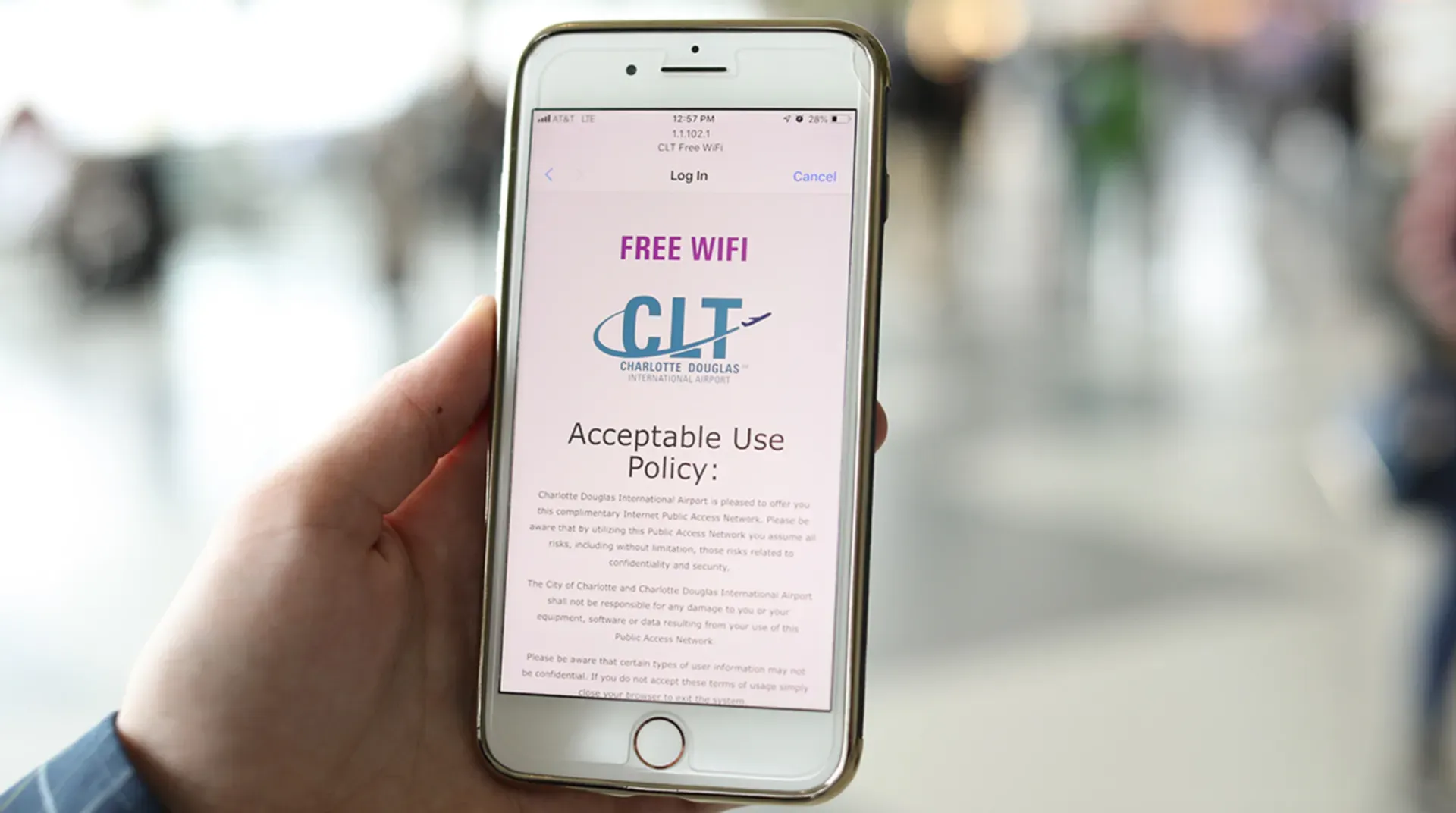
👑 #3. Charlotte Douglas International Airport (CLT) — The Digital Bottleneck
-
Network Name:
CLT Free WiFi -
Median Download Speed: ~30 Mbps
-
Frustration Level: 🤮🤮🤮
-
The Pain: Charlotte is one of the tightest, most hyper-congested connecting hubs in the United States. While the airport pushes millions of passengers through its narrow concourses every month, its Wi-Fi pipe is dangerously narrow.
-
The Vibe: Complete gridlock. During peak bank hours (especially at the packed Concourse E), the latency spikes so high that even basic text-based Slack messages and emails will sit in your outbox, endlessly spinning.
🔔 #4. Philadelphia International Airport (PHL) — The Bandwidth Shell Game
-
Network Name:
Free PHL Airport WiFi -
Median Download Speed: ~32 Mbps
-
Frustration Level: 🤮🤮🤮🤮
-
The Pain: PHL doesn't just suffer from mediocre speeds; it suffers from outdated hardware distribution. The airport still heavily relies on older, crowded wireless frequencies in several older gates.
-
The Vibe: Erratic dropouts. If you accidentally get routed through their older legacy access points, your connection will crawl. It’s a frustrating experience that will leave you aggressively switching back and forth between the useless Wi-Fi and a congested local 5G signal.
🌴 #5. Los Angeles International Airport (LAX) — The Legacy Terminal Lottery
-
Network Name:
_LAX Free Wi-Fi -
Median Download Speed: ~35 Mbps (In older zones)
-
Frustration Level: 🤮🤮🤮
-
The Pain: LAX is a tale of two airports. If you are sitting in the modern Tom Bradley International Terminal, you'll do fine. But if you get stuck in one of the unrenovated, legacy terminal areas, you are thrust into a digital dead zone.
-
The Vibe: Architectural sabotage. The thick, historic concrete walls of the older terminals act like a literal fortress against both the airport's public routers and external 5G cell towers. It’s a literal gamble—one gate you’re streaming, the next gate you're completely cut off from the modern world.
🤬 The Verdict on the Shame List: In 2026, operating a public network at sub-40 Mbps in a major metropolitan hub isn't just an inconvenience—it’s an infrastructure failure. Because these airports prioritize physical runway expansions and retail spaces over IT hardware refreshes, travelers are forced to pay the price. If you find yourself stranded at any of these five locations, it's time to break out the emergency survival tactics.

📲 4. Airport WiFi Won't Connect? How to Force the Login Screen
Is your device saying "Connected" but you still have no internet? Welcome to the most frustrating digital paradox of modern travel: The Stuck Captive Portal.
When an airport's gateway hardware is overwhelmed or outdated, it fails to push the mandatory "Accept Terms" or advertisement splash page to your screen. Your phone thinks it’s online, but the network is actively ghosting your traffic.
Don't pay for an expensive cellular pass just yet. Follow this exact technical playbook to force your device past broken airport routing systems.
🍏 The iOS (iPhone/iPad) Force-Jump Playbook
If your Apple device is trapped in a white-screen limbo, the culprit is usually iOS's native privacy features clashing with legacy airport hardware. Follow these exact steps:
-
Go to Settings → Wi-Fi.
-
Tap the blue info icon (i) next to the active airport network.
-
Toggle OFF
Private Wi-Fi Address. -
Toggle OFF
Limit IP Address Tracking.
Why this works: Many older airport routers cannot communicate with Apple's randomized, virtual MAC addresses or private cloud relays. Disabling this temporarily presents a stable, traditional hardware identity to the router, which often forces the login portal to pop up instantly. Note: You can safely toggle these back on once you are past the login gate.
If the page still doesn’t pop up automatically after doing this, manually bypass it:
-
Open Safari and type
neverssl.comdirectly into the URL bar.
Why this works: Modern websites use SSL encryption (HTTPS), which routers are forbidden from hijacking.
neverssl.comis a brilliant, completely unencrypted website. Because it lacks SSL, the airport router can safely intercept the request and inject its own login/splash page without triggering a security error on your phone.
🤖 The Android & Windows Force-Jump Alternative
If you aren't flying on Team Apple, the underlying issue remains the same (MAC randomization conflict). Use this alternative pipeline:
-
For Android: Long-press the airport Wi-Fi network → Tap View More / Advanced → Change Privacy from "Use randomized MAC" to "Use device MAC". Then open Chrome and type
neverssl.com. -
For Windows Laptops: Go to Wi-Fi Settings → Manage Known Networks → Select the airport network → Ensure "Use random hardware addresses" is turned Off.
🛠️ The Ultimate Portal-Trigger Cheat Sheet
If neverssl.com is somehow cached or blocked, type any of these executive fallback codes into your browser address bar to force a router response:
captive.apple.com
1.1.1.1
http://logout
By manually pointing your browser to an unencrypted or core administrative address, you strip the airport gateway of its excuses, ensuring you get online even in the most soul-crushing "Hall of Shame" terminals.
🛠️ 5. US Airport WiFi Security Risks: Evil Twins & Fake Networks
By now, you have the leaderboard and the connection masterclass under your belt. You’re ready to conquer the tarmac. But before you open up your laptop and start blazing through your tasks, we need to talk about the hidden traps waiting for you in the terminal airwaves.
In 2026, airport networks aren't just plagued by slow speeds—they are actively mined by data harvesters, cluttered with predatory paywalls, and stalked by cybercriminals. Here are the three geeky pitfalls you need to recognize and dodge to keep your data and your wallet safe.
👥 Pitfall #1: The "Evil Twin" Attack (The Trap at the Gate)
You’re sitting at LAX, desperately looking for internet. You open your Wi-Fi list and see two options:
-
_LAX Free Wi-Fi -
FREE_LAX_HIGH_SPEED_WIFI_⚡
Your instinct is to click the second one because it has a lightning bolt and promises high speed. Do not click it. It is almost certainly an Evil Twin.
- The Trap: An Evil Twin is a rogue Wi-Fi access point set up by a hacker sitting nearby with a $50 battery-powered hacking device (like a Wi-Fi Pineapple). They name their network something incredibly enticing and identical to—or better than—the airport's official SSID.
- Once you connect, all your internet traffic routes directly through their laptop. If you type in a password or view an unencrypted page, they’ve got you. Always double-check the exact spelling of the official network on physical airport signs, and never trust a network just because it looks official.
📧 Pitfall #2: Corporate Data Harvesting (The "Free" Illusion)
We’ve all seen it: an airport offers "free" Wi-Fi, but only if you log in using your Facebook account, Google ID, or provide your phone number, zip code, and a verified email address.
- The Trap: You aren't just logging into the internet; you are signing a contract to have your digital life harvested. Third-party airport network providers (often shady data-marketing brokers) use these login portals to build tracking profiles on you. They match your physical location (which airport you're at) with your real-world identity, then sell that package to advertisers.
- The Fix: Treat these portals with zero honesty. Use a burner email address (like a temporary mail generator or Apple’s "Hide My Email" feature). When it asks for your phone number or zip code, use a fake one (e.g.,
90210). The router only checks if the format is correct; it doesn't verify if you actually live in Beverly Hills.
💸 Pitfall #3: Predatory Tiered Paywalls (The "Speed Bait")
You finally log onto the official network, only to find out the "Free" tier is capped at a miserable 5 Mbps—just enough to read a text email but not enough to load a webpage. Suddenly, a shiny pop-up appears: “Upgrade to Premium Turbo Speed (100 Mbps) for just $9.99 for 1 hour!”
- The Trap: This is a artificial scarcity scam run by legacy airport vendors. They intentionally throttle the free tier to a crawl to frustrate you into whipping out your credit card.
- The Fix: Do not reward this toxic behavior. Before you pay a single cent, try the DNS Trick from our Connection Masterclass (switching to Google’s
8.8.8.8or Cloudflare’s1.1.1.1). Many poorly configured tiered systems only throttle traffic routed through their own local DNS. By changing your DNS, you can sometimes blast right through their artificial speed limits onto the premium pipeline for free. If that fails, tether to your phone’s 5G plan—paying a predatory airport Wi-Fi fee should always be your absolute last resort.
⚔️ 6. The Ultimate Showdown: 5G Cellular vs. Airport WiFi
It all comes down to this. You are standing in a crowded terminal, your boarding gate has just changed, your Slack notifications are exploding, and you have exactly 15 minutes to download a massive PDF attachment before your phone goes into airplane mode.
Your screen shows full bars of cellular data, and the airport network is broadcasting a strong signal. Which switch do you flip?
In 2026, the battle between cellular data and local terminal routing is no longer a guessing game. It is a calculated tech decision. To help you decide which network adapter to toggle on, we compared average airport Wi-Fi performance against the Big Three US cellular carriers (Verizon, T-Mobile, and AT&T) across major transit hubs.
To save you from a digital meltdown, let’s look at the ultimate head-to-head scorecard and map out the exact scenarios where one network completely annihilates the other.
📊 The Head-to-Head Scorecard
|
Metric / Network |
📶 Public Airport Wi-Fi |
🔴 Verizon (5G) |
💗 T-Mobile (5G) |
🔵 AT&T (5G) |
|---|---|---|---|---|
|
Average US Speed |
~ 100 Mbps (High variance) |
~ 250+ Mbps 🏆 |
~ 210 Mbps |
~ 105 Mbps |
|
Peak Performance |
Fast at SFO, SEA, MSP |
Blazing fast (where mmWave is present) |
Highly consistent mid-band speeds |
Decent, but lags in older terminals |
|
Congestion Resistance |
❌ Poor (Overwhelmed during delays) |
Highly resilient (Utilizes small cells) |
Excellent capacity |
⚠️ Moderate congestion slowdowns |
|
Indoor Penetration |
Excellent (Access points in ceilings) |
❌ Poor (High-band blocked by concrete) |
Decent (Mid-band penetrates well) |
❌ Poor inside older basements |
|
Security Level |
⚠️ Low (Open, unencrypted network) |
High (Carrier-grade encryption) |
High |
High |
⏰ Scenario-Based Decision Matrix: When to Flip the Switch
Play Option A: Stick to Your 5G Carrier Plan If...
-
You are handling sensitive data: Security is paramount. Whether you are on T-Mobile, Verizon, or AT&T, 5G uses encrypted hardware authentication via your SIM card. This makes it virtually impossible for the guy sitting next to you at the gate to intercept your banking passwords or corporate emails.
-
You have a clear view of the tarmac: If you are sitting near massive exterior windows or an outdoor terrace, carriers' mid-band and high-band 5G networks fly. In 2026, an unhindered Verizon UWB or T-Mobile UC signal near a window will deliver raw download speeds that easily outperform any public network.
-
The airport demands your digital soul: If the captive portal asks for your phone number, zip code, and a mandatory 30-second marketing survey just to give you 5 Mbps of bandwidth, close the tab. Your privacy is worth more than their slow connection.
Play Option B: Switch to Free Airport Wi-Fi If...
-
You are tucked inside a basement gate or central baggage claim: If you are flying out of an unrenovated legacy terminal, concrete walls act as a Faraday cage against cellular networks. AT&T and Verizon signals will drop to a single crawling bar of LTE. Switch to the airport Wi-Fi—their ceiling-mounted enterprise access points are positioned directly above you.
-
Your phone is running low on battery: 5G radios consume massive amounts of power when hunting for a signal through heavy airport glass. If you are at 15% battery and don't have a portable charger, hopping on local Wi-Fi will extend your phone's life significantly.
-
A weather delay just grounded 50 flights simultaneously: When thousands of angry passengers flood a terminal during a delay, local cell towers get choked instantly. Your 5G bars might look full, but data won't move. In this bottleneck, the airport’s dedicated, fiber-backed landline Wi-Fi becomes your only digital escape hatch.
💡 Core Takeaways:
-
Stick to Cellular if you have unlimited data: If you have a solid 5G signal from T-Mobile or Verizon, use it. It is vastly more secure than public WiFi and is generally much faster than basic free tiers.
-
Switch to WiFi in basement or shielded areas: If you are in baggage claim, underground walkways, or deep inside a terminal lounge, switch to the official airport WiFi for consistent coverage.
🏁 7. The Digital Nomad Pre-Flight Survival Checklist
You’ve got the rankings, you’ve mastered the captive portal hacks, and you know exactly when to ditch the terminal Wi-Fi for your carrier's 5G lane. But when you are running on three hours of sleep, dragging a carry-on through security, and trying to prep for a client Zoom call, you don't want to re-read a 3,000-word article.
You need a tactical, no-nonsense checklist.
Whether you are a seasoned digital nomad, a remote corporate warrior, or just someone trying to survive a holiday travel crunch, copy this exact Pre-Flight Digital Survival Checklist into your Notes app before your next trip.
🕒 Phase 1: 24 Hours Before Departure (The Home Base Prep)
-
[ ] The Offline Sync: Download all heavy entertainment. Don’t gamble on airport bandwidth to pull down your Netflix, Spotify, or YouTube Premium playlists.
-
[ ] Cloud Asset Lockdown: If you are working on the go, pull down your active Figma files, Google Docs, or GitHub repositories locally. Never assume you’ll have a stable connection to sync with cloud databases mid-layover.
-
[ ] Map Layer Caching: Open Google Maps or Apple Maps and download the offline map data for your departure, layover, and arrival cities. If cellular towers choke on arrival, your GPS will still work flawlessly.
-
[ ] Arm Your Privacy Tech: Update your VPN app client and ensure your subscription is active. If you don't have one, install ProtonVPN or Cloudflare WARP right now.
🚗 Phase 2: Cleared Security & In the Terminal (The Tactical Setup)
-
[ ] Identify the SSID: Look at physical airport signage or official terminal directory kiosks to verify the exact name of the official network. Avoid any network with sketchy prefixes like
FREE_or emojis. -
[ ] Run a Baseline Speed Test: Open
speedtest.netorfast.comimmediately upon connecting. If the download speed is sub-30 Mbps, immediately pivot to your connection playbook. -
[ ] Deploy the iOS/Android Hardware Mask: If the login page is stuck on a white screen, go to your Wi-Fi properties, temporarily toggle off Private MAC Address / Randomized MAC, and force-trigger the portal by typing
neverssl.cominto your browser. -
[ ] Scout the Geography: If your gate is a wireless dead zone, walk toward the nearest premium airline lounge (Delta Sky Club, Centurion, etc.) and camp out on a public bench near the entrance to leech their high-speed enterprise overflow signal.
✈️ Phase 3: The Boarding Gate Transition (The Final Handshake)
-
[ ] Kill Background Data Hogs: Go into your device settings and pause background cloud photo syncing (iCloud/Google Photos) and automatic app updates. Don't let your phone waste precious airport bandwidth or cellular data on system maintenance.
-
[ ] Check Your Carrier Alignment: If you are on Verizon, AT&T, or T-Mobile, check your wireless list for an automatic Passpoint network lane to bypass the generic public crowds entirely.
-
[ ] The Plane Transition: Once on board, toggle your Wi-Fi back on if your carrier or airline (like Delta or United) offers free gate-to-gate satellite internet via Starlink or Viasat.
❓ 8. Frequently Asked Questions (FAQ)
Q1: Is airport WiFi completely free across all US airports?
A: Most major US hub airports offer a free basic tier of internet access. However, some airports limit the session duration (e.g., 30 or 45 minutes) or cap the speed, requiring you to watch an advertisement or pay for an upgrade to stay connected.
Q2: Why is my WiFi connected, but nothing is loading?
A: This is almost always because your device has connected to the physical router but hasn't authorized itself through the airport's captive login page. Refer to our Troubleshooting Manual in Section 4 to force-load the authorization splash screen.
Q3: Is it safe to check my bank account using airport WiFi?
A: Do not do this without a VPN. Because public airport WiFi networks are open and unencrypted, other users on the same network can intercept data packets. If you must check sensitive financial information, turn off WiFi and use your cellular data, or make sure your VPN is active.
Q4: Can I use major carrier networks like "Xfinity" or "Spectrum" at airports?
A: Many airports host hotspots from home internet giants like Comcast (Xfinity) or Spectrum. These are generally free only if you are an active subscriber to their home internet packages and can log in with your residential account credentials. Otherwise, they will charge steep hourly or daily fees.
Q5: I'm an international student/traveler without a US SIM card, and the WiFi requires a US phone number to text a verification code. What do I do?
A: Look for the nearest Airport Information Desk. The staff are well-versed in this issue and can either provide you with a physical internet access voucher, guide you to a terminal zone with non-cellular authentication (like SFO's or SEA's click-to-connect network), or temporarily register your device on their staff networks.
Q6: My tablet is "Wi-Fi Only" (no cellular plan). How do I get past a portal that requires SMS verification?
A: This is a classic airport trap. The network is free, but they send a verification code via text message, which your Wi-Fi-only iPad or Android tablet obviously can't receive.
Q7: Is it true that premium airport Wi-Fi is faster near the premium airport lounges?
A: 100% yes. As we noted in our masterclass section, airports prioritize their fiber-optic bandwidth distribution. The heavy-duty, commercial-grade access points are clustered directly above or inside lounges like the Centurion Lounge or Delta Sky Club. If you are stuck in a "Hall of Shame" airport, wandering over to the luxury lounge zone and sitting on a nearby public bench will almost always net you a stronger, less congested, and faster signal stream than standing at a crowded budget gate.
Q8: Will switching my device to 5G automatically protect me from the security risks of public Wi-Fi?
A: Yes. When you use a cellular network (AT&T, T-Mobile, or Verizon), your data is encrypted at the hardware level between your device's SIM card and the local cell tower. Cybercriminals sitting at the gate with packet sniffers cannot intercept your cellular stream. If you don't have a reliable VPN app installed, always default to your 5G data lane for banking, corporate messaging, or checking flight details.
✍️ Summary
Travel is stressful enough without having to fight a sluggish internet connection. By mapping out the digital heavens and black holes of the US aviation system, you can plan your pre-flight tasks accordingly. If you find yourself in Seattle or San Francisco, feel free to stream 4K video to your heart's content. But if you are landing in Houston or Newark, make sure your offline cache is packed tight.
Safe travels, keep your VPN running, and may your terminal always have full bars! ✈️💨