Driving in the United States often feels like a constant battle against the numbers on the gas station sign. As we move through 2026, fuel prices continue to fluctuate, making every "fill-up" a test for your wallet. But what if you could consistently pay 20, 30, or even 50 cents less per gallon than the person at the pump next to you?
The secret weapon of savvy American drivers is GasBuddy. With over 150,000 stations covered across the U.S. and Canada, GasBuddy has evolved from a simple price-tracking app into a comprehensive "savings ecosystem." In this guide, we will break down exactly how to use GasBuddy to dominate the fuel market in 2026.
1. What is GasBuddy? The 2026 Overview
Think of GasBuddy as the "Yelp of Gas Stations." Founded in 2000, it relies on a community of millions of users who report real-time fuel prices.
In 2026, GasBuddy remains the dominant player in North American fuel savings, having evolved from a simple price-tracking site into a comprehensive "all-in-one" mobility and rewards platform.
Now celebrating over 25 years in operation, GasBuddy is owned by PDI Technologies and serves over 100 million users by providing real-time data for more than 150,000 gas stations across the U.S. and Canada.
# Core Features of 2026
While its roots are in crowd-sourcing, the 2026 version of GasBuddy integrates AI-driven forecasts and deep financial tools:
-
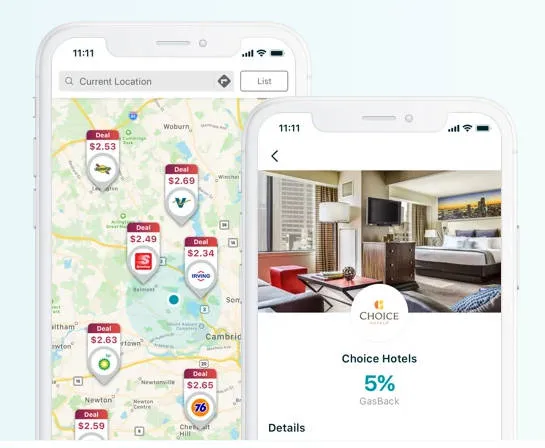
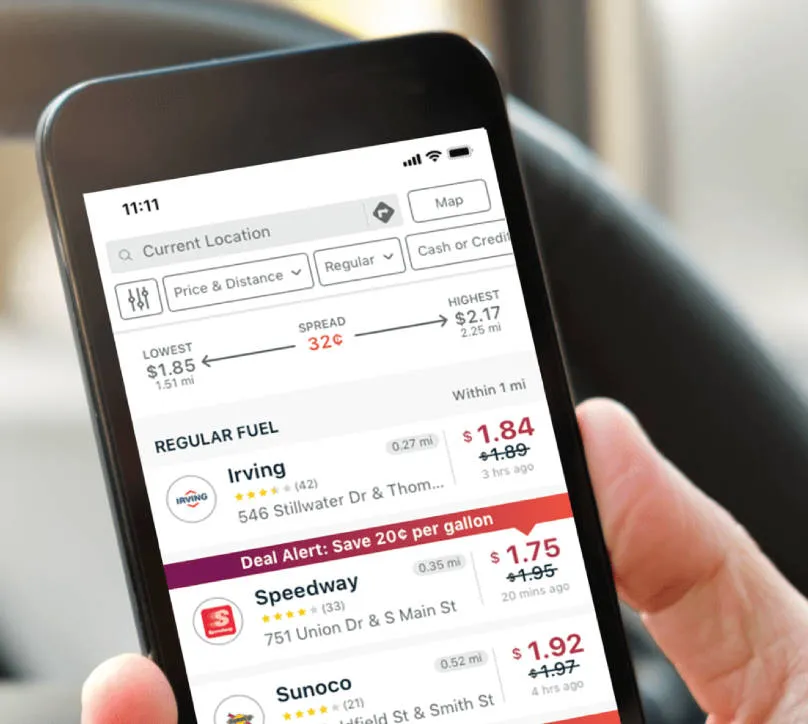
Real-Time Price Map: Still the flagship feature. It uses a hybrid model of crowd-sourced user reports and official pricing feeds to show the cheapest gas near you.
-
Pay with GasBuddy+™: Launched in early 2025, this updated payment program offers a physical or digital card linked to your checking account. It provides automatic discounts (typically 3¢ to 25¢ per gallon) at 95% of stations nationwide.
-
GasBuddy Rewards: A gamified system where users earn points for reporting prices, snapping receipts, or playing "GasBuddy Games." These points can be redeemed for "GasBack" (free fuel).
-
Trip Cost Calculator: An essential for road trips, it calculates exactly how much you’ll spend on fuel based on your vehicle's make, model, and planned route.
-
Vehicle "Health" Hub: Includes tools for tracking fuel economy (Fuel Logbook), monitoring vehicle recalls, and finding the nearest air pumps.
# GasBuddy Premium vs. Free
| Feature | Free Version | Premium ($9.99/mo) |
| Fuel Savings | Up to 25¢/gal with Deal Alerts | Guaranteed 20¢–40¢/gal |
| Roadside Assistance | Not included | 24/7 (Towing, Flat Tire, Lockout) |
| Parking Discounts | Standard search | Exclusive "Park with GasBuddy" deals |
| In-Store Rewards | Basic GasBack | Enhanced rewards at convenience stores |
# 2026 Market Outlook
GasBuddy’s 2026 annual forecast has made headlines by predicting a four-year low in fuel prices. The company’s Head of Petroleum Analysis, Patrick De Haan, projected a national average of $2.97 per gallon for the year, citing "structural stability" in the energy market and a shift in global supply strategies.
# Is it still worth it?
The Verdict: If you are a high-mileage driver or a gig worker (Uber, DoorDash), the Premium tier pays for itself quickly. For casual drivers, the Free app remains a "must-have" tool to ensure you aren't overpaying by 20–30 cents just by driving to the wrong side of the intersection.

2. How to Download GasBuddy 2026 (iOS & Android + International Tips)
In 2026, downloading and setting up GasBuddy is a quick process, but a few specific settings will ensure you don't miss out on the most aggressive "Flash Deals" (which can save you up to 25¢ per gallon).
# Where to Download (Official 2026 Versions)
The app is free and currently on Version 701.33. Avoid third-party APK sites to ensure your banking data remains secure.
-
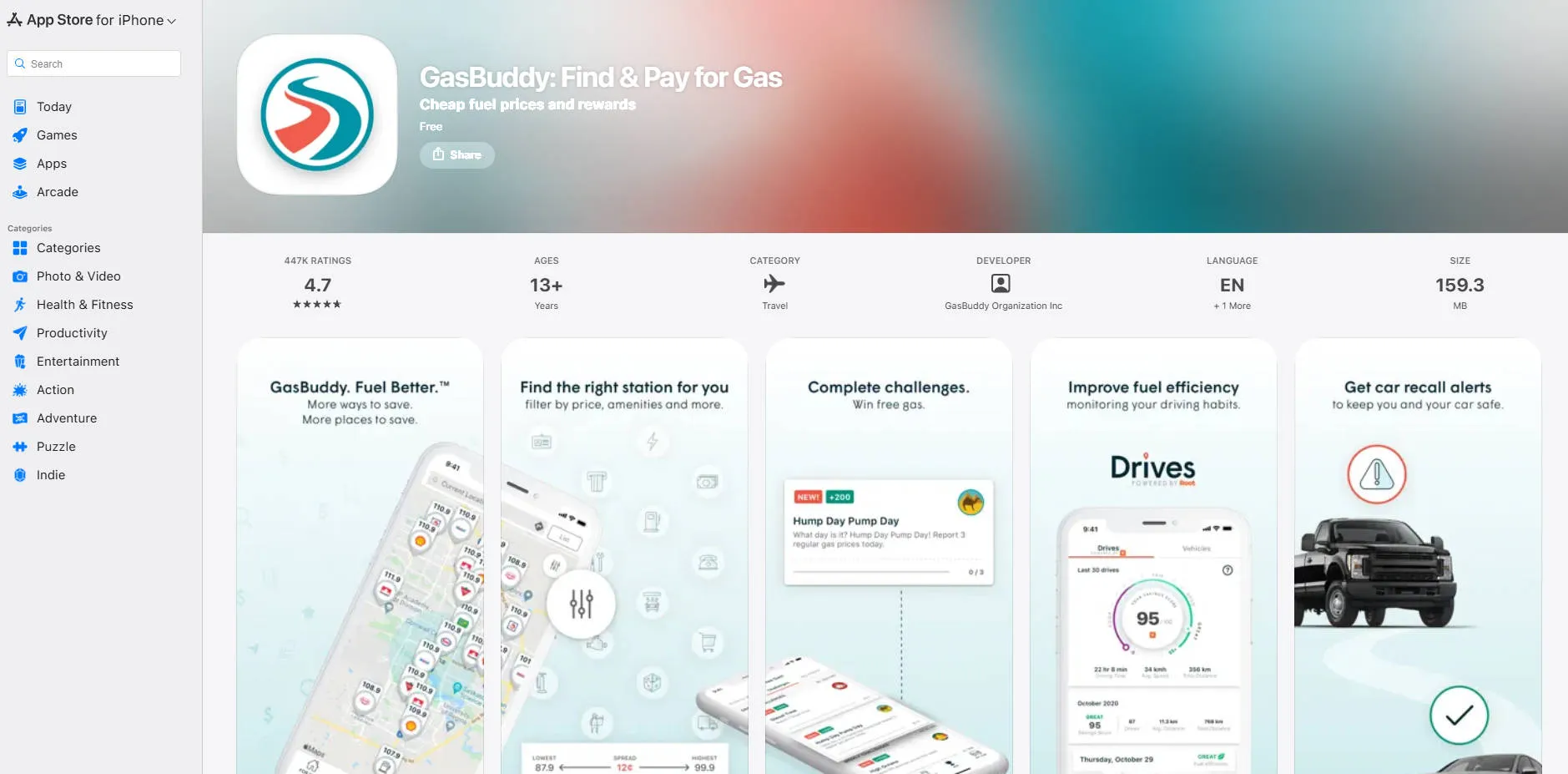
iOS (iPhone/iPad/Vision Pro): Search for "GasBuddy" in the Apple App Store.
-
Requirement: iOS 15.5 or later.
-
-
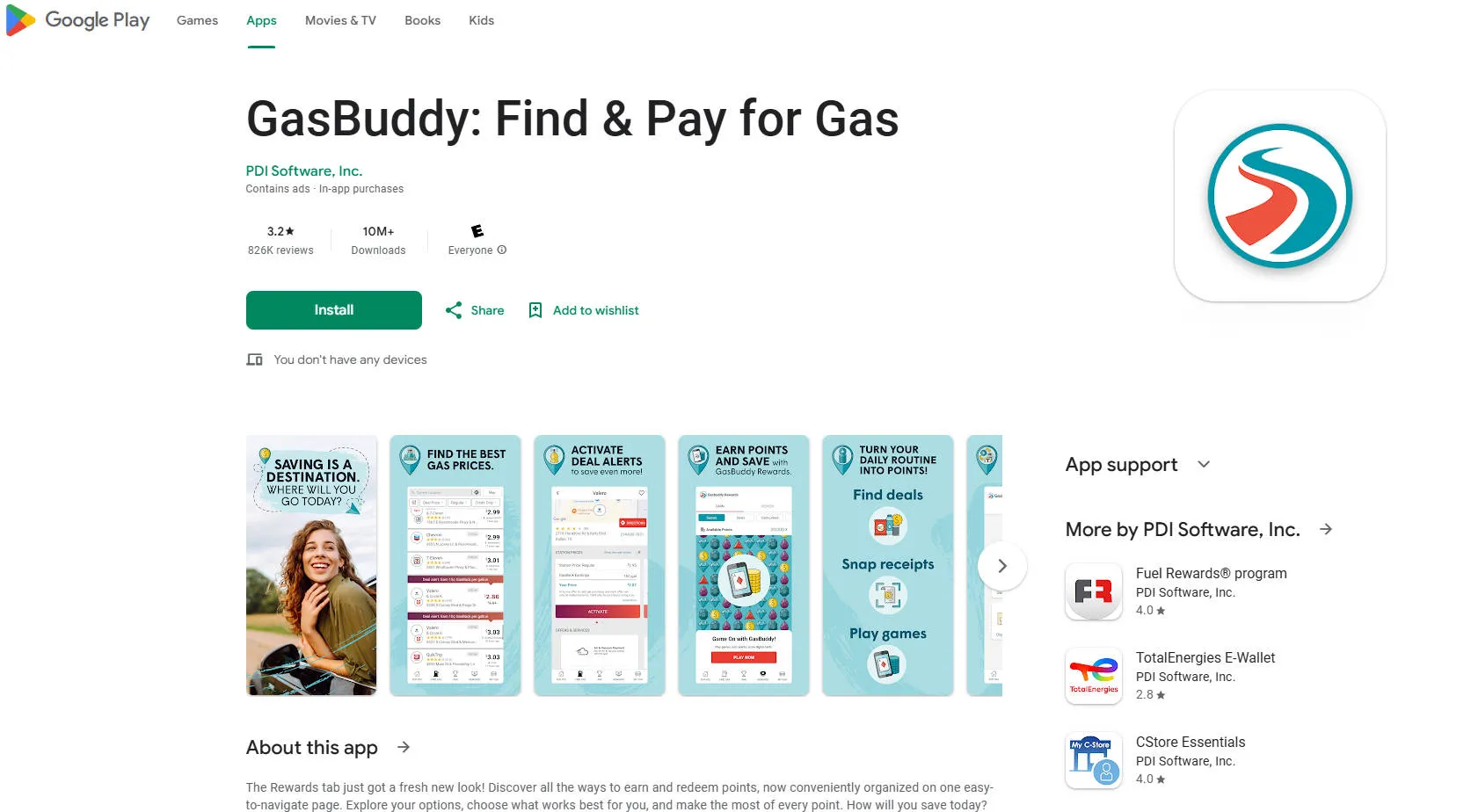
Android: Search for "GasBuddy" in the Google Play Store.
-
Requirement: Android 8.1 or later (optimized for Android 14+).
-
# The "Power User" Setup Steps
Once installed, follow these steps to maximize your savings immediately:
-
Location Access: Set to "Always Allow." GasBuddy in 2026 uses "Background Price Watch" to notify you if a station on your commute just dropped its price.
-
Notification Settings: Enable these! This is how you receive Flash Deals—limited-time price drops that aren't visible on the standard map.
-
Add Your Vehicle: In the "My Car" tab, enter your VIN or make/model. This allows the app to:
-
Send you Automatic Recall Alerts.
-
Calculate your "Fuel Efficiency Score" based on your actual fill-up data.
-
-
Join the "Pay with GasBuddy" Program: This is the most important step. You’ll link your checking account to a physical or digital GasBuddy card.
-
Note: This is a debit transaction, not a credit card, so there is no credit pull.
-
# International Tips: Where does it work?
If you're traveling outside the U.S. in 2026, your experience will vary:
-
Canada & Australia: Full support for price searching and community reporting. You can toggle between Liters and Gallons in Settings > Units.
-
United Kingdom & France: While GasBuddy has limited data here, the 2026 recommendation is to use PetrolPrices (UK) or Roole Map (France) for better accuracy.
-
Mexico: Coverage is growing in 2026, specifically in border towns and major cities like Mexico City and Monterrey, but user-reported data can be spotty.
# Quick Troubleshooting
-
App Glitching? If the map feels "jumpy," check if your Power Saving Mode is on; 2026 high-refresh maps require full CPU power to render smoothly.
-
Wrong Prices? Because GasBuddy is crowd-sourced, prices can occasionally be off. In 2026, you can earn double points by being the first to "Confirm" a price that hasn't been updated in over 24 hours.
3. Getting Started: Setting Up for Maximum Savings
# Community Power: The "Confirm" Button
The data stays accurate because of users like you.
-
Earn Points: If you see a price on the sign that matches the app, tap "Confirm." If it’s different, tap "Edit" and enter the correct price.
-
Rewards: In 2026, every price update earns you GasBuddy Points. These points can be redeemed for entries into the Daily $100 Gas Giveaway or traded for "GasBack" to lower your next fuel bill.
# Summary: 3 Seconds to Savings
To find the best deal in under three seconds:
-
Open the app and tap the "Find Gas" button.
-
Look for the Green station icon with a Teal Lightning Bolt (this indicates a "Flash Deal").
-
Tap the station to see the "Last Updated" timestamp to ensure the price is fresh.
5. Pay with GasBuddy: The Magic Discount Card
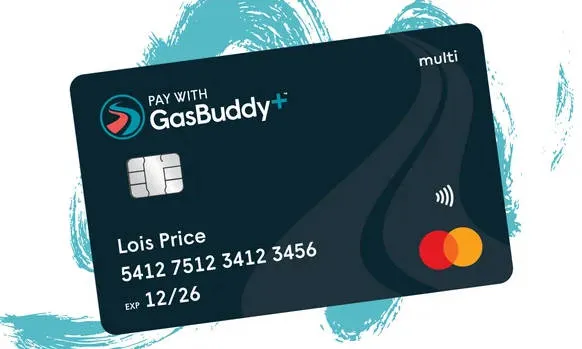
The Pay with GasBuddy™ card is the engine that turns GasBuddy from a simple price-tracking app into a financial tool. In 2026, it remains the only payment method specifically designed to bypass the high credit card processing fees that stations usually pass on to you.
Think of it as a private-label debit card that works at nearly every gas station in the country.
# How It Works (The "Secret Sauce")
When you use the GasBuddy card, you aren't paying with a traditional credit line.
-
The Link: The card is linked directly to your existing checking account via secure encrypted bridging (using Plaid or Dwolla).
-
The Transaction: When you swipe at the pump, GasBuddy pays the merchant instantly. They then withdraw the discounted amount from your bank account 1–3 days later.
-
The Discount: Because GasBuddy processes this as a "low-fee" transaction, they pass those savings directly back to you as a "cents-off-per-gallon" discount.
# The 2026 Tiered Savings
In 2026, there are three ways to use the "Magic Card," depending on how much you drive:
| Tier | Cost | Guaranteed Savings | Best For... |
| Basic (Free) | $0/mo | up to 25¢/gal | Casual drivers & commuters. |
| Plus | $7.99/mo | 20¢/gal (up to 50 gal/mo) | Standard 2-car households. |
| Premium | $9.99/mo | 20¢/gal (up to 50 gal/mo) + Roadside | High-mileage & Gig workers. |
Note: Even on the Free tier, you are guaranteed at least 3¢ off every single gallon, every time you pump.
# Why It’s "Magic": The Stacking Effect
The card’s real power comes from stacking. In 2026, the app automatically calculates the best possible price by combining:
-
Your Base Discount: (e.g., 3¢/gal)
-
Flash Deals: Activated in-app before pumping (e.g., +15¢/gal)
-
GasBack Credits: Earned from shopping or dining (e.g., +10¢/gal)
-
Station Loyalty: You can still enter your phone number for station-specific rewards (like Shell FR or Exxon) before swiping your GasBuddy card.
# Security & Safety in 2026
Since the card is linked to your bank, security is a top priority.
-
Driver ID: You must set a 4-digit PIN (Driver ID) that is required at the pump before the card will authorize.
-
No Credit Check: Since it’s a debit-style card, there is no hard pull on your credit report.
-
Lockable: If you lose your card, you can "freeze" it instantly from the app’s home screen.
# Important Limitations
-
In-Store Purchases: In 2026, the card is primarily for fuel only. While some "Plus" members can use it for snacks, it generally won't work at the register for non-fuel items unless specified.
-
Daily Limits: Most accounts have a daily limit (typically $75–$150) to prevent fraud.
-
Not a Credit Card: It will not help you "build credit," but it also won't charge you 29% interest!
6. GasBuddy Premium vs. Plus: Is it Worth It?
While the free version of GasBuddy is excellent for casual drivers, the paid tiers—Plus and Premium—are designed for those who want to automate their savings or need extra security on the road.
As of 2026, here is how the two paid memberships stack up to help you decide if the upgrade is worth your money.
# Comparison: Plus vs. Premium (2026)
| Feature | GasBuddy+ Plus | GasBuddy+ Premium |
| Monthly Cost | $7.99/mo (or $89/yr) | $9.99/mo (or $99/yr) |
| Guaranteed Savings | 20¢/gal (first 50 gal/mo) | 20¢/gal (first 50 gal/mo) |
| Max Possible Savings | Up to 47¢/gal (with Deals) | Up to 50¢/gal (with Deals) |
| Roadside Assistance | None | 24/7 Allstate (2 events/yr) |
| Special Perks | Standard support | Priority Support + Repair Hotline |
| Gaming Rewards | 1x Points | 2x Points on GasBuddy Games |
# Is "Plus" Worth It?
The "Break-Even" Math: To cover the $7.99 monthly fee through the guaranteed 20¢ discount alone, you need to pump at least 40 gallons per month.
-
Best For: Daily commuters who don't have a roadside assistance plan (like AAA) and want a consistent, reliable discount without hunting for "Flash Deals" every day.
-
The Catch: After your first 50 gallons in a month, your guaranteed discount drops to 5¢/gal.
# Is "Premium" Worth It?
The "Value" Math: For just $2 more per month than Plus, you get a full roadside assistance package and a dedicated car repair hotline.
-
Best For: Gig workers (Uber/Lyft/DoorDash), long-distance travelers, or older vehicle owners.
-
Roadside Details: The Allstate coverage includes towing (up to 5 miles), flat tire changes, jump starts, lockout service, and fuel delivery (you just pay for the 2 gallons delivered).
-
The "Secret" Perk: The RepairPal Car Genius Hotline allows you to talk to a mechanic to get unbiased repair estimates—potentially saving you hundreds on a single shop visit.
# The Verdict: Which should you choose?
-
Choose FREE if you drive less than 500 miles a month or already have a gas credit card that gives you 3%–5% back.
-
Choose PLUS if you want the highest "automated" gas savings but already have roadside assistance through your car insurance or AAA.
-
Choose PREMIUM if you want peace of mind. The $10/year difference between Plus and Premium is essentially a $0.83/month insurance policy for your car. In 2026, that is the best deal in the automotive world.

7. Advanced Strategy: Earning "GasBack" Rewards
In 2026, the GasBack system is a "money printer" for users. 1 GasBack = $1 worth of fuel.
# The Marketplace (Online Shopping)
Before you buy anything online, open the GasBuddy app and go to the Rewards tab.
-
How it works: Search for a retailer (e.g., Walmart, Home Depot, Chewy, or Old Navy). Click the link to their site and shop as usual.
-
The Reward: You’ll earn between 1% and 10% of your purchase price back in GasBack.
-
2026 Strategy: If you’re buying a $500 appliance at Home Depot through the GasBuddy link, you could earn $25 in GasBack—essentially a free half-tank of gas just for clicking a link first.
# Card-Linked Offers (Dining & Local)
This is the most "passive" way to save. You don't even need to use your Pay with GasBuddy card for this to work.
-
Link Your Cards: Go to Settings > Linked Cards and add your favorite Visa, Mastercard, or Amex credit cards.
-
The "Dine & Save" Program: GasBuddy partners with over 15,000 restaurants. When you eat at a participating spot and pay with your linked credit card, you automatically earn 4% GasBack.
-
Stacking: Since you're using your own credit card, you still earn your normal credit card points (like 3x on Dining) plus the 4% GasBack from GasBuddy.
# GasBuddy games & Surveys
If you have a few minutes while waiting in line or sitting on the couch, you can "grind" for gas money.
-
Daily Surveys: Most take 3–5 minutes and pay between $0.25 and $1.00 in GasBack.
-
GasBuddy Games: In 2026, the app features simple "hyper-casual" games. Top leaderboard performers each week are awarded GasBack prizes.
-
2026 Premium Perk: If you are a Premium subscriber, you earn 2x points and higher GasBack payouts on all in-app activities.
# How to Redeem Your GasBack
You don't have to do anything manually. This is the best part of the 2026 system:
-
Your earned GasBack sits in your "Pending" balance (usually for 30–60 days to account for returns).
-
Once it clears, it moves to "Available."
-
The very next time you use your Pay with GasBuddy card at a pump, the app automatically applies your entire available GasBack balance to that transaction.
-
If you have $20 in GasBack and your fuel bill is $50, GasBuddy only withdraws $30 from your bank account.
# Summary: The "Triple Dip" Strategy
To maximize every dollar in 2026:
-
Step 1: Shop via the GasBuddy Marketplace to earn GasBack.
-
Step 2: Activate a Flash Deal in the app before you pump.
-
Step 3: Pay with your GasBuddycard to apply your GasBack and your per-gallon discount simultaneously.
8. 2026 Exclusive: The "Triple Threat" Stacking Method
The "Triple Threat" is the holy grail of fuel savings in 2026. It is the specific process of layering three independent discount systems on a single transaction to drive your price per gallon down by 40¢ to 70¢.
While most drivers settle for a single 3¢ discount, "Power Users" follow this exact three-layer stack:
# Layer 1: The "Direct" Stack (GasBuddy + Flash Deal)
This is your base layer using the 2026 GasBuddy ecosystem.
-
The Play: Before you pull into the station, activate a Flash Deal in the app (up to 25¢/gal).
-
The Payment: Use your Pay with GasBuddy+™ card. This automatically adds your base member discount (3¢–20¢/gal) on top of the Flash Deal.
-
2026 Bonus: If you spent $25 on snacks inside a convenience store earlier that week, an extra 3¢/gal is automatically added here.
# Layer 2: The "Loyalty" Stack (Brand Rewards)
Most people think you have to choose between GasBuddy and station rewards (like Shell Fuel Rewards or Exxon Mobil Rewards+). In 2026, you don't.
-
The Play: At the pump, before you swipe your GasBuddy card, enter your Alt ID (usually your phone number) for the station's loyalty program.
-
The Math: If you have Gold Status at Shell, you’ll instantly see the price on the pump drop by 5¢/gal.
-
The Integration: In the 2026 GasBuddy app, you can now link your Shell, BP Earnify, and Exxon accounts under Settings > Connect Rewards to see your "True Price" before you even arrive.
# Layer 3: The "Rebate" Stack (Upside or Checkout 51)
This is the final "Triple Threat" move. Because GasBuddy is a payment method and not a receipt-scanning app, you can often double-dip with a secondary rebate app.
-
The Play: Open the Upside app (or Checkout 51) and "Claim" an offer for the same station.
-
The Execution: After you pump with your GasBuddy card, upload your receipt to Upside.
-
The Result: Upside sees a valid transaction at a participating station and adds another 10¢–15¢/gal to your Upside balance.
# The 2026 "Power User" Math Example
If you are a Premium Member filling up at a Shell station in March 2026:
| Layer | Discount Source | Savings Per Gallon |
| Layer 1 | GasBuddy Premium + Flash Deal | 45¢ |
| Layer 2 | Shell Fuel Rewards (Gold Status) | 5¢ |
| Layer 3 | Upside Receipt Scan | 12¢ |
| TOTAL | The Triple Threat Stack | 62¢ / Gallon |
Pro Tip: In 2026, the app Fetch Rewards also offers 25–100 points for any gas receipt. While it's only worth a few cents, it's the "Fourth Layer" for those who want to maximize every single drop.
9. Expert Tips for Road Trippers
If you are crossing state lines in 2026, keep these tips in mind:
# The Trip Cost Calculator
Before you even pull out of the driveway, use the Trip Cost Calculator in the app or on the website.
-
How it works: You enter your starting point, destination, and the year/make/model of your vehicle.
-
The Benefit: It doesn't just give you a total; it identifies the optimal refueling points along your route where prices are historically lowest.
-
2026 Update: The calculator now accounts for "State Line Spikes." For example, if you're driving from Arizona ($3.49) into California ($4.74), the app will send a "Last Chance" notification to fill up before you cross the border.
# Master the "Outskirt" Rule
In 2026, the data shows a consistent trend: gas stations immediately off major highway exits charge a 15¢–25¢ premium for convenience.
-
The Strategy: Use the GasBuddy map to look just 2–3 miles away from the highway.
-
The Result: Often, a station located near a local grocery store or a residential area will have significantly lower prices than the "big name" stations at the highway off-ramp.
# Leveraging "Price Hike Alerts"
While traveling, keep your push notifications ON.
-
GasBuddy’s 2026 algorithm is incredibly accurate at predicting regional price hikes based on wholesale market shifts.
-
If you receive a notification that "Prices in [City] are expected to rise by 20¢ tonight," you can plan your stop for the afternoon instead of the next morning, saving you roughly $3–$5 per fill-up.
## Use the "Amenities" Filter for Breaks
Road tripping isn't just about gas; it’s about quality stops. In 2026, you can filter your route for:
-
Cleanliness Ratings: Only see stations with high user ratings for restrooms.
-
EV Charging: Essential for hybrid drivers who want to top off their battery while grabbing lunch.
-
Truck/RV Friendly: If you are towing, filter for stations with "High Clearance" or "Diesel Islands" to avoid getting stuck in a tight corner.
## 2026 Road Trip Savings Comparison
Based on a 1,500-mile round trip in a vehicle getting 25 MPG (60 gallons total).
| Approach | Estimated Total Cost | Strategy Used |
| The "Random Stop" | $216.00 | Stopping whenever the light comes on. |
| The "App Watcher" | $195.00 | Finding the cheapest gas in each city. |
| The "Power User" | $168.00 | Triple Threat Stack + State Line Planning. |
Pro Tip: In 2026, Sunday remains the cheapest day to fill up nationwide. If your trip starts on a Monday, fill your tank to the brim on Sunday evening to start your journey with the lowest possible "base price."
Frequently Asked Questions (FAQ)
Q1: Is GasBuddy free?
A: Yes, the basic app is free. Some features like GasBuddy Pay and premium rewards are optional.
Q2: Can I trust GasBuddy prices?
A: Yes, especially in areas with high user activity. Always check the last updated timestamp.
Q3: How often is the data updated?
A: Prices are updated in real-time by users and station reports.
Q4: Are there alternatives to GasBuddy?
A: Yes, apps like Waze, Fuelio, and AAA Mobile also track gas prices, but GasBuddy remains the most widely used for accuracy and features.
Q5: Is the GasBuddy card a credit card?
A: No. It is a charge card (specifically a "debit-linked" card).
Q6: How long does it take for the money to leave my bank?
A: Typically, it takes 1 to 3 business days for the transaction to post to your bank account.
Q7: Do my GasBuddy points expire?
A: Yes. Rewards and points earned through the app (like GasBack) typically expire after 12 months of inactivity. As long as you use the app once a year, your balance should remain safe.
Q8: Does GasBuddy work at Costco or Sam's Club?
A: You can see their prices in the app, but the "Pay with GasBuddy" card usually cannot be used there because they have their own proprietary payment systems.
Q9: Why is the price in the app different from the sign?
A: GasBuddy relies on user reports. Always check the "Time Since Last Report." If it’s old, click the "Edit" button to update the price for others!
Conclusion: By 2026, GasBuddy has become an essential utility for anyone living in or visiting the U.S. By combining the Pay with GasBuddy card, the GasBack rewards, and the real-time map, you can save hundreds of dollars a year.
Stop overpaying at the pump. Download GasBuddy and start your journey to cheaper fuel today!