Hello, fellow travelers! 👋 If you have an upcoming flight passing through Dallas-Fort Worth International Airport (DFW), you might be feeling a little anxious.
Maybe you saw your itinerary and gasped: "Wait, I only have a 45-minute layover and I have to switch terminals?!" 😱 Or perhaps you heard the famous rumor that DFW Airport is larger than the entire island of Manhattan, and you're picturing yourself sprinting past Cinnabon stands in a cold sweat. 🏃♂️💨
Deep breath. Don't panic! DFW is indeed massive, but it is also home to one of the most efficient, futuristic, and downright cool airport transit systems in the world: the Skylink.
In this comprehensive, battle-tested 2026 guide, we are going to demystify DFW’s layout, unlock the secrets of the Skylink, and give you a step-by-step blueprint to conquer a cross-terminal transfer in 15 minutes or less. Let’s dive in! 🚀
📌 Quick Answers for DFW Connections
Short on time? Here is what you need to know about transferring at DFW:
-
Do I need to re-clear security? No, if you are connecting between domestic flights. Yes, if you are arriving internationally.
-
How do I change terminals? Use the Skylink train located inside security (airside). Do not use the orange Terminal Link buses outside security.
-
How long does it take? The Skylink arrives every 2 minutes. The maximum ride time between the furthest terminals is only 9 minutes.
-
Minimum Connection Time: 45 minutes is the absolute minimum for domestic-to-domestic transfers, but 60 minutes is recommended.
🔍 Part 1: DFW Airport 101 — The Big Picture
Before you can pull off a flawless 15-minute terminal transfer, you have to understand the beast you are dealing with.
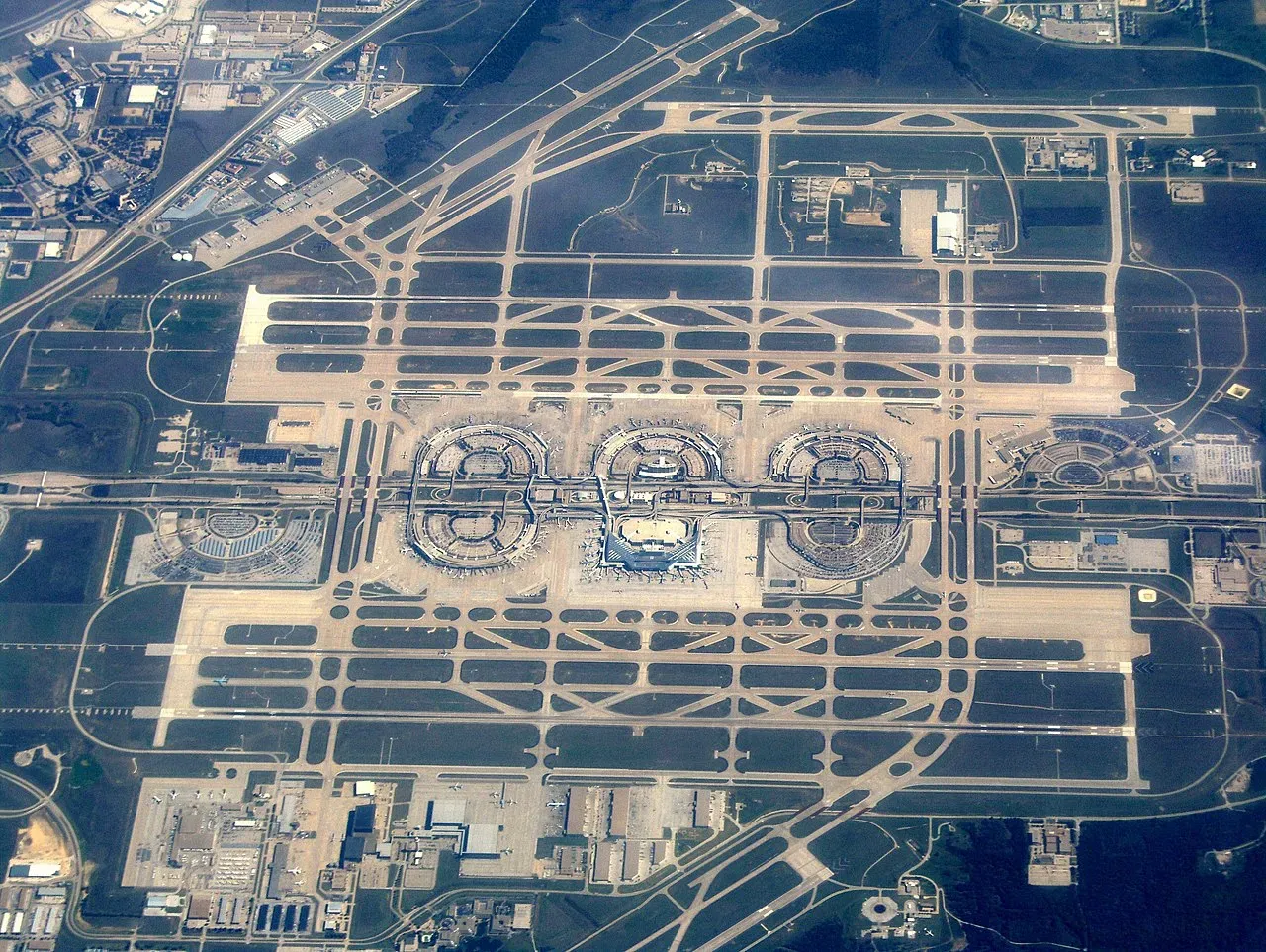
Dallas-Fort Worth International Airport (DFW) is massive. Spanning more than 26 square miles, it is physically larger than the entire island of Manhattan. If you try to blindly wander your way through it, you will miss your flight.
Fortunately, DFW’s layout is actually incredibly logical once you know the code. Here is the big-picture breakdown to get your bearings.
📐 The Half-Moon Layout
DFW is designed along a central highway (International Parkway) running north to south. Built along this spine are five active, semicircular terminals (and one highly anticipated addition on the horizon).
Each terminal is shaped like a giant horseshoe.
-
The Inside Curve: Landside area (parking garages, ticketing, baggage claim, and ground transit).
-
The Outside Curve: Airside area (security checkpoints, passenger gates, restaurants, and the Skylink track).
🗺️ The Terminal Cheat Sheet: Who Goes Where?
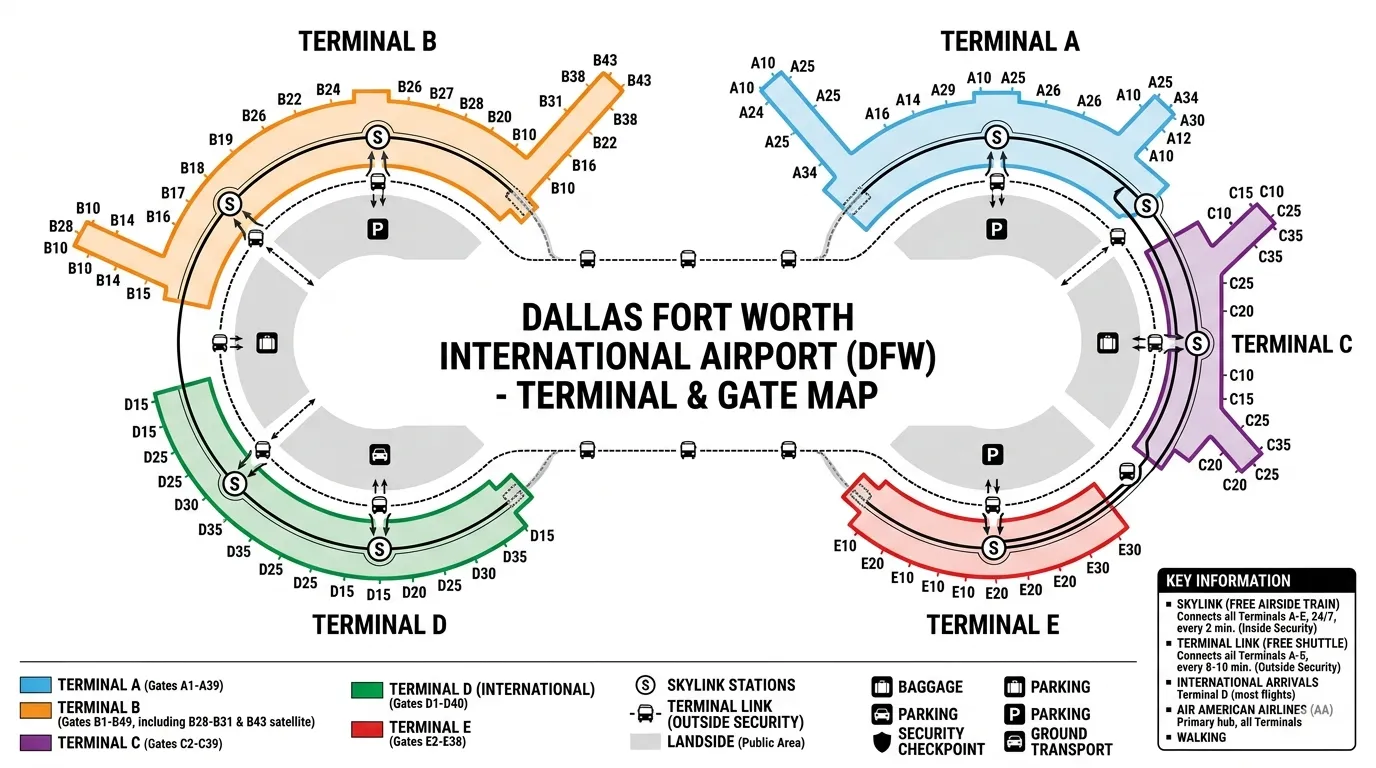
Knowing which terminal you are landing in—and where you need to go next—is half the battle. Here is a quick breakdown of DFW’s current layout:
| Terminal | Primary Airlines | Main Purpose & Features |
| Terminal A | American Airlines | Pure AA domestic hub. Directly connected to the DART Orange Line train to Dallas. |
| Terminal B | American Airlines & American Eagle | Regional and domestic AA flights. Features a distinct regional jet satellite concourse. |
| Terminal C | American Airlines | AA's busiest domestic terminal. (Note: Currently undergoing a massive $3 billion modernization overhaul!) |
| Terminal D | International & Major Domestic | DFW’s premier international gateway. Home to luxury lounges (Amex Centurion, Capital One) and fine dining. |
| Terminal E | Delta, United, Spirit, Frontier, JetBlue, etc. | The "Non-American Airlines" multi-carrier hub. Also handles domestic carriers and regional connections. |
| Terminal F | Opening 2027 | Currently under construction! This brand-new, 15-gate concourse will eventually serve as an extension of Terminal E. |
⚠️ 2026 Construction Alert: Because of major multi-billion dollar renovations happening at Terminal C and ongoing construction preparation for Terminal F, always check your airline app for real-time gate changes before you land.
💡 The Golden Rule of DFW Connections
As long as you stay inside the secure area (airside), all five terminals are seamlessly linked by the Skylink train system. You can travel from any gate in Terminal A to any gate in Terminal E without ever having to exit security or re-clear TSA.
Now that you know the map, let’s look at the ultimate weapon in your transit arsenal: the Skylink.
🚄 Part 2: Your Airside Superhero — The Skylink Train
If DFW Airport is a sprawling, high-stakes board game, the Skylink train is your ultimate "get out of jail free" card.
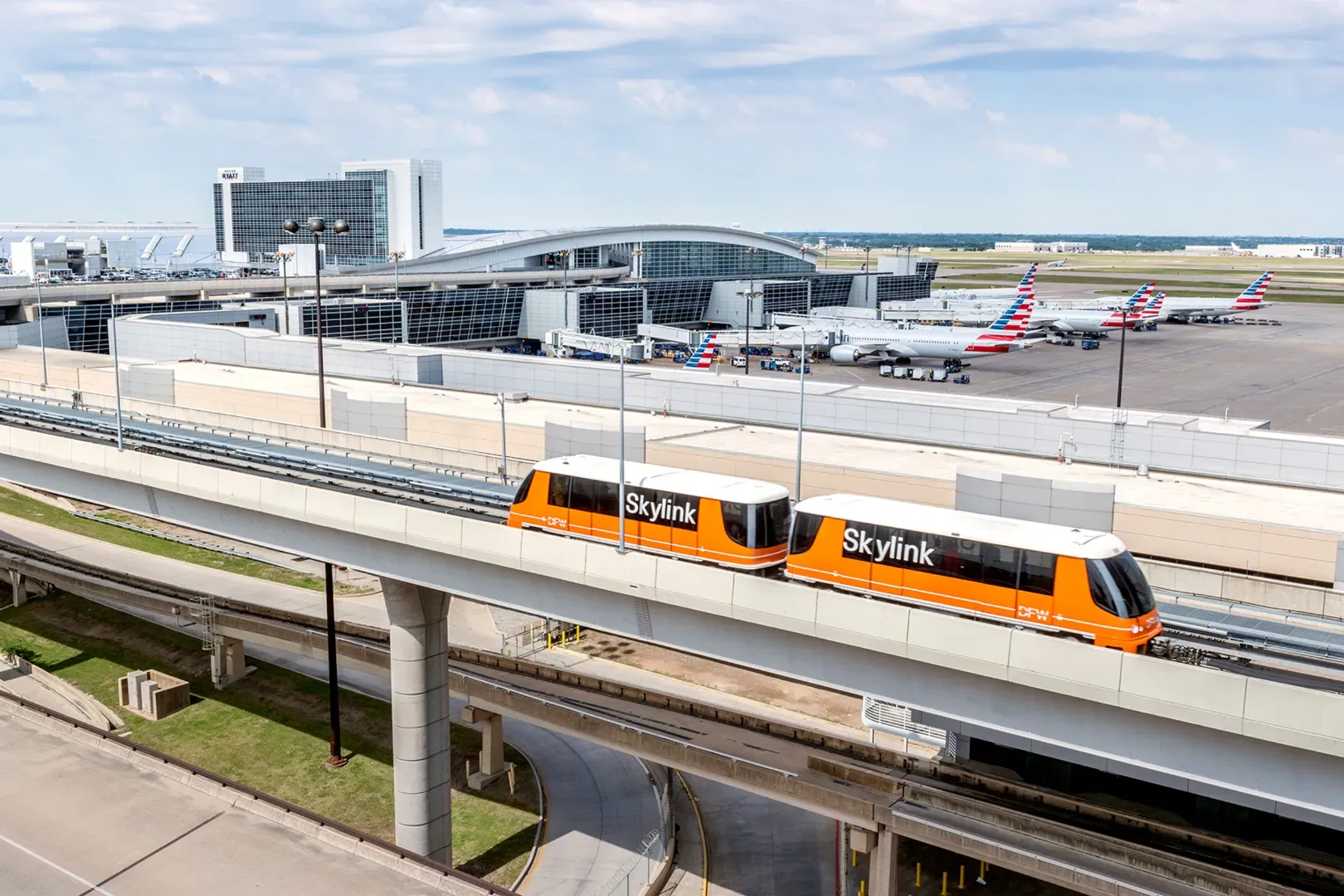
Running seamlessly on an elevated track above the airport, the Skylink is a bidirectional, fully automated people mover. It is designed to solve a single, massive problem: making sure you never miss a connection.
Best of all? It’s completely free, highly reliable, and operates entirely airside (post-security).
⏱️ Skylink by the Numbers
Before we jump into the strategy, let's look at the baseline specs of your new transit best friend:
-
Frequency: A new train arrives every 2 minutes, 24/7/365.
-
Speed: Cruises at a swift 35 to 37 mph (56 to 60 km/h).
-
Average Ride: Just 5 minutes between neighboring terminals.
-
Maximum Ride: Only 9 minutes between the two furthest possible points on the map.
🗺️ The 10-Station Layout (Two Per Terminal)
To prevent you from having to walk the entire half-mile length of a terminal just to catch the train, every single terminal has two Skylink stations.
They are always located on the upper level (Level 3), easily accessible via escalators, elevators, or stairs near the center of the gate clusters. Here is the exact station map to help you plan your exit:
[ Terminal A ] -------- [ Terminal B ]
/ A1–A21 \ / B1–B19 \
/ A22–A39 \ / B20–B49 \
| |====| |
\ C1–C20 / \ D1–D22 /
\ C21–C39 / \ D23–D40 /
[ Terminal C ] -------- [ Terminal D ]
\ /
\ E1–E15 /
\ E16–E38 /
[ Terminal E ]
(Note: A future station is already roughed in for the upcoming Terminal F, positioned just past Terminal E, but for now, the loop perfectly connects A through E.)
🧭 Directional Mastery: Inner Track vs. Outer Track
Because the Skylink is a giant, bidirectional loop, two different trains run at the same time going in opposite directions. Choosing the right one can save you precious minutes when you are sprinting against the clock.
-
The Inner Track: Runs clockwise (Terminal A ➔ B ➔ D ➔ E ➔ C ➔ A).
-
The Outer Track: Runs counter-clockwise (Terminal A ➔ C ➔ E ➔ D ➔ B ➔ A).
💡 The 2-Stop Rule
Unsure which side of the platform to stand on? Look at the overhead digital maps at the station. As a general rule of thumb, no destination on the Skylink is more than two stops away if you pick the correct direction. If the sign says your destination is 3 or 4 stops away, cross over to the opposite platform!
⚡ Golden Rules for a Stress-Free Ride
-
Don't Rush the Doors: If you see the doors closing, do not try to pull a "subway sprint." Remember, another train is pulling up in exactly 120 seconds.
-
Hold the Handrails: The Skylink accelerates and brakes with serious zip. If you are balancing a coffee and a rolling bag without holding on, a sudden turn will test your physics skills.
-
Ignore Your Luggage (Momentarily): There are no seats on the Skylink; it is designed for standing room to maximize passenger flow. Keep your rolling bags close to your legs so you don't block the doors for people exiting at the next stop.
🏃♀️ Part 3: The 15-Minute Terminal Transfer Blueprint
Alright, it’s game time. Your inbound flight just touched down, your connecting flight is boarding soon in a completely different terminal, and the clock is ticking.
Don't panic. By following this precise, step-by-step blueprint, you can clock a seamless terminal-to-terminal transfer in 15 minutes flat. Here is your exact tactical plan from tarmac to takeoff.
⏱️ The 15-Minute Countdown: Step-by-Step
🛑 Minute 0 to 4: The Deplaning Dash & App Check
The clock starts the moment you step off the jet bridge into the terminal. Do not stop to look at the massive, crowded overhead flight boards.
-
The Move: Pull out your phone immediately. Open your airline app (or the DFW Airport app) to verify your connecting gate. DFW gates change constantly due to traffic, so ensure you have the absolute latest info.
-
The Goal: Locate your destination terminal (A, B, C, D, or E) and gate number.
🪜 Minute 4 to 6: Head Upstairs to the Skylink
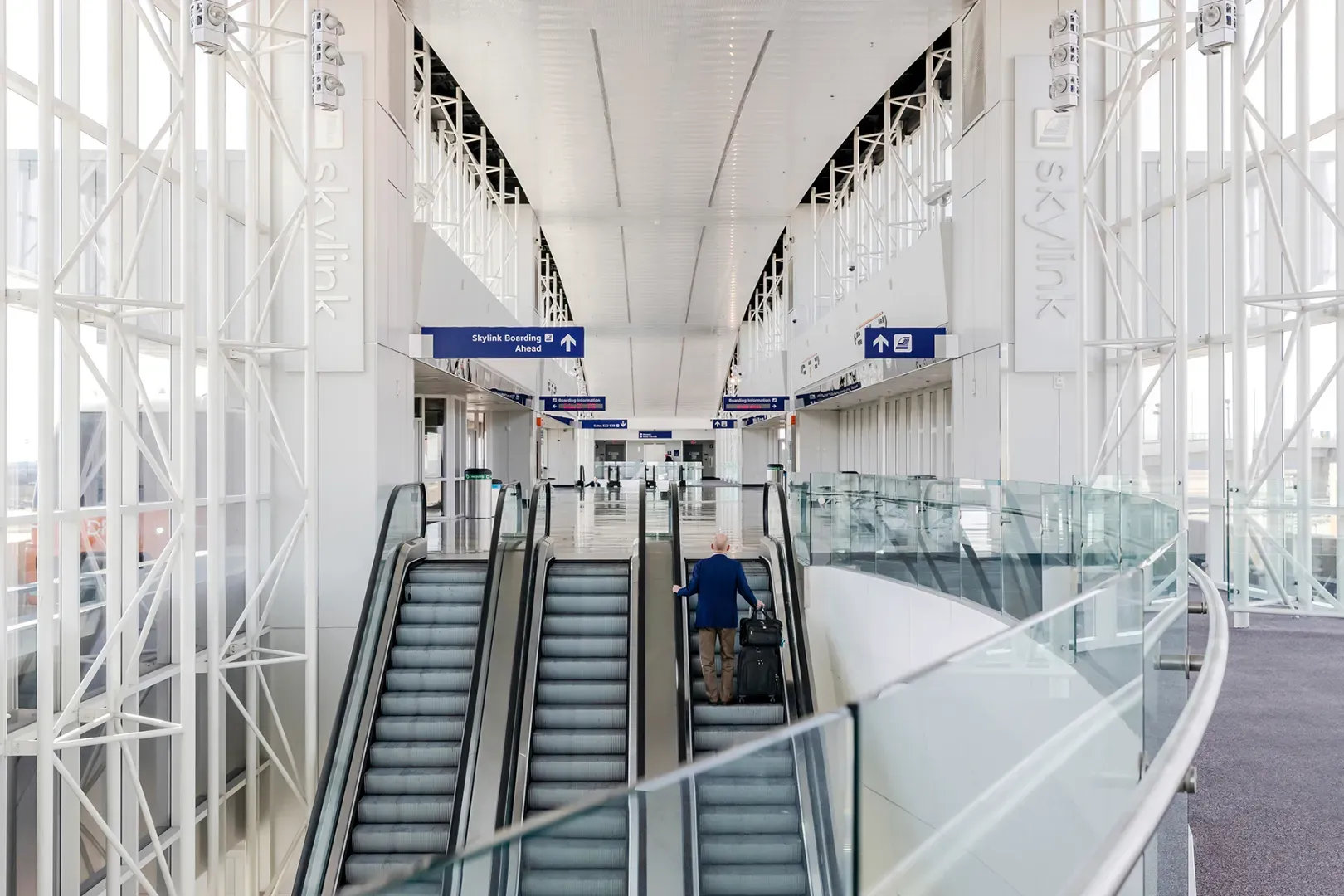
Look up. Look for the bright, overhead directional signs with the Skylink train icon.
-
The Move: Follow the arrows to the nearest Skylink escalator/elevator cluster. Remember, there are two stations per terminal. If your current gate is A10, you’ll head to the A1–A21 station.
-
The Goal: Ride the escalator up to the Level 3 train platform.
🚊 Minute 6 to 8: Choose Your Track & Board
You are now on the platform. You have exactly two minutes (usually less) before the next train glides to a halt.
-
The Move: Look at the digital route screens above the tracks. Apply the 2-Stop Rule from Part 2.
-
Example: If you are at Terminal A and heading to Terminal C, board the Outer Track (Counter-Clockwise)—it’s just one stop away.
-
-
The Goal: Step onto the correct train, roll your bag inside, and hold on tight.
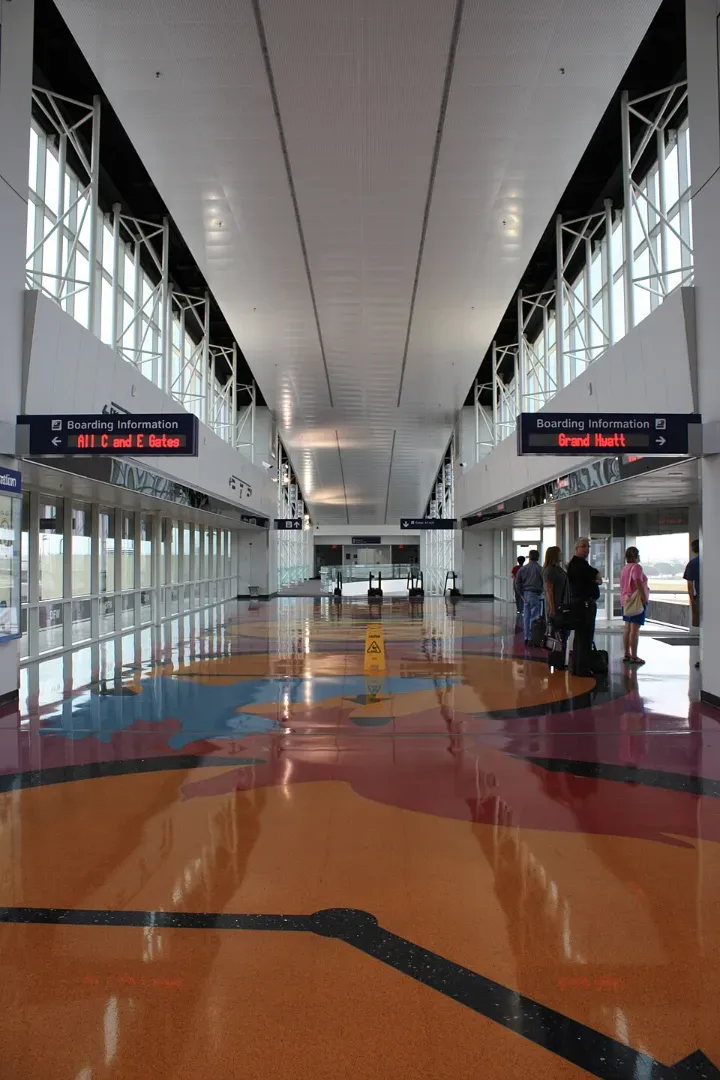
🚄 Minute 8 to 13: The High-Speed Cruise
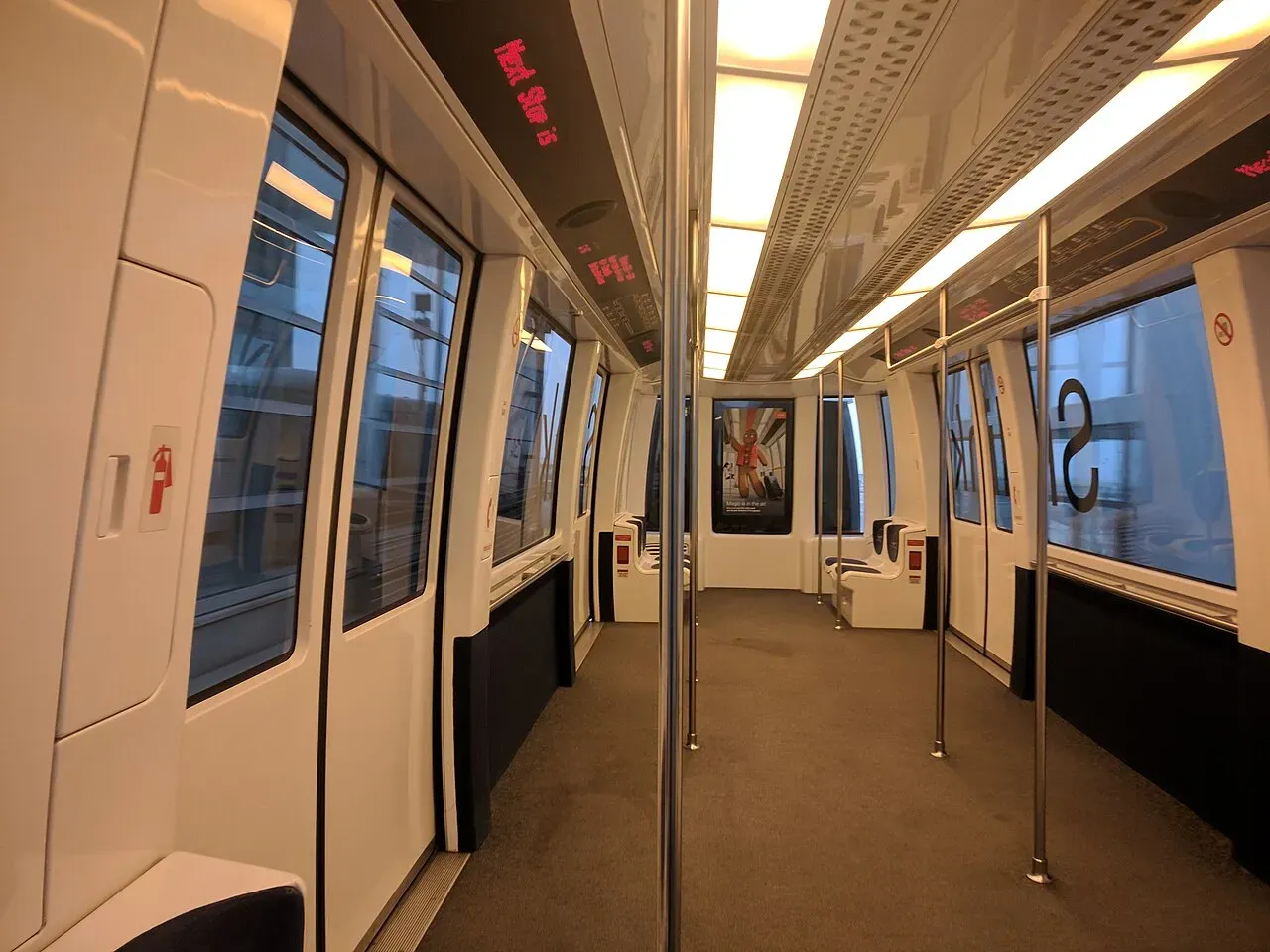
Enjoy the view! This is your time to breathe, catch your breath, and let the train do the heavy lifting. You will cruise above the tarmac, getting a great look at the planes below.
-
The Move: Listen to the automated audio announcements. The voice will clearly state: "Next stop, Terminal C, Gates C1 through C20." * The Goal: Stand near the doors when your specific gate cluster stop is announced.
🏃♀️ Minute 13 to 15: The Final Gate Sprint
The train doors glide open. You have arrived.
-
The Move: Step off the train and take the escalator straight down to the main terminal concourse level.
-
The Goal: Follow the gate numbers directly to your boarding lane. Grab a quick water or coffee only if the gate agent hasn't called final boarding!
⚡ Blueprint Breakdown: A Real-World Example
Let's see how this blueprint works in a real-world, cross-airport scenario:
Scenario: Connecting from Gate B6 (Terminal B) to Gate D30 (Terminal D).
Step 1: Deplane at B6. Look at the signs. The closest station is the B1–B19 Station.
Step 2: Go up the escalator. Check the track map. Terminal D is 2 stops away via the Clockwise track, but only 1 stop away via the Counter-Clockwise track.
Step 3: Board the Counter-Clockwise (Outer) train.
Step 4: Ride the train past Terminal E, and exit at the Terminal D, Gates D23–D40 Station.
Step 5: Take the escalator down. Walk right up to Gate D30.
Total Transit Time: ~12 minutes. Total stress? Zero.
🚫 The "DO NOT DO THIS" Checklist
To keep your 15-minute transfer intact, avoid these three classic amateur mistakes:
-
Do NOT use Terminal Link (The Shuttle Buses): Terminal Link is DFW's landside bus system. If you take this, you have to exit security, ride a bus in highway traffic, and re-clear TSA. Always stay airside and use the Skylink train.
-
Do NOT attempt to walk between distant terminals: While you can walk between Terminals A, B, C, and D via connecting walkways, walking from Terminal A to Terminal E on foot would take you nearly an hour. Save your steps.
-
Do NOT get distracted by Texas-sized shopping: Terminal D features world-class duty-free shopping and incredible restaurants. Save the shopping spree for when you have a 2-hour layover, not a 30-minute squeeze!
🧳 Part 4: Luggage Transit Rules — Will My Bags Make It?
You’ve mastered the Skylink, you know your route, and your body is going to make the gate in 15 minutes. But what about that giant suitcase you checked back at your hometown airport? Will your luggage make the terminal-hopping journey as fast as you do?
The short answer is yes—if you follow the rules. DFW has one of the most advanced automated baggage handling systems in the world, but your luggage is bound by the laws of aviation transit. Here is the breakdown of how baggage works during a DFW terminal transfer.
🗺️ Rule 1: The Domestic Connection (The Easy Mode)
If you are flying from one U.S. city to another U.S. city through DFW (e.g., Chicago ➔ DFW ➔ Los Angeles):
-
Your Action: Do absolutely nothing. * The Reality: As long as your flights were booked together on a single ticket (or on connecting one world partner airlines), your bags are "through-checked." They will automatically be unloaded from your first plane, routed through the airport’s underground tunnels, and loaded onto your next flight.
-
The Verdict: You stay airside, hop on the Skylink, and your bags handle themselves.
🌍 Rule 2: Flying OUT of the U.S. Internationally
If you are flying from a domestic U.S. airport, connecting at DFW, and heading to an international destination (e.g., Phoenix ➔ DFW ➔ London):
-
Your Action: Double-check your bag tag at your originating airport.
-
The Reality: Just like domestic flights, there is no exit customs when leaving the United States. Your bags will automatically transfer to your international carrier.
-
The Verdict: Smooth sailing. Go straight to your next gate via the Skylink.
🛂 Rule 3: Arriving INTO the U.S. Internationally (The "Claim & Re-Check" Rule)
This is where travelers get tripped up. If you are landing at DFW from an international destination and connecting to a domestic flight (e.g., Tokyo ➔ DFW ➔ Miami):
-
Your Action: You MUST claim your checked bags.
-
The Process:
01. You will land at Terminal D and clear U.S. Customs & Immigration.
02. After passport control, you enter the baggage hall to pick up your checked suitcases.
03. Walk through the Customs exit doors.
04. Immediately look for the Connecting Bags / Bag Re-Check Counter right outside the exit doors. Drop your bags right back onto the belt (they already have the correct final destination tags on them).
05. Go through the TSA Security Checkpoint right there in Terminal D, then hop on the Skylink to your final gate.
-
The Verdict: You cannot do a 15-minute transfer here. Because of Customs and re-clearing TSA, you need a bare minimum of 90 to 120 minutes for this type of connection.
🚨 The "Separate Tickets" Trap
Did you book your flight to DFW on Spirit Airlines, and then book a completely separate ticket on American Airlines to your destination to save a few bucks?
⚠️ Critical Warning: If your flights are on separate tickets across airlines that don't share a baggage agreement, your bags will NOT transfer automatically. You will have to exit the secure area, walk to baggage claim, collect your luggage, go upstairs to the ticketing counter of the second airline, re-check the bag, pay their baggage fee, and go back through the main public TSA security line.
🛩️ What About Regional "Gate Checked" Bags?
If you fly into DFW on a small, regional jet (like American Eagle), you might be asked to "gate check" your carry-on roller bag on the jet bridge because the overhead bins are too small.
-
The Catch: When you land at DFW, do not run straight to the Skylink. You must wait on the jet bridge for 5 to 10 minutes for the baggage handlers to bring your roller bag up from the cargo hold. Once you have it in hand, then execute your 15-minute Skylink blueprint!
🌍 Part 5: International Transfers — Decoding the Global Hub
Navigating an international connection can make even the most seasoned travelers a bit anxious. Because the United States does not have a traditional "sterile transit" area (meaning everyone landing from a foreign country technically must enter the U.S.), the rules are unique.
However, DFW is one of the most efficient international gateways in North America. Here is exactly how to handle your international transfers without breaking a sweat.
🛬 Scenario A: International Destination ➔ DFW ➔ U.S. Domestic
(e.g., Flying from Paris to DFW, then connecting to Miami)
This is the most common international connection, and it requires the most steps. Because your final destination is a U.S. city, you must clear border control at DFW.
-
The Arrival: You will land at Terminal D (DFW’s primary international terminal).
-
Passport Control: Follow the signs straight to U.S. Customs and Border Protection (CBP).
-
The Baggage Claim & Re-check: As detailed in Part 4, you must grab your checked bags from the carousel, walk through the customs exit, and place them right back onto the "Connecting Bags" belt.
-
Security Re-screening: You will pass through a TSA checkpoint right there inside Terminal D.
-
The Skylink Sprint: Once through TSA, you are officially back "airside." Head upstairs, hop on the Skylink, and dash to your domestic departure terminal!
🚀 2026 Insider Hack: The Mobile Passport Control (MPC) App
If you are a U.S. citizen, Canadian citizen, or lawful permanent resident and don’t have Global Entry, download the official CBP Mobile Passport Control app before you land. You can submit your declaration digitally upon arrival and skip the massive main line for a dedicated, lightning-fast MPC lane.
🛫 Scenario B: U.S. Domestic ➔ DFW ➔ International Destination
(e.g., Flying from Atlanta to DFW, then connecting to Tokyo)
Good news: This is incredibly simple. The United States does not have passport control or exit customs when you leave the country.
-
The Process: You will land at your domestic terminal. Your luggage will automatically be transferred to your international flight. You do not need to exit security, and you do not need to re-verify your passport if your airline already checked it at your hometown airport.
-
The Strategy: Simply step off your domestic flight, follow the signs to the nearest Skylink station, and take the train straight to Terminal D (or whichever terminal your international flight departs from).
🌐 Scenario C: International ➔ DFW ➔ International (True Foreign Transit)
(e.g., Flying from Mexico City to DFW, then connecting to London)
Many travelers assume that because they never plan to leave the airport, they don't need to enter the U.S. This is a misconception. The U.S. government requires all transiting passengers to clear U.S. Customs.
-
The Requirement: You must hold a valid U.S. Visa or an approved ESTA (Electronic System for Travel Authorization) to complete this transfer, even if your layover is only 60 minutes.
-
The Process: You will follow the exact same steps as Scenario A (Immigration ➔ Baggage Claim ➔ Re-check ➔ TSA Security). Once you re-clear security, take the Skylink to your departing international gate.
⏱️ The Golden Rule: How Much Time Do You Actually Need?
Because international transfers involve government checkpoints, the 15-minute blueprint doesn't apply to the entire process. You need to budget realistic buffer times:
| Connection Type | Recommended Minimum Time |
| Domestic ➔ International | 1 Hour (Plenty of time to ride the Skylink to Terminal D). |
| International ➔ Domestic (with Global Entry/MPC) | 1.5 Hours (Quick customs bypass, but still accounts for TSA lines). |
| International ➔ Domestic (Standard Lines) | 2 to 2.5 Hours (To safely account for peak arrival times). |
🚌 Part 6: Landside Over Land? Master the Terminal Link Shuttle
In Part 3, we laid out a golden rule: Do not use the landside shuttle buses if you are inside security. But what happens if you are landside (outside the secure TSA checkpoints)?
Maybe you just landed from a tiny regional flight and had to pick up your heavy golf clubs at baggage claim. Maybe you stepped completely outside to meet a friend during a long layover, or you parked your car at Terminal A but your return flight landed at Terminal E.
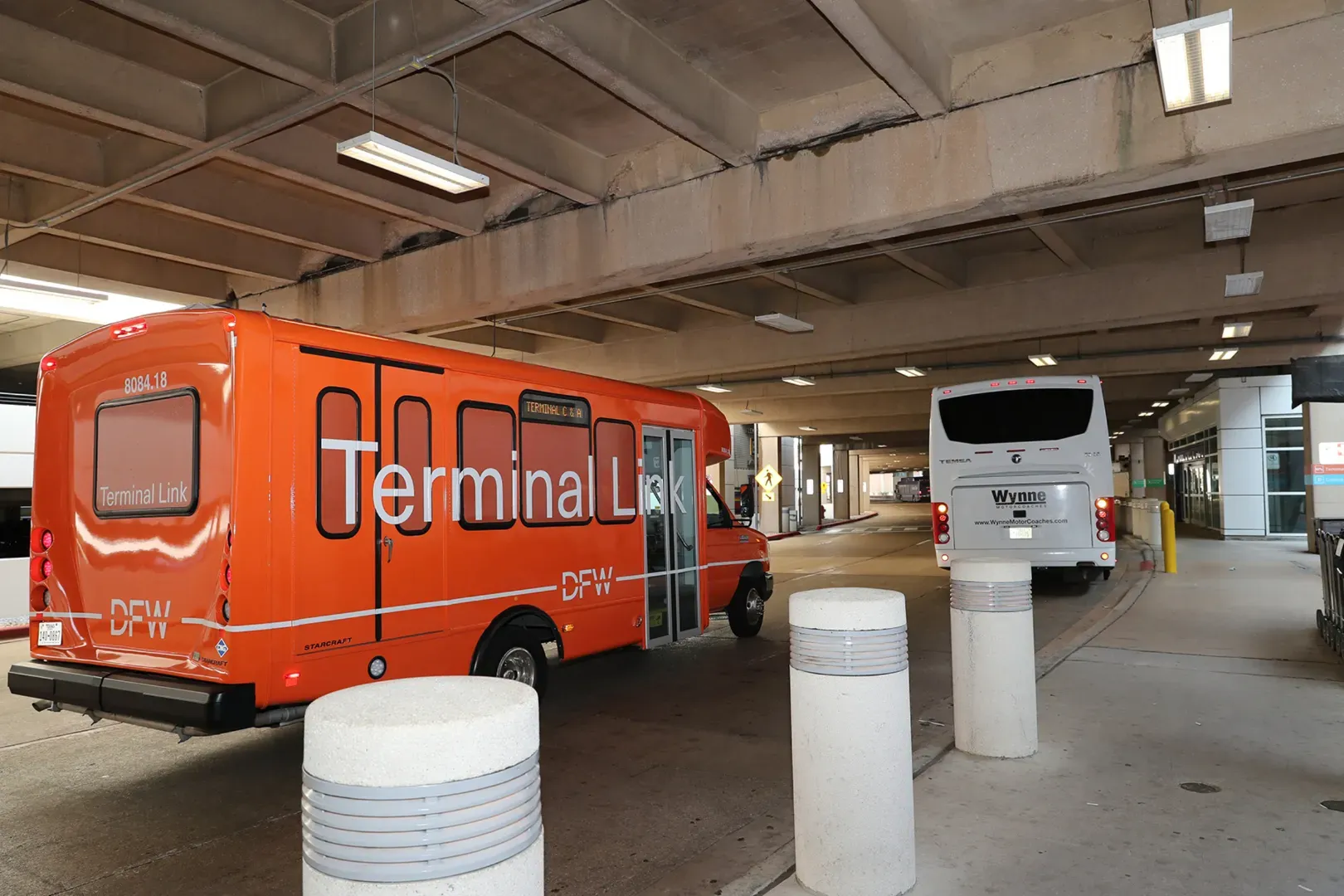
Once you are outside security, you can no longer access the Skylink train. Enter your landside alternative: the Terminal Link shuttle.
🚌 Terminal Link by the Numbers
While it is not quite as fast as the high-speed airside Skylink, the Terminal Link shuttle is an incredibly reliable, completely free van/bus system that navigates DFW’s outer roadway loop.
-
Color Code: Look for the bright orange shuttles.
-
Frequency: Shuttles arrive every 8 to 10 minutes from 5:00 AM to 1:00 AM.
-
Night Owls: Between 1:00 AM and 5:00 AM, the shuttle switches to an "on-demand" call service (just call 972-574-5465 for a ride).
-
Ride Time: Expect a 10 to 20-minute journey depending on how many terminals away your destination is.
📍 Where Do I Catch It? (The Stop Map)
Finding the Terminal Link is simple, but you have to look on the correct floor. DFW's horseshoe terminals place these stops right along the curb outside the ticketing and baggage levels.
As a general rule, all Terminal Link stops are located on the Upper Level of the terminals, right outside the entry/exit doors—with two major exceptions due to construction and design layout:
-
Terminal A: Upper Level, outside doors near the center gates.
-
Terminal B: Upper Level, outside doors near the center gates.
-
Terminal C (2026 Construction Note): Because of the massive, ongoing multi-billion dollar renovations at Terminal C, there is currently only one Terminal Link stop here. It has been temporarily moved to the Lower Level near Gate C15. Keep your eyes peeled for detour signs!
-
Terminal D: Lower Level (Arrivals/Baggage Claim level), outside the international arrivals exits.
-
Terminal E: Upper Level, outside the ticketing doors.
📱 Pro-Tip: Use the Live Shuttle Tracker
Don't just stand on the curb guessing when the next orange bus will arrive. DFW integrates a live, real-time GPS Shuttle Tracker directly into the official DFW Airport App. You can watch your specific bus crawl along International Parkway so you know exactly when to grab your bags and step to the curb.
⚠️ The Landside Reality Check: Budget for TSA
Using the Terminal Link means you are traveling in public areas. Before you choose this route, remember the ultimate trade-off:
The Golden Equation: >
Terminal Link Ride (15 mins) + New Terminal TSA Security Line (15-45 mins) = Your Total Transfer Time
If you have already cleared security, have no checked luggage to claim, and just want to check out a restaurant in another terminal, stay airside and stick to the Skylink. However, if your journey requires you to grab your bags and exit the secure zone, walk out the sliding glass doors, find the orange sign, and let the Terminal Link get you exactly where you need to go.
💡 Part 7: DFW Insiders’ Secrets & Shortcuts
You know the layout, you’ve mastered the tracks, and your baggage strategy is ironclad. Now, let’s talk about the subtle, expert-level shortcuts that separate the casual travelers from the true DFW pros.
These are the insider secrets to help you skip lines, bypass crowd bottlenecks, and find hidden spots of luxury while transferring across this Texas mega-hub.
🧵 Shortcut 1: The TSA Security Bypasses (The Carry-On Cheat)
If you are flying American Airlines and traveling with only a carry-on, you are blessed with ultimate flexibility. Because AA spans across all five terminals, you do not have to clear security at your designated departure terminal.
-
The Secret: If you pull up to the airport and see a massive, winding line at your departure terminal's TSA checkpoint, check the DFW app for wait times at neighboring terminals.
-
The Play: Walk into a completely different terminal with shorter lines (Terminal E or B are notoriously quieter for general screening), breeze through TSA there, and then take the airside Skylink straight to your actual departure gate.
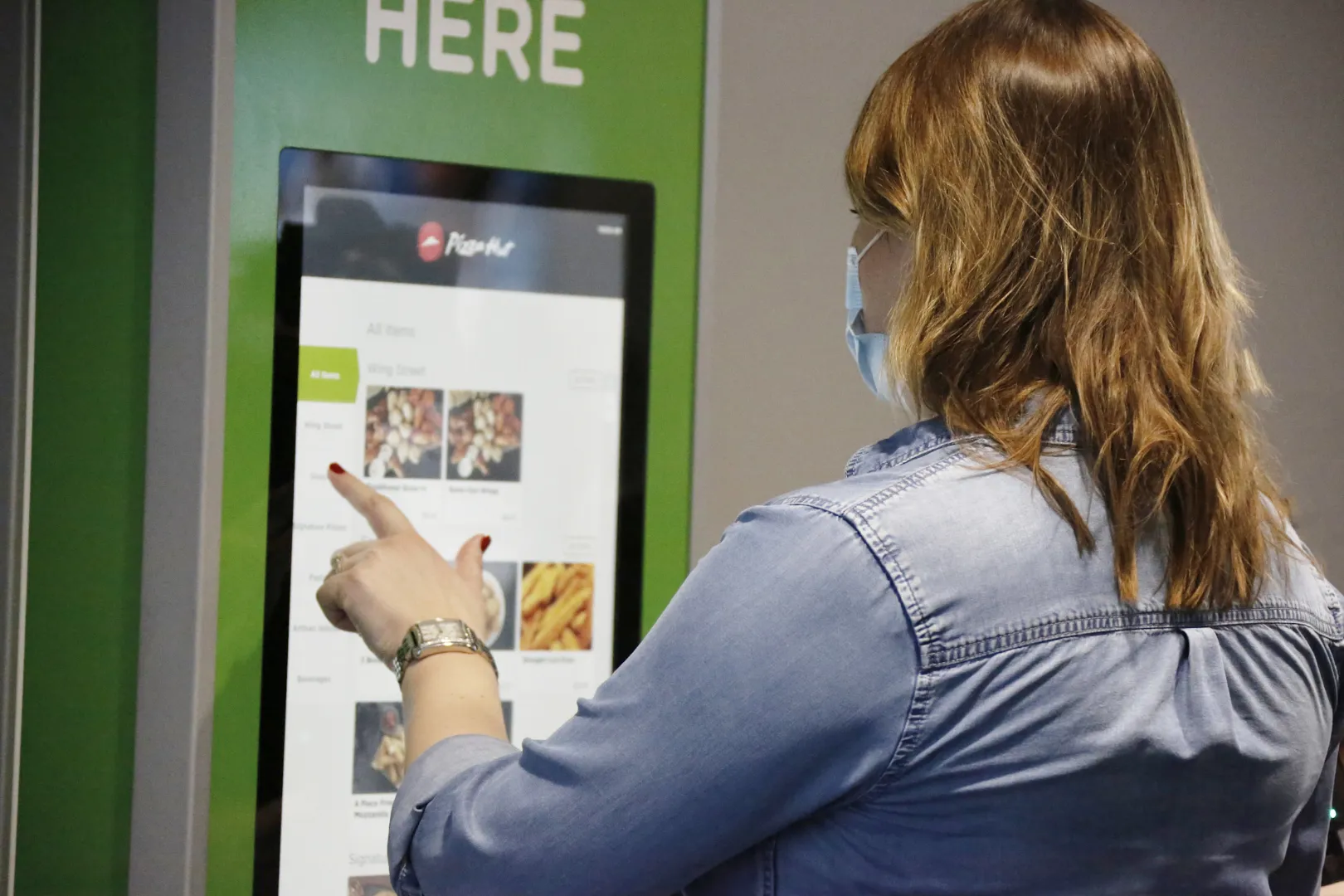
🍔 Shortcut 2: Skip the Terminal Food Lines with DFWOrderNow
DFW has an incredible culinary scene, from legendary Texas BBQ at Salt Lick to local favorites. But standing in line at a busy counter can totally kill your limited transfer buffer.
-
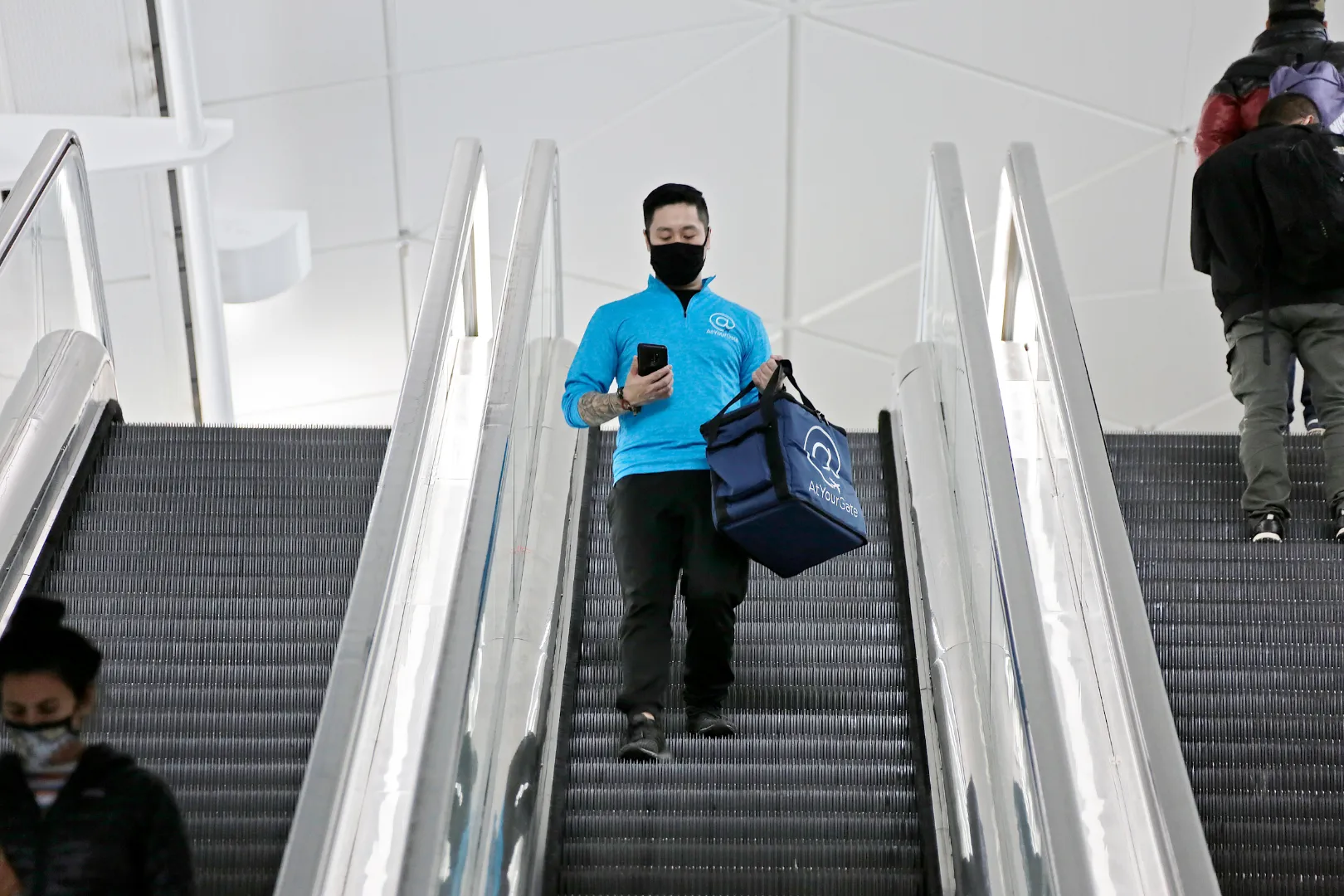
The Secret: DFW operates a universal digital ordering system called DFWOrderNow.com.
-
The Play: Don't sit around waiting at your gate. Open the site or scan a terminal QR code, order your food ahead from participating restaurants across any terminal, and stroll right up to the pickup counter to grab your hot meal. You can even order food from a different terminal while riding the Skylink and time it perfectly!
🛋️ Shortcut 3: The Terminal D Lounge & Luxury Escape
If your transfer leaves you with an hour or two to spare, do not sit at a cramped gate. Terminal D is the crown jewel of the airport, and it just got a major luxury upgrade.
-
The Secret: DFW just welcomed the ultra-exclusive Plaza Premium First lounge alongside a fully reimagined Plaza Premium Lounge in Terminal D.
-
The Play: If you want a restaurant-style à la carte dining experience, craft cocktails, and high-end showers to refresh between long flights, hop the Skylink to Terminal D. Even if you aren't flying first class, independent day-passes can get you into these quiet havens.
🧘 Shortcut 4: Hidden Sancturies for Rest and Quiet
Need to decompress, stretch out, or handle a business emergency in complete peace? DFW has built-in oases hidden right in plain sight.
-
The Yoga Studios: There are free, dedicated, fully equipped yoga spaces located post-security at Gate A22 and Gate D40. They feature free mats and a completely silent atmosphere to de-stress.
-
The Minute Suites: If you need an actual bed, a desk, and a door that locks for a power nap, you can rent a private, soundproof oasis at Minute Suites (located in Terminal A, D, and E). Bonus: If you have a Priority Pass card, your first hour is usually 100% free!
-
The Multi-Faith Chapels: Located across every single terminal, these are always open and are arguably the quietest places in the entire 26-square-mile airport footprint.
🚗 Shortcut 5: The "Return Terminal" Car Catch
Did you park your car at a Terminal C garage, but your return flight unexpectedly landed at Terminal A? If you didn't check a bag, do not exit security yet!
-
The Secret: Landing at a different terminal than where you parked is a classic DFW headache.
-
The Play: Before you exit to the public baggage claim, use your airside superpower one last time. Hop onto the Skylink, ride it back to the terminal where your car is parked, exit security there, and walk straight to your vehicle. You’ll save yourself a slow, landside shuttle ride.
❓ Part 8: Frequently Asked Questions (FAQs)
Here are the most common real-world questions travelers ask when navigating DFW transfers, Skylink, and international connections—with straight answers you can actually use mid-trip.
Q1: What if I accidentally board the Skylink in the wrong direction?
A: Don't panic! Because the Skylink is a perfect double-loop, going the "wrong" way just means you will ride a few extra stops. Since the train is so fast, even a complete loop around the entire airport takes only 9 minutes. You will still make it!
Q2: Does Skylink run during midnight or early morning hours?
A: Yes! It operates 24 hours a day, 7 days a week. No matter if your flight lands at 2:00 AM or 5:00 AM, the train is running every few minutes to keep you moving safely.
Q3: I have a 5-hour layover. Can I go to a premium lounge in another terminal?
A: Absolutely! Because all terminals are connected airside via the Skylink, you can easily hop over to Terminal D to enjoy the Centurion Lounge, Capital One Lounge, or Admiral's Clubs, and then take the Skylink back to your departure gate when it's time to board.
Q4: Is the Skylink train completely free to ride?
A: Yes! The Skylink is 100% free for all passengers. You do not need a ticket, a boarding pass scan, or a special voucher to ride it. Just walk up to the platform and step on.
Q5: Can I walk between terminals if I don’t want to take the train?
A: Yes, but only between certain terminals. Post-security pedestrian walkways connect Terminals A, B, C, and D in a continuous chain. A walk between adjacent terminals (like A to B) takes about 15 to 20 minutes. However, Terminal E is completely isolated from a walking standpoint; you must take the Skylink to get to or from Terminal E while remaining airside.
Q6: If I use the Skylink to change terminals, do I have to clear TSA security again?
A: No. Because the Skylink track is located entirely "airside" (inside the secure zone), you can ride it from terminal to terminal as many times as you like without ever leaving the secure area. The only exception is if you are arriving on an international flight, which requires clearing customs first (see Part 5).
Q7: Can I use the Skylink if I haven’t gone through security yet?
A: No. The Skylink platforms are located past the TSA checkpoints. If you are landside (checking bags or waiting in the ticketing lobby), you must use the curbside, orange Terminal Link shuttle buses to move between terminals.
Q8: How long does a full loop on the Skylink take?
A: If you just want to sit on the train and enjoy the sweeping views of the airplanes and runways, a complete loop through all five terminals takes approximately 15 to 18 minutes.
Q9: What should I do if my connection is under 30 minutes and my first flight is delayed?
A: Swiftly execute the 15-Minute Blueprint from Part 3. The absolute moment you step off the jet bridge, open your airline's app to ensure your departure gate hasn't changed. If you are cutting it incredibly close, politely let your flight attendants know before landing—sometimes they can request that passengers allow tight-connection travelers to deplane first.
🏁【Summary Checklist for a Flawless Transfer】
-
[ ] Keep security-inside (Airside) — do NOT exit to baggage claim.
-
[ ] Check your gate number on your airline's app immediately upon landing.
-
[ ] Head straight to the upper level to locate the nearest Skylink station.
-
[ ] Check the digital signs on the platform for the fastest loop direction.
-
[ ] Keep an eye on your boarding time (boarding usually begins 30–40 minutes before departure!).
🎬 Conclusion: You are Ready to Conquer DFW
There you have it—the ultimate playbook for mastering Dallas-Fort Worth International Airport. What used to be a stressful, overwhelming maze is now a highly manageable hub.
By understanding the half-moon layout, choosing the right track on the Skylink, mapping out your luggage requirements, and leveraging insider shortcuts, you can comfortably master a 15-minute terminal transfer and travel with absolute confidence.
Safe travels, and enjoy the ride above the Texas tarmac! ✈️🤠🌟
Related guide: JFK Airport Guide; How to Book Cheap Domestic Flights in the USA